Participating Frequently
January 18, 2017
Answered

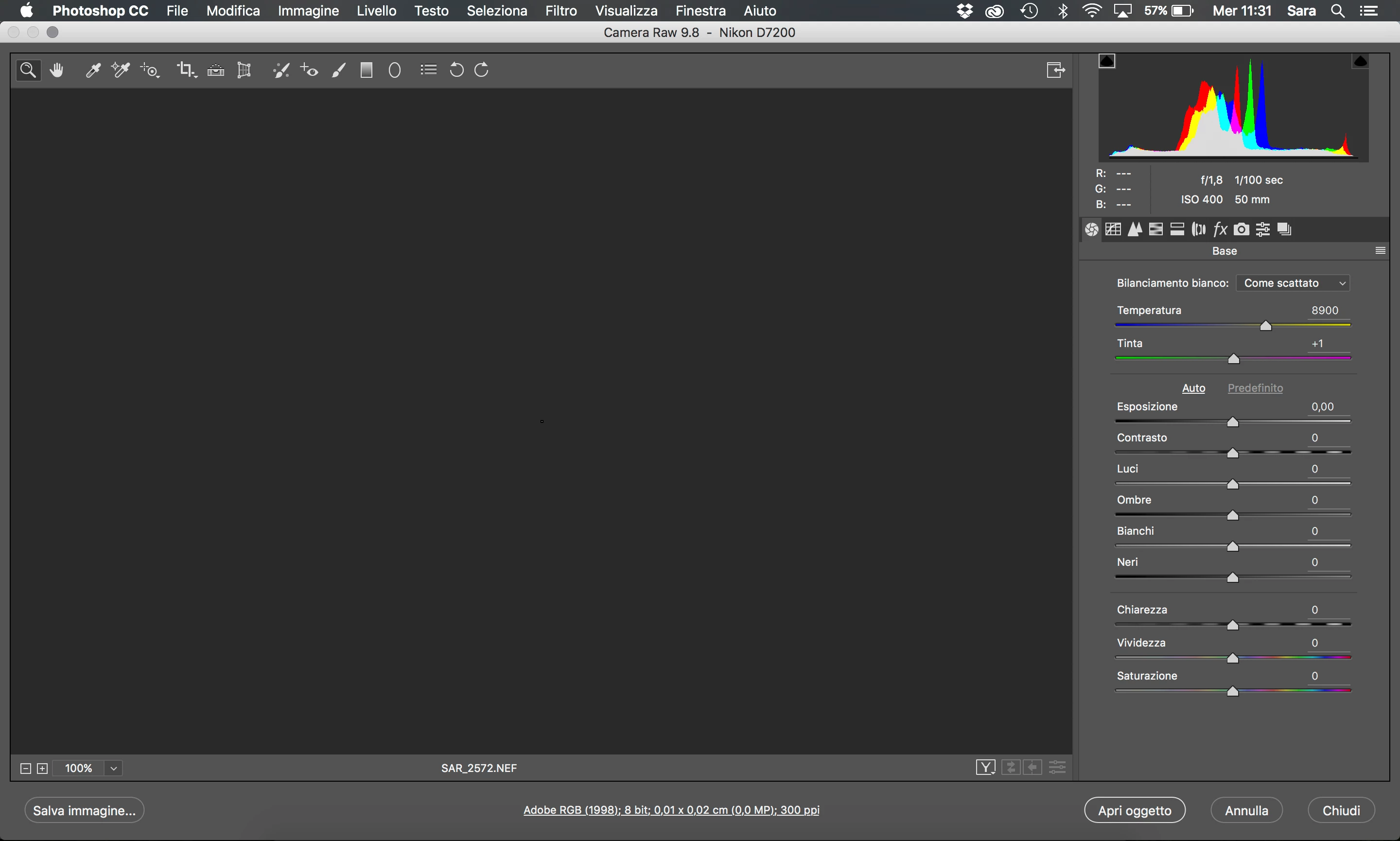
Problem with Camera Raw. The screen doesn’t show the pictures but a tiny pixels

  • January 18, 2017
  • 4 replies
  • 5334 views

Hello I have a problem with Camera Raw.

When I open an NEF or RAW files with the software the screen doesn’t show the pictures but a tiny pixel.

I tried to delete it and re-install photoshop. I upgraded 9.8 camera raw and computer software. I may have deleted something while I was tidying the mac.

I can not fix this problem. Can we help me? Thankss

I have a macbook pro retina 15.
This topic has been closed for replies.
Correct answer Jeff Arola

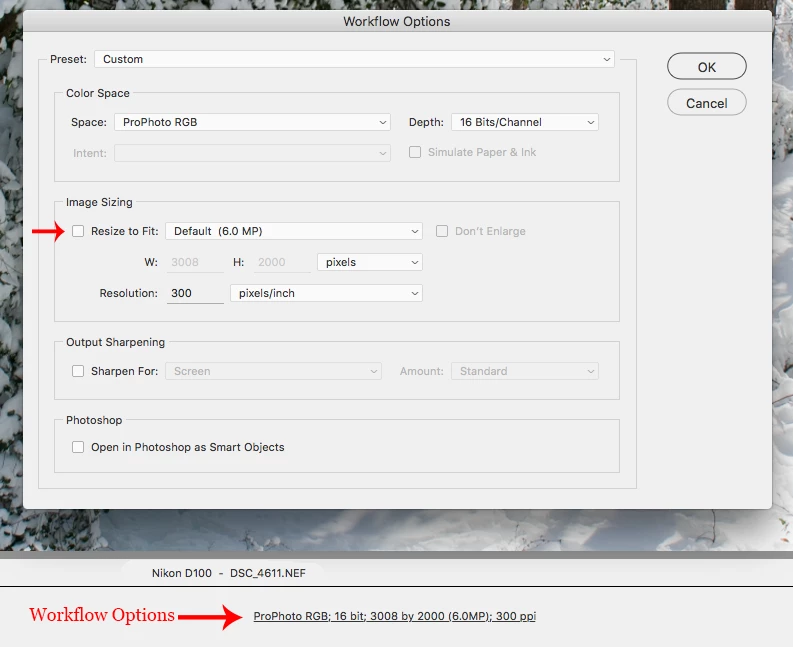
At the bottom of your acr dialog is the Workflow Options.

Click on that and in the Workflow Options dialog uncheck Resize to Fit

4 replies

Jeff Arola
Community Expert
Jeff ArolaCommunity ExpertCorrect answer
Community Expert
January 19, 2017

At the bottom of your acr dialog is the Workflow Options.

Click on that and in the Workflow Options dialog uncheck Resize to Fit

Participating Frequently
January 20, 2017

OMG!!!!

this is the problem.

thank you so much!!! now I see my photo!!! thankss

Just Shoot Me
Legend
January 18, 2017

Not sure but that is a Fake File and or a File that contains No Data.

At the bottom of the ACR screen is states image size 0.01cm x 0.02cm with a file size (0.0MB).

No wonder it is blank.

Just Shoot Me
Legend
January 18, 2017

What do you see if you select Fit To Screen in the Zoom section.

What software did you use to get the image from the camera/memory card to the computer?

c.pfaffenbichler
Community Expert
Community Expert
January 18, 2017
What software did you use to get the image from the camera/memory card to the computer?

Occasionally it has been mentioned that Nikon software may damage images in transfer.

Participating Frequently
January 18, 2017

I don't use any software to download pictures from the camera.

c.pfaffenbichler
Community Expert
Community Expert
January 18, 2017

Does turning off Photoshop > Preferences > Camera Raw > Use Graphics Processor and restarting Photoshop have any bearing on the issue?

Participating Frequently
January 18, 2017

I tried but nothing change ;(