
Inspiring
January 18, 2021
Question

Problem with photoshop text

  • January 18, 2021
  • 4 replies
  • 449 views

Sorry if there are any grammatical errors (I'm using google translate)


I set the fill to 0 and I am trying to create the neon effect but when I put the outer glow the letters are cut off. I had created a group for the text (because if not, the glow is only outside the text, the hole inside is not) the images are below, I hope you can help me.
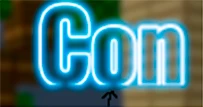
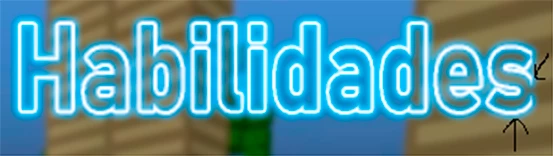
 

This topic has been closed for replies.

4 replies

Randy Hufford
Community Expert
Community Expert
February 14, 2021

How are you implementing the text tool? Are you just clicking and typing on a line. If so try making a text box bigger than your type setting. Center type with box.

Bojan Živković11378569
Community Expert
Community Expert
February 12, 2021

Which exactly version of Photoshop? I am testing with latest 22.2 and everything works fine, see screenshot below.

Leslie Moak Murray
Community Expert
Community Expert
February 11, 2021

Can you show a screenshot of your outer glow panel with everything you've got checked and unchecked etc?

flochau
Participating Frequently
February 11, 2021

Same problem here! I post a screenshoot below, the fx is cutted at the bottom of the text.
I'm interested by the solution too! 


flochau
Participating Frequently
February 12, 2021

I found the solution myself for my problem. I had a few layer with outer glow effect in a folder with an fx. The solution is to transform my layers into a dynamic object... Not practical if i want to modify something but at least, it works!