

Answered
Problems in changing tool using keyboard
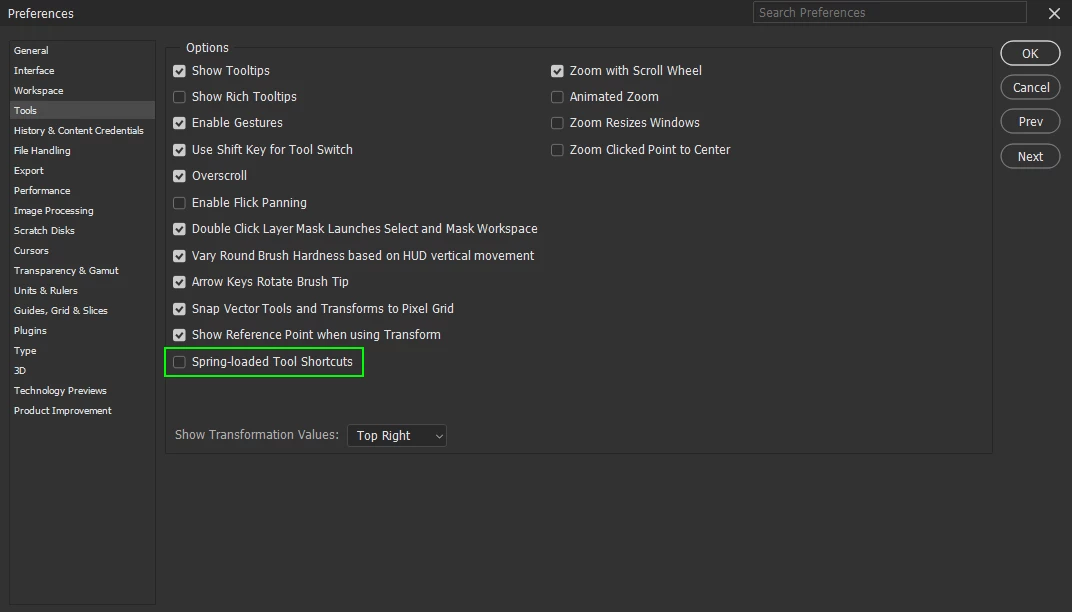
When I try to change the tool by keyboard, often need to hit the key for several time to do it. For example: I work with clone stamp tool and I hit the "l" for the lasso but Photoshop doesn't change the the tool, only select the lasso tool for a moment but the tool selection jumps back to the clone stamp. I need to hit the 'l' key several times while the tool changes to lasso finally..
(I've unchecked the "use shift for changing tool" under the preferences/tools but in vain)
Help me please, it is so annoying.
(Mac Monterey 12.6.2, Photoshop 24.0.1. Previous PS versions worked without this problem)
 AdChoices