
leey26565728
Participant
July 24, 2018
Answered

Problems with image rotation and unlink mask in Photoshop 2018

  • July 24, 2018
  • 5 replies
  • 1336 views

I was using the PS2015 and MACPRO.

And recently I tried PS2018.

There is one problem.

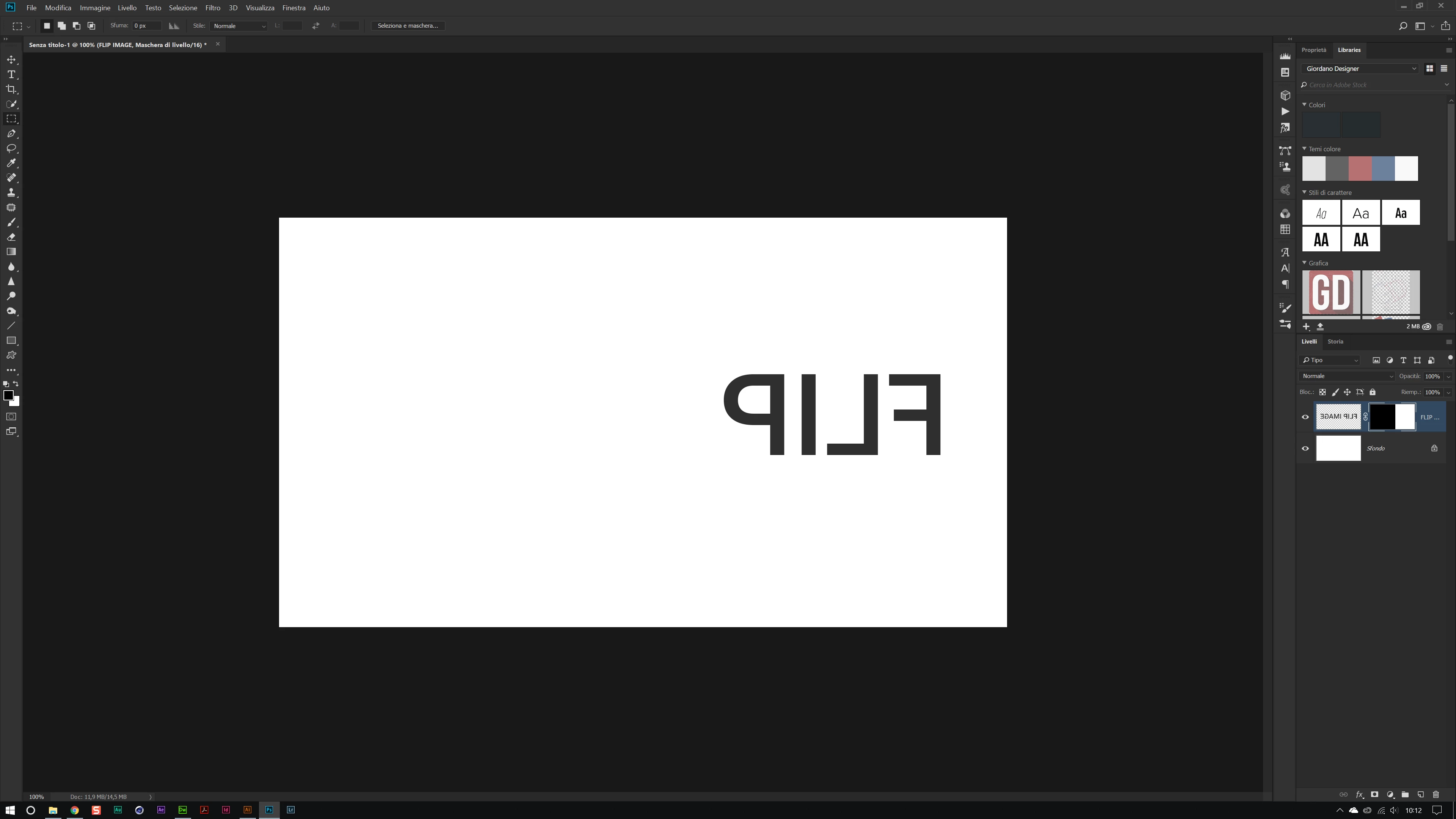
The PSD file I am working on contains a number of "unlinked mask layers".

image-> image ratation -> filp cavas Horizontal / Vertical

When using this function, "unlinked mask layer" is not flipped.

It feels like using "transfrom".

The past version did not have this problem.

Is there a solution?

Waiting for answers. Thank you.

lee youngsu 님이 메시지를 편집했습니다.
    This topic has been closed for replies.
    Correct answer magical_Skyline0D4A

    Now I understand, but there may be a bug and you should uninstall and reinstall PS.

    If I use reflect image horizontally with a bound mask or not it must reflect everything in horizontal!

    if I use, transform > reflect horizontally it depends on whether the mask is bound or not ...

    5 replies

    leey26565728
    Participant
    July 25, 2018

    Thank you everyone.

    Reinstalling the PS2018 resolved the issue.

    Thank you.

    c.pfaffenbichler
    Community Expert
    Community Expert
    July 24, 2018

    I cannot reproduce the issue, either,

    Photoshop 19.1.5

    Mac OS 10.12.6

    magical_Skyline0D4A
    magical_Skyline0D4ACorrect answer
    Inspiring
    July 24, 2018

    Now I understand, but there may be a bug and you should uninstall and reinstall PS.

    If I use reflect image horizontally with a bound mask or not it must reflect everything in horizontal!

    if I use, transform > reflect horizontally it depends on whether the mask is bound or not ...

    Abambo
    Community Expert
    Community Expert
    July 24, 2018

    I cannot confirm your findings. However, I'm using Ps 19.1.4.

    You're sure you didn't use by error the Edit->Transform instead of Image->Image Rotation ?

    ABAMBO | Hard- and Software Engineer | Photographer
    magical_Skyline0D4A
    Inspiring
    July 24, 2018

    Hello,

    I can not understand exactly your problem, can you post a screenshot?

    If I have an image linked to a mask and from the menu I select Edit > Transform > Horizontal Flip ... everything is reflected horizontally.

    If I click on the bolt and unlink the mask, I click on the image thumbnail ... from the menu I select Edit > Transform > Horizontal Flip and I only reflect the image without moving the mask.

    leey26565728
    Participant
    July 24, 2018

    I did not use "transfrom".

    Is this a bug?

    Abambo
    Community Expert
    Community Expert
    July 24, 2018

    Please post your exact version. https://forums.adobe.com/people/Giordano%20-%20ACP%20Italy and I are using Windows Ps.

    ABAMBO | Hard- and Software Engineer | Photographer