Participating Frequently
February 14, 2022
Question

Problems with photoshop and indesign
  • February 14, 2022
  • 2 replies
  • 301 views

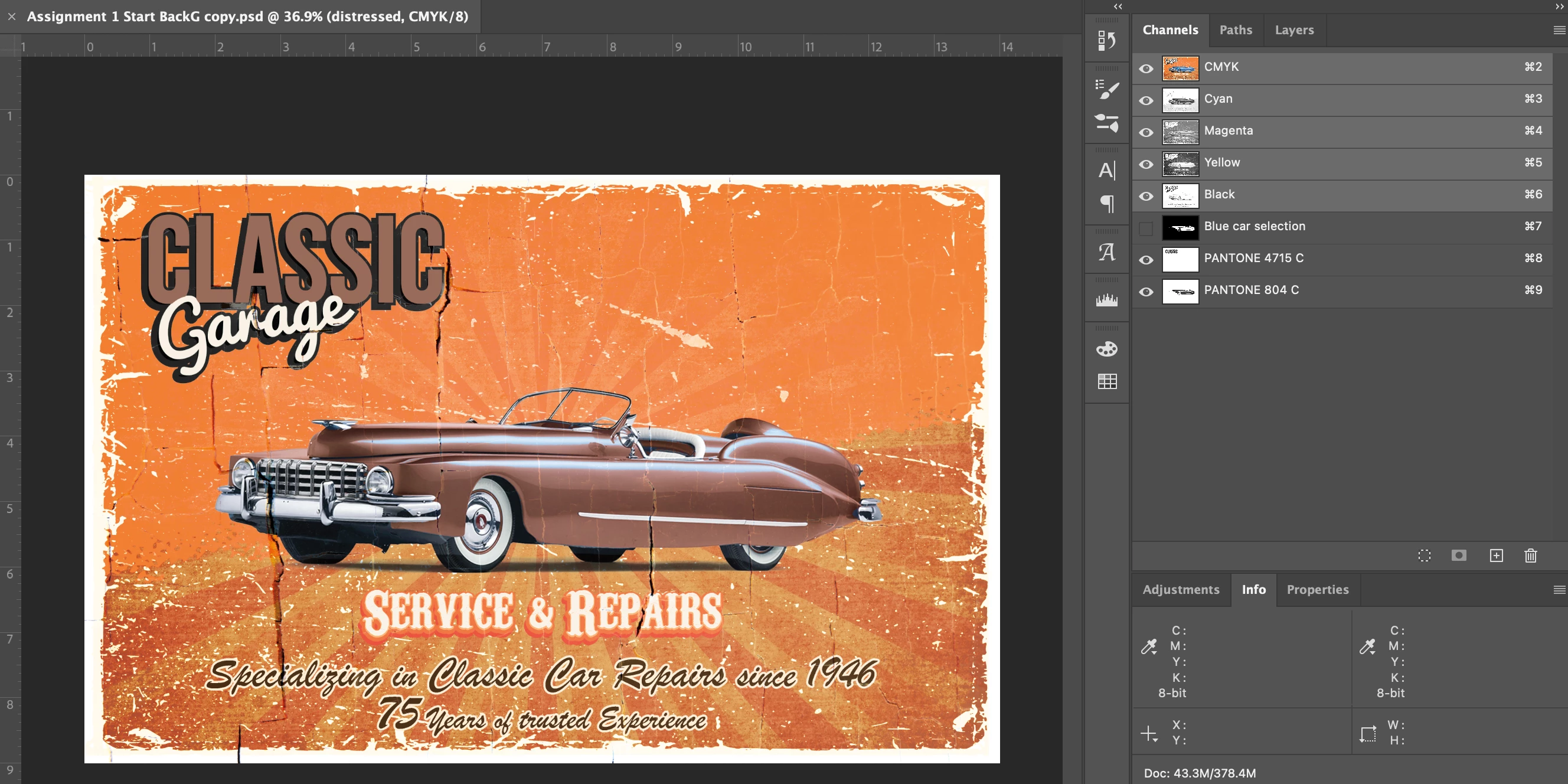
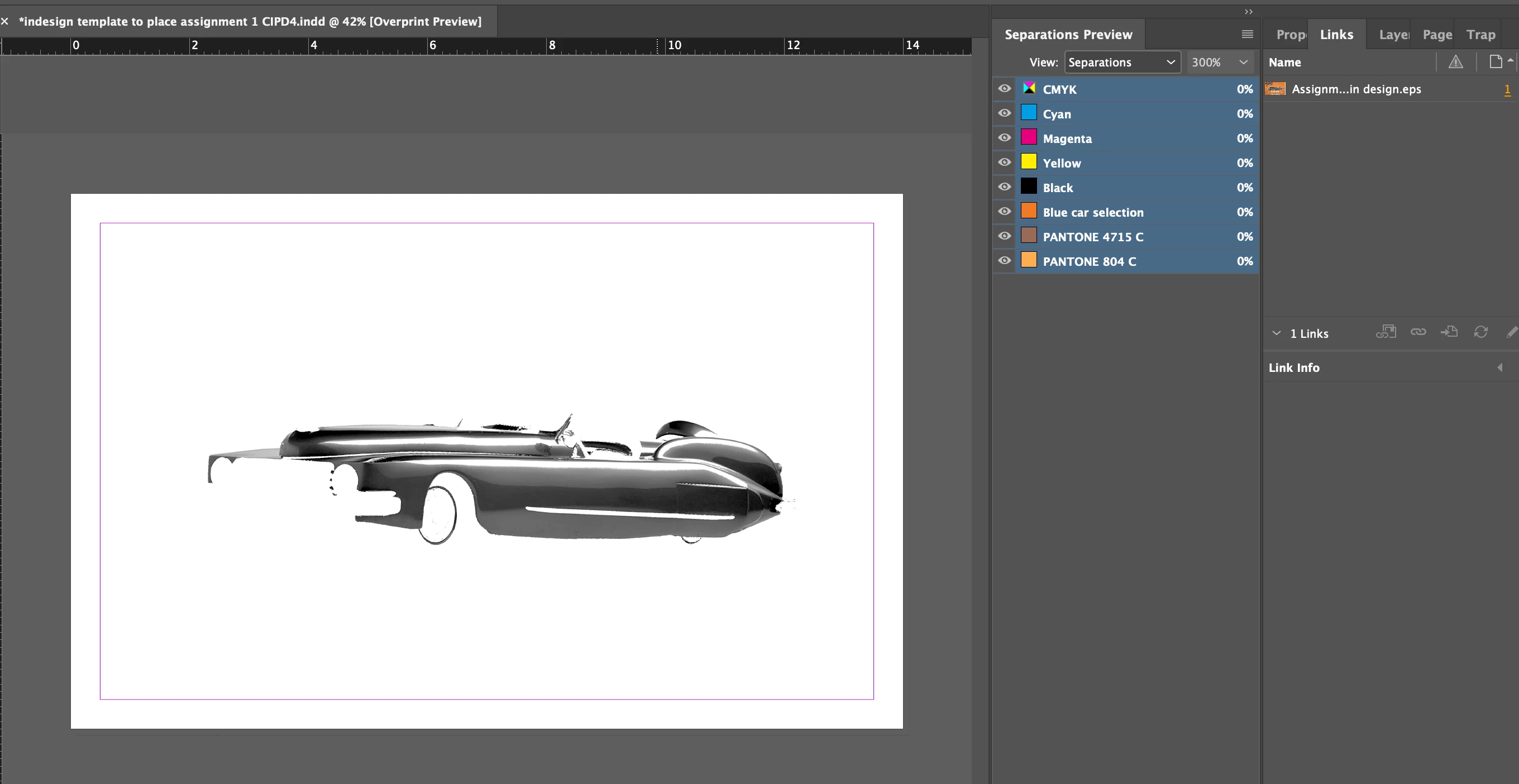
I am dont know why this is happening!! please help! So I created this file in photoshop for a college assignment and we need to save the file as a DCS 2.0 file because as you can see in the images there is pantone colours in the file. But when I follow the teachers directions with the file creation and place in indesign, all of the layers dont show up. It is a large file. Does anyone know why it could be happening? I deleted some files on my computer to make space and I also reset the preferences in Indesign, and made sure the pantones are proper spot colours and still did not work.

This topic has been closed for replies.

2 replies

Legend
February 15, 2022

It looks as if your DCS2 file is being treated as a greyscale EPS - which is what it really is - rather than as a set of separations. Did you try printing separations from InDesign to a suitable PostScript printer - the only valid way to use DCS2....?


Did the teacher specify DSC2? It's really considered an obsolete format, much more obsolete even than EPS on which it is based. If you had free choice, try placing a PSD or PDF.


c.pfaffenbichler
Community Expert
Community Expert
February 15, 2022
It's really considered an obsolete format

»Indeed, most indeededly …«

c.pfaffenbichler
Community Expert
Community Expert
February 15, 2022

So I created this file in photoshop for a college assignment and we need to save the file as a DCS 2.0 file because as you can see in the images there is pantone colours in the file.


What are the DCS settings?

Did you include the Channel »Blue car selection« in the DCS? What is it good for? 


But ultimately I would recommend not to waste time on such a file format and use psd instead. 

RegiC002Author
Participating Frequently
February 15, 2022

So the DCS 2 file settings are..

spot colours enable is checked

and Tiff 8 bit

single file with colour composite

Binary

and include vector data is checked


Yes I included that channel because that was part of my assignment to change the colour of the car with a pantone colour. 

Ill try to use psd instead but we lose a mark if the file is not DCS 2.


RegiC002Author
Participating Frequently
February 15, 2022

What happens if you remove the useless Channel? (Useless in the DCS, in the layered psd it may well be stored.) 


So I removed the blue car selection channel and it still ended up displaying like this...