


Answered
Problems with Select and Mask
Hey all. Newish Photoshop user now trying to wrap my head around masking, and hitting a wall.
I'm trying to drop a different sky into a photo, and am having a problem with the Select and Mask option. The videos I've seen online-- including the Scott Kelby one here-- make this look fairly straightforward, but I can't get it to work the same way. Attached picture shows what I've been doing.
I've tried selecting sky instead of the roof and trees, adjusting Edge Detection and Global Refinement settings, threats, prayer-- none of it works. Hoping someone here can see a missing step I haven't. Thanks!
FWIW I'm running Photoshop CC v 20.0.3 on High Sierra 10.13.5
Oh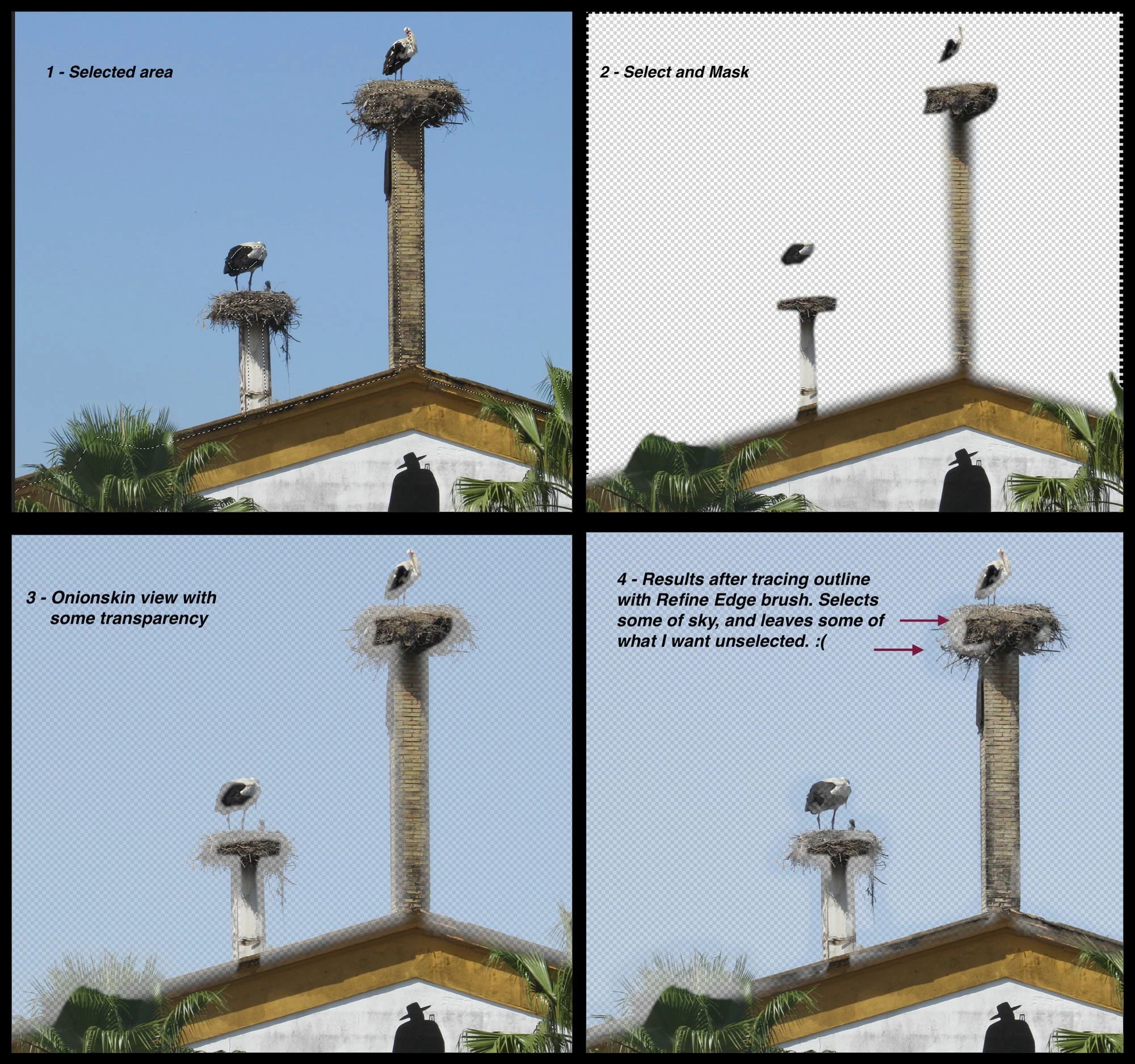
 AdChoices