
Known Participant
December 1, 2019
Question

Program Error when Opening an Image

  • December 1, 2019
  • 1 reply
  • 1063 views

When I attempt to open an image by drag and drop, or file/open, I get a program error. I'm using Photoshop 2020. So basically the software is unusable. I re-installed Photoshop, deleted and created a new preferences file, and deleted the Photoshop settings file on startup. None of that worked. Any ideas?
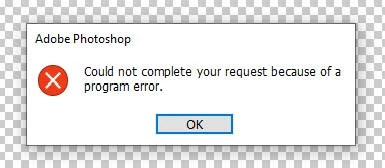
 

This topic has been closed for replies.

1 reply

JJMack
Community Expert
Community Expert
December 1, 2019

Did you update all software, device drivers and firmware?  What software are you using that Photoshop 2020 does not work with.


Supply pertinent information for more timely and effective answers. The more information you supply about your issue, the better equipped other community members will be to answer. Consider including the following in your question:

  • Adobe product and version number
  • Operating system and version number
  • The full text of any error message(s)
  • What you were doing when the problem occurred
  • Screenshots of the problem
  • Computer hardware, such as CPU; GPU; the amount of RAM; etc.


JJMack
Participant
December 1, 2019

I thought I was pretty clear but let me try to clear it up.


All of my drivers and software are updated. I was not working with any software other than Photoshop. I attached an image with the exact text of the error on the initial post.


It's really very simple. I launch Photoshop, I attempt to open an image, and I get the error. The problem is I don't know how to fix it so thought I would try the community. I also did a lot of searching which had me trying various fixes but nothing worked.


Luckily I have Affinity Photo so I can keep working until Adobe can get their software working correctly.

JJMack
Community Expert
Community Expert
December 1, 2019

Still not clear.  Photoshop and Affinity run on many version of Mac OSX and Windows.  Several of the newer Mac OSX version seem to have issues that need to be addressed to run Photoshop.  Are you using Windows or Mac OSX? If Mac OSX which version.  If Mac did you check Apple site and make sure you installed all the Apple software and firmware updates   for you mac model. 


Here are the sites guide lines again

Supply pertinent information for more timely and effective answers. The more information you supply about your issue, the better equipped other community members will be to answer. Consider including the following in your question:

  • Adobe product and version number
  • Operating system and version number
  • The full text of any error message(s)
  • What you were doing when the problem occurred
  • Screenshots of the problem
  • Computer hardware, such as CPU; GPU; the amount of RAM; etc.


I would also add to that list  Photoshop menu Help>System Info so we can see if there are conflicts with GPU etc.


JJMack