
seanhealystudio
Participant
December 27, 2020
Question

Program Errors RUINING Entire Program

  • December 27, 2020
  • 7 replies
  • 240 views

Since I installed Photoshop 2021, I've been experiencing constant 'program errors'.
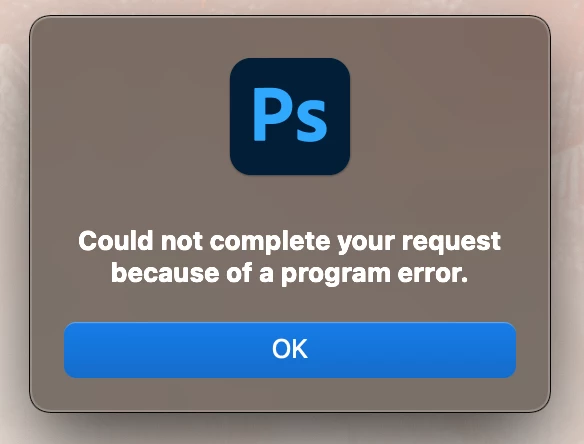


These occur most commonly:


  • When saving a PSD
  • When exporting a JPG
  • When trying to merge layers / apply image
  • When using liquify / content-aware fill


Until now, I've simply been able to restart Photoshop and these errors have generally gone away for a short period of time. But this weekend I've been working on larger, more composite-heavy images, and the problem has gotten so bad that there is no way to save/export my images unless I hide every single layer besides the background.


I've already searched through these forums, and have tried virtually all offered solutions (disable graphics, reinstall photoshop, etc, etc). None of these have helped in any way.

I need these images exported for a client by the end of the week. I cannot simply give them a PSD with all layers disabled. And I have friends that are in the exact same predicament. 


Adobe's support team seems to be completely indifferent/incompetent, but perhaps someone here has a solution of some sort?

This topic has been closed for replies.

7 replies

michaelm91394536
Participant
January 4, 2021

Same stuff here.


It's sad to see what PS has become. There was a time that it was the most solid program around. Now buggy and unforgivable 'lose your work and cannot save bugs to boot'.


Adobe get your act together, after all you are making BILLIONS NOW!

jjennadaviss
Participant
January 3, 2021

Having the same issue! It's pretty annoying to spend so much money on these programs every month and have them consistently not work correctly. 


All I want to do is merge layers and it won't even let me do that, recently, without giving me the "program error" pop up.

Participant
January 3, 2021

I have been having the same issue. I THought may be something wrong with my computer so I redownloaded it and still the same thing is happening. This is frustrating. I hope someone has an easy fix for this. 

Participant
December 30, 2020

I was on another forum post and they suggested rolling back to the last version before the update (22.0.1) so I tried it and it worked, but I lost all my brushes and settings so I'll have to go through and fix those 

jane-e
Community Expert
Community Expert
December 30, 2020
Participant
December 30, 2020

I am having the exact same problem? How has anyone fixed this yet??? I can't save my files and and I can't get them to my clients on time!

Participant
December 30, 2020

I've been having this issue as well, constantly, it's so annoying as saving your work is pretty critical. Can't figure out what's causing it and have tried to troubleshoot but it just keeps happening. Hopefully, they fix it soon and quickly, which makes work almost impossible, I'm sorry I don't have a solution for you but we can commiserate together.