Participant
January 27, 2023
Question

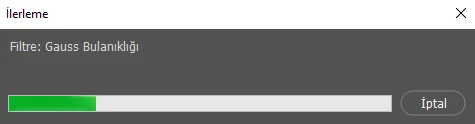
progress bar pops up from photoshop

  • January 27, 2023
  • 2 replies
  • 312 views

No matter what action I should take, this progress bar appears and it takes too long, in this case it pisses me off, I can't do anything. My system information:i5 11.gen, rtx3050ti, m2ssd i need help 
This topic has been closed for replies.

2 replies

Kevin Stohlmeyer
Community Expert
Community Expert
January 27, 2023

Hi @NesimD281406178uh6 How large is your file? Can you share a screenshot of your entire workspace including the Layers panel open?

Participant
January 28, 2023

ı from Turkey sory for my english.
I open a 320x320 png
I just want to enlarge the text but it freezes excessively

Kevin Stohlmeyer
Community Expert
Community Expert
January 30, 2023

Go to Photoshop Help Menu/System info and copy and paste the details here.

There could be any number of factors causing this including if your computer does not meet minimum requirements.

Ranjisha Sengupta
Legend
January 27, 2023

Hi there,


Thanks for reaching out.

Which version of Photoshop are you using? When do you get this progress bar?

Have you tried any troubleshooting steps so far?

You can try to reset the preferences of Photoshop using the steps mentioned here: https://helpx.adobe.com/photoshop/using/preferences.html#reset_preferences.

Please back up your settings prior to resetting the preferences.

You can check: https://helpx.adobe.com/photoshop/using/preferences.html#BackupPhotoshoppreferences


Let us know how it goes.

Regards,

Ranjisha

Participant
January 28, 2023

it didn't work
