
Participant
April 1, 2023
Answered

Project tabs undocked when opening and creating files

  • April 1, 2023
  • 5 replies
  • 9217 views

Hi,


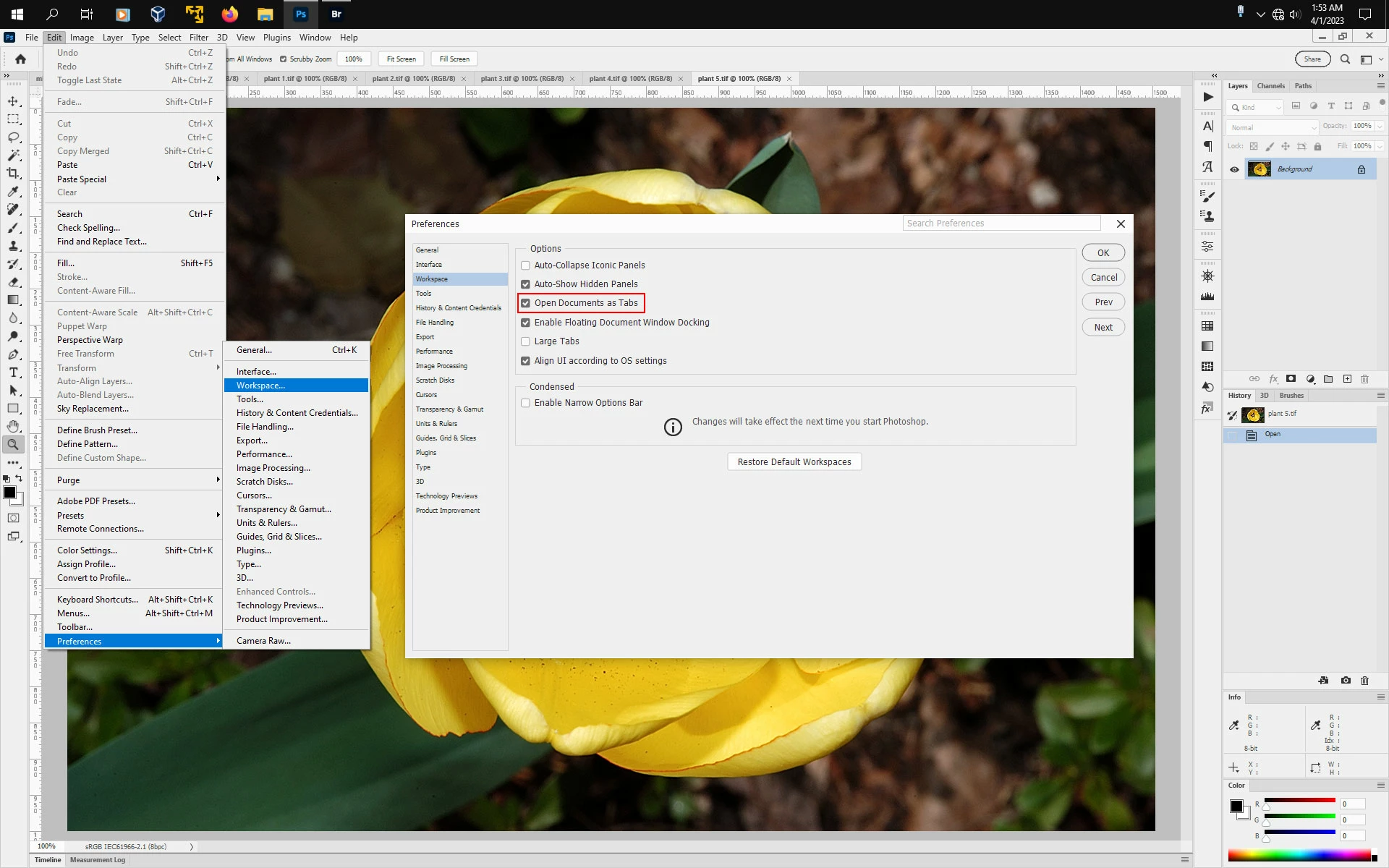
Everytime I open a project or file the tab is undocked in a new window. I click 'Consolidate All to Tabs' to fix it - but I'd rather not have to do it everytime I open up Photoshop. I've tried resetting my workspace back to default and making new ones but its the same problem. Even after updating Photoshop it persists. 


I created a new project and took a picture to show it.


Any solution???


Thanks
This topic has been closed for replies.
Correct answer Jeff Arola

In photoshop go to Edit>Preferences>Workspace and check Open Documents as Tabs.


5 replies

Stephen Marsh
Community Expert
Community Expert
April 1, 2023

@Daniel28299550xvb6 - Images open as tabs for me, no problem with Photoshop. The problem was that the website wouldn't let me mark the correct answer.

Participant
April 1, 2023

@Stephen Marsh yep this worked for me!! Maybe different OS or photoshop version is stopping it working for you?

Participant
April 1, 2023

@Jeff Arola you're a lifesaver!!! Thanks so much

Stephen Marsh
Community Expert
Community Expert
April 1, 2023

I'd mark the reply from @Jeff Arola as the correct answer, however, for some strange reason I can't do so... @Daniel28299550xvb6 please confirm that this works for you and mark Jeff's reply as the correct answer, thanks.

Jeff Arola
Community Expert
Jeff ArolaCommunity ExpertCorrect answer
Community Expert
April 1, 2023

In photoshop go to Edit>Preferences>Workspace and check Open Documents as Tabs.


brucekorb
Inspiring
July 20, 2024

OK. But "Open Documents as Tabs" was set and I still don't have tabs. There must be another possible cause. I sure wish I knew what it was.

Jeff Arola
Community Expert
Community Expert
July 21, 2024

brucekorb,


What operating system and version of Photoshop are you using?


Can you a screenshot of what your seeing?