
Known Participant
October 31, 2017
Answered

PS 2018 CC Not all brushes Visible on screen but are there.

  • October 31, 2017
  • 2 replies
  • 8276 views

In PS 2018 CC:  

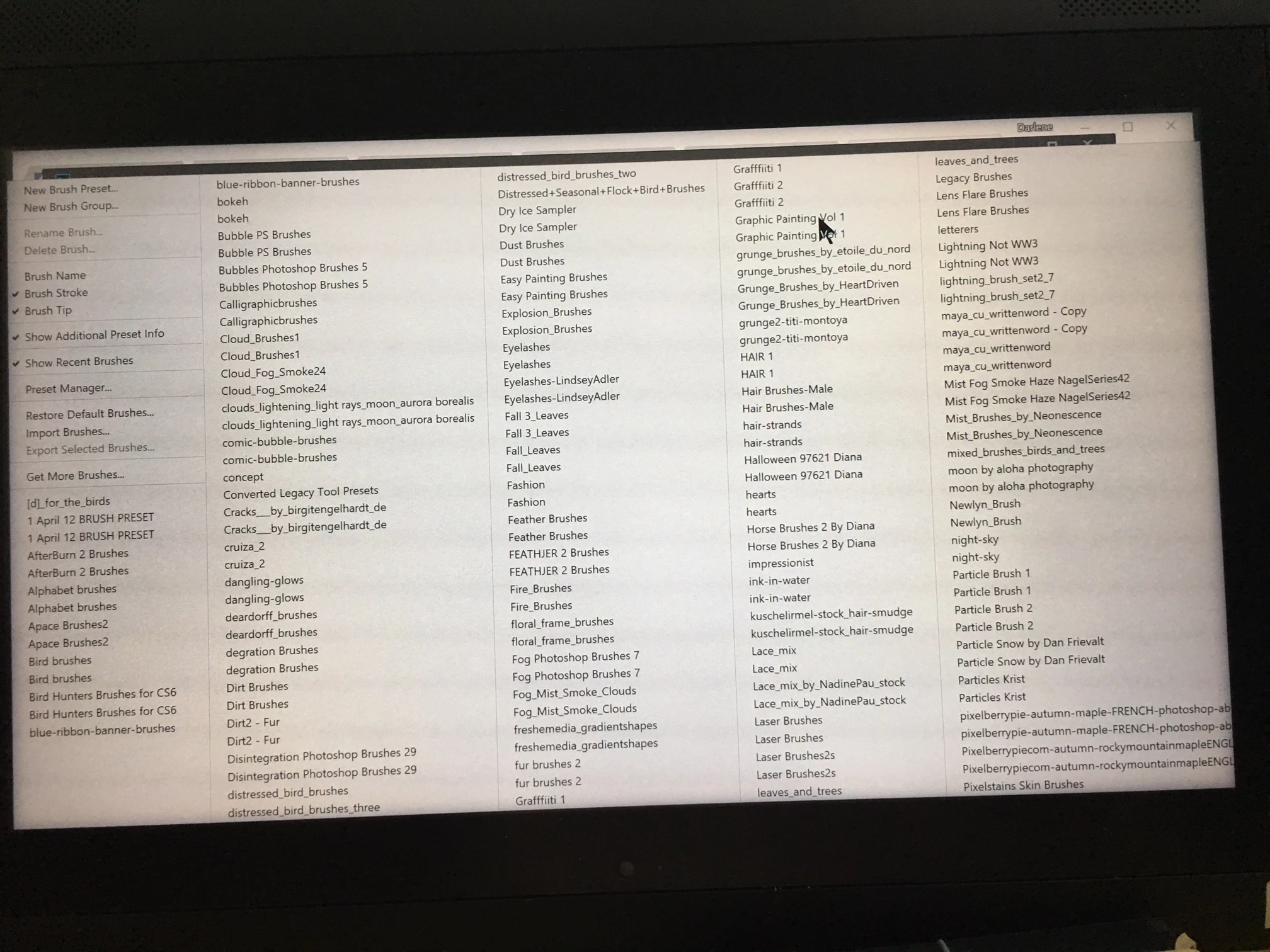
When I go to settings where it previously showed  ALL  my brushes (I have a lot of brushes) It now stops at the brush names beginning with the letter P.

The cursor will continue to move to the right off the screen, indicating the program knows the other brushes are there, but they are not visible on screen. 

I am using a Wacom Cintiq Companion that has a small screen, about 13".  I did NOT have this problem with PS 2017 CC.  All the brushes are loaded into PS 2018.  My question is how do I make them all visible?
This topic has been closed for replies.
Correct answer Nicollet

Hi Darlene,

This issue was included in the release of Photoshop that just went live, 19.1. Please open your Creative Cloud desktop app, update Photoshop and try it out.

Thank you,

Hannah

P.S. The default setting when upgrading is to Remove Old Versions of Photoshop. If you do not wish to do that, click Advanced and uncheck this preference (see screenshots below)

2 replies

Nicollet
Adobe Employee
NicolletCorrect answer
Adobe Employee
January 23, 2018

Hi Darlene,

This issue was included in the release of Photoshop that just went live, 19.1. Please open your Creative Cloud desktop app, update Photoshop and try it out.

Thank you,

Hannah

P.S. The default setting when upgrading is to Remove Old Versions of Photoshop. If you do not wish to do that, click Advanced and uncheck this preference (see screenshots below)

Adobe Employee
October 31, 2017

I have not been able to reproduce this here. What OS is this on? Is this a dual monitor setup? Have you tried clearing Preferences?

Adobe Employee
October 31, 2017

Does it show up that way immediately after launch or is it predicated on saving any brush sets out? Also, can you supply a screenshot of your Presets/Brushes folder hierarchies for both the application and the default user locations.

Program Files/Adobe/Adobe Photoshop CC 2018/Presets/Brushes

Users/<user name>/AppData/Roaming/Adobe/Adobe Photoshop CC 2018/Presets/Brushes

Known Participant
November 1, 2017

It starts up this way.  Her are a couple screenshots of my brushes.  I am using Windows 10 on a Wacom Cintiq.  The two photos below are the first and last screen. As I said, I have a lot of brushes.  I am using only one monitor, the Wacom Cintiq is a computer/tablet combo.  I did not have this problem prior to the update.   Program Files/Adobe/Adobe Photoshop CC 2018/Presets/Brushes