
Jp_508
Inspiring
October 8, 2019
Answered

PS-Adjustment Panel

  • October 8, 2019
  • 3 replies
  • 2134 views

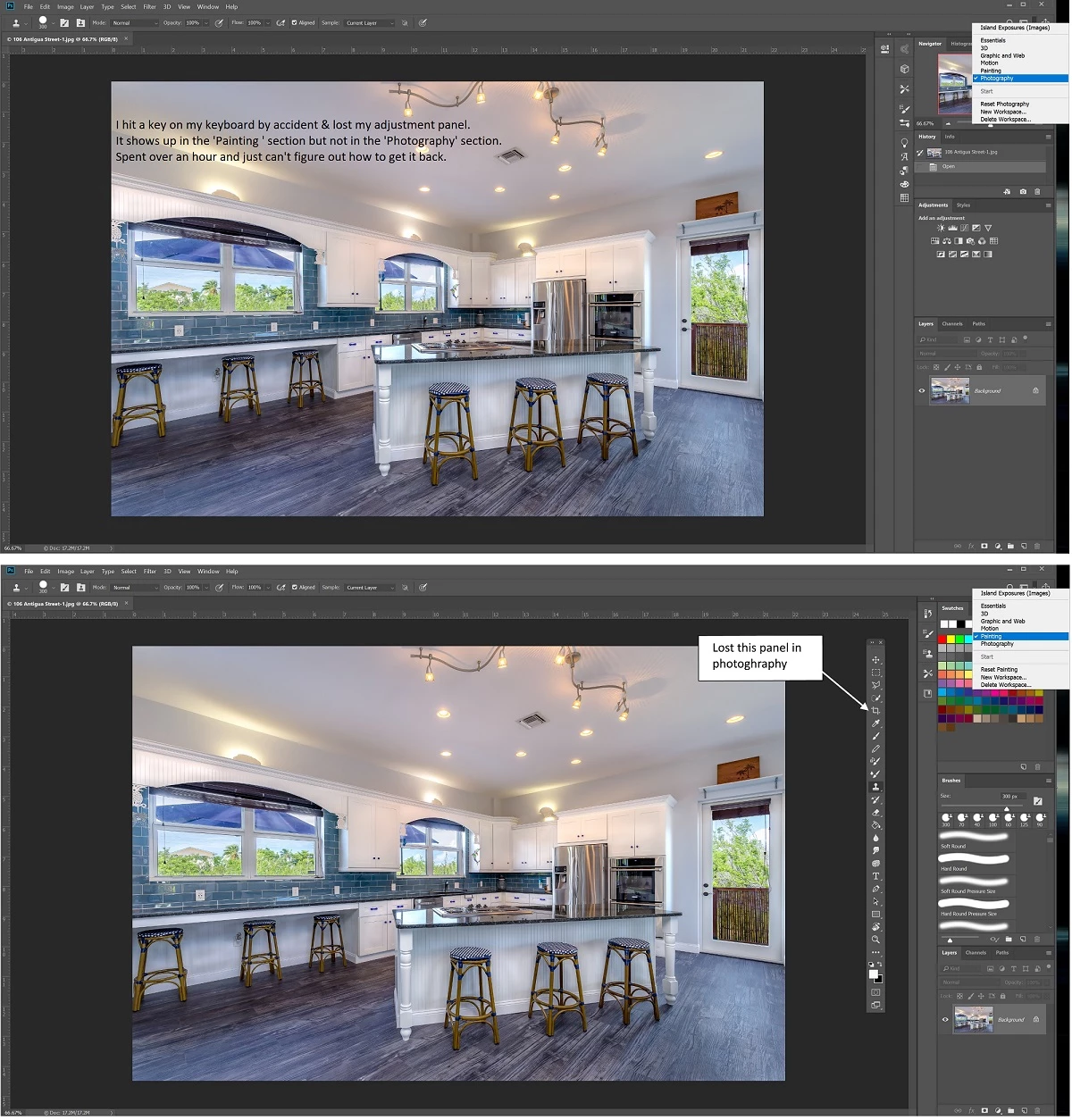
I was working on an image and hit a key on my keyboard by accident and my adjustment panel disappeared. I like to have it float just to the right of the image I'm working on. As you can see on the attachment I provided I have it in the 'Painting' section but not in the 'Photography' section. Can anyone please tell me how I can get it back. At the moment I am stuck & can't do other work because of this. Thanks in advance. 
This topic has been closed for replies.
Correct answer Jp_508
Just figured it out before everyone responded. Windows>Workspace>Reset Photography. Thanks to all.

3 replies

Participating Frequently
October 8, 2019

Saving your workspace will capture your panel locations, so in the future you can just

switch to new workspace your Tool Panel, etc. will reset to new location in window.

https://helpx.adobe.com/photoshop/using/workspace-basics.html#save_and_switch_workspaces

Jp_508
Jp_508Author
Inspiring
November 30, 2019

The link you provided was very helpful....thanks again.

Inspiring
October 8, 2019

Click on Windows. Make sure Tools is checked.

Tom Winkelmann
Inspiring
October 8, 2019

To get it back, activate...


> Window > Tools

Jp_508
Jp_508AuthorCorrect answer
Inspiring
October 8, 2019
Just figured it out before everyone responded. Windows>Workspace>Reset Photography. Thanks to all.