
Participant
July 25, 2020
Answered

PS and IL shows different colors - same file

  • July 25, 2020
  • 2 replies
  • 5577 views

I'm working on a project using both Photoshop and Illustrator.

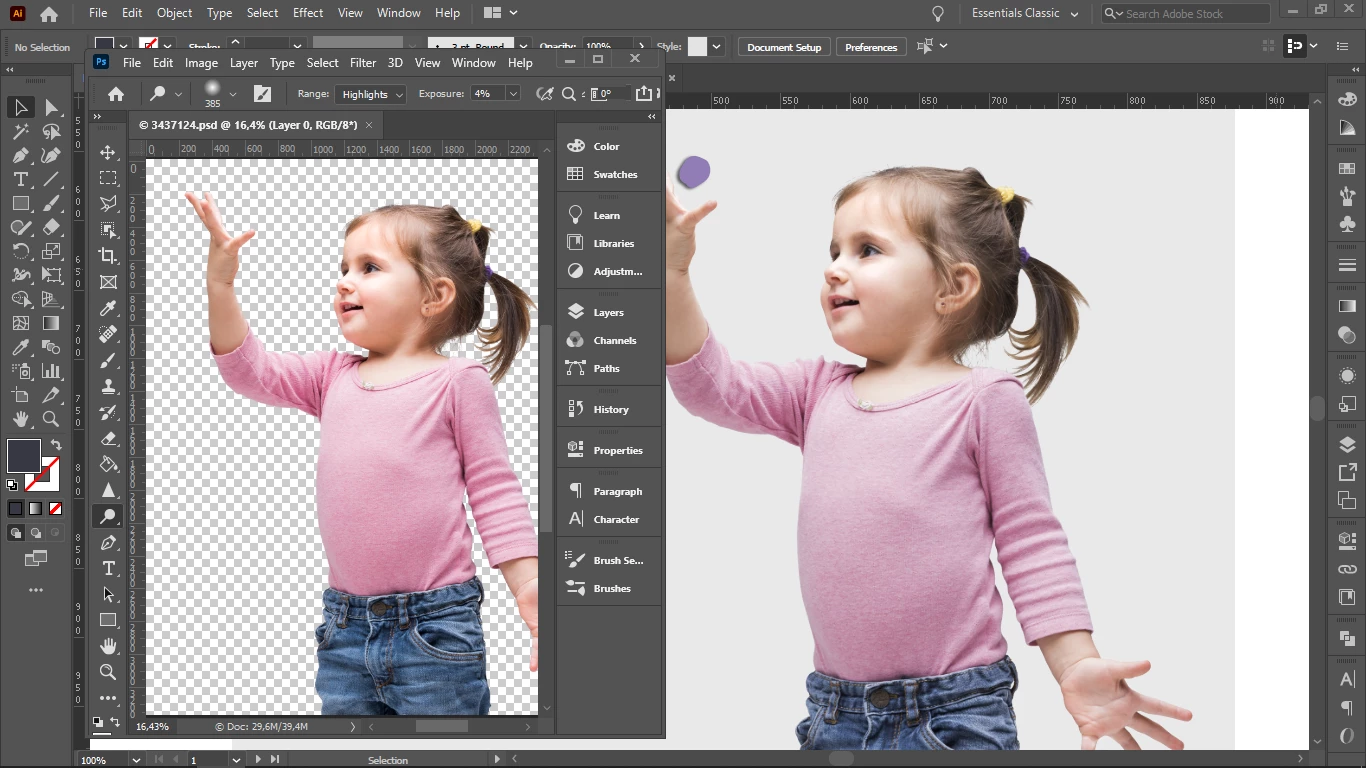
When I save a photo as png. in Photoshop and then place it in Illustrator I see the colors changed.

Every setting is synchronized and I am working in the same computer, so nothing has changed in between. I open both windows one next to the other and I see the same picture differently. In PS the colors are more saturated than in IL.

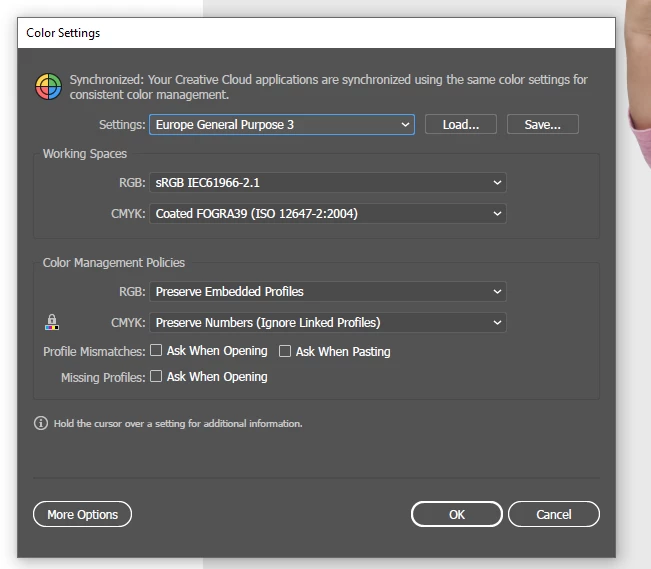
Both programs are in RGB and same resolution. When I click "Edit - Color settings" it says: "Your Creative Cloud applications are synchronized using the same color settings for consistent color management". Then why do colors change?
 

Please help!

This topic has been closed for replies.
Correct answer rob day

and was forced to work on sRGB


You do have your Color Settings’s RGB Working Space set to sRGB along with a Preserve Embedded Profiles Policy, so any new documents will start as sRGB.


If your preference is to edit in AdobeRGB, change the Working Space to AdobeRGB so when you create a new RGB doc it is set up as AdobeRGB with the AdobeRGB profile assigned.

2 replies

rob day
Community Expert
Community Expert
July 25, 2020

Your capture shows the difference I would expect between AdobeRGB and sRGB. I can replicate the color difference you are showing in Photoshop by duplicating the AdobeRGB profiled image and assigning sRGB:


Syncronizing Color Settings doesn’t really ensure matching color because Color Settings’ sets your CM preferences for future documents—existing documents usually get color managed by their Assigned profiles (Edit>Assign profiles), not the Color Settings’ Working Space, which could be different.


Also over in Illustrator the document could have an assigned profile, and the placed image could have a different profile which would override the document assignment. Select the image in Illlustrator and check the Links info panel to get the image’s embedded profile. Here you can see I’m getting a match between PS on the left and AI on the right because the image’s assigned profile is Adobe RGB, and Illustrator shows the link has the same profile embedded.


And, try saving as PSD with Embed Color Profile checked, rather than PNG. PNGs can be less reliable when you are embedding profiles.

sofiluboAuthor
Participant
July 25, 2020

Thank you very much! 

Indeed the Assign Profiles were different in Illustrator, and was forced to work on sRGB.

Now they look alike! I am very grateful for your help

rob day
Community Expert
rob dayCommunity ExpertCorrect answer
Community Expert
July 25, 2020

and was forced to work on sRGB


You do have your Color Settings’s RGB Working Space set to sRGB along with a Preserve Embedded Profiles Policy, so any new documents will start as sRGB.


If your preference is to edit in AdobeRGB, change the Working Space to AdobeRGB so when you create a new RGB doc it is set up as AdobeRGB with the AdobeRGB profile assigned.

Mylenium
Legend
July 25, 2020

Long and short answer: You are not using any actual color management, but may have instated e.g. a specific monitor color profile without setting the proof preview options accordingly. You need to turn proof preview on or disable the color profile.


Mylenium