Known Participant
November 22, 2017
Answered

PS CS2 printing problem

  • November 22, 2017
  • 2 replies
  • 1327 views

Hi there, calling for help for CS2 printing problem recently emerged.

Previously, my CS2 works fine for printing in Windows 8.1 professional 64bit OS to Ricoh 830DN PS version printer.

But a couple of days ago, it suddenly stopped working in printing. And with this Error Message

"Coud not complete the Print with Preview command because the selected printer driver could not be found. Please select a printer from the control panel and try again."

The trick is the printer and driver are always there, And I could directly print from other versions of PS using them.

I tried PS CS3, CS4,CS5 and CS6. They all work fine.

So please, if anyone see where the bug is, do tell me how to fix it, Many thanks, please! 
    Correct answer Jeff Arola

    As far as i know, photoshop cs5 was the first modern photoshop version to not have the No Color Management option, but one could use this print utility to print with No Color Management.

    No Color Management option is missing in Photoshop CS5

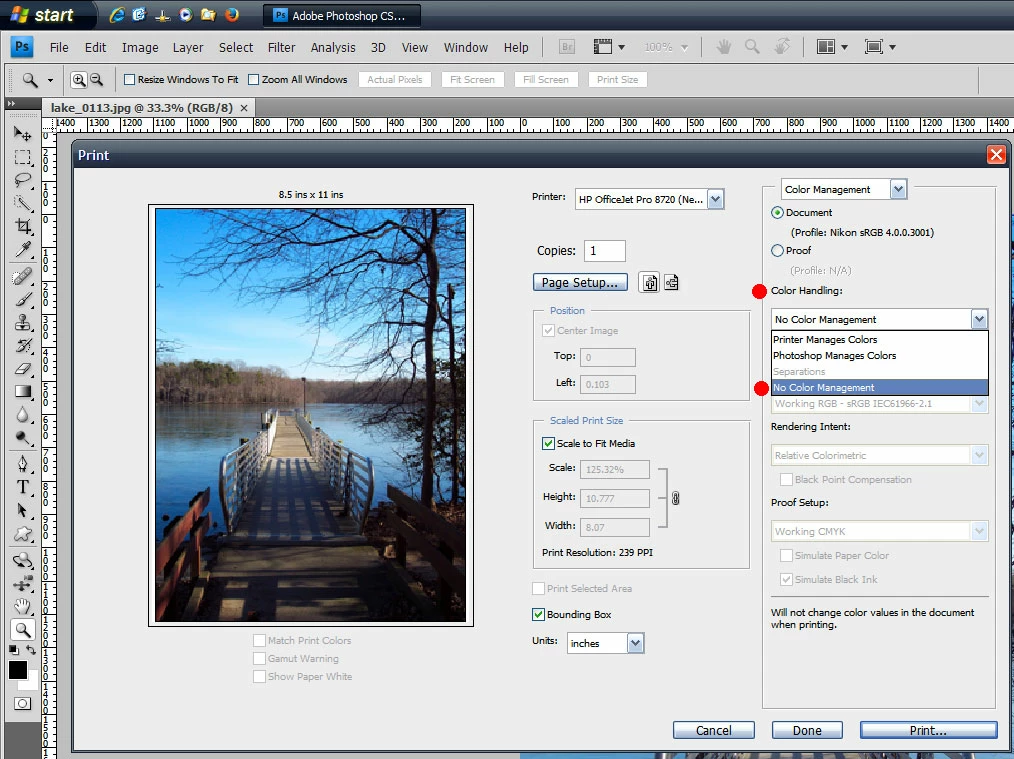
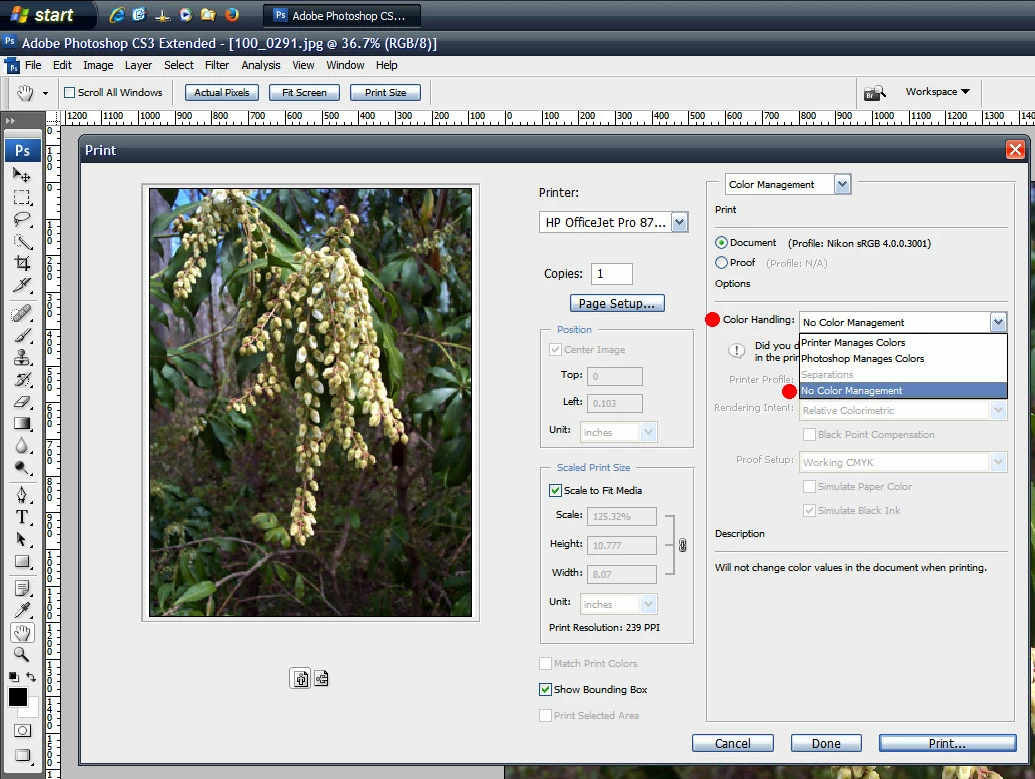
    For me, both cs3 and cs4 still have the No Color Management option under Color Handling in the Print dialog.

    cs3

    cs4

    As far as cs2 it's hard to say why the printer stooped from cs2.

    Have you reset the photoshop cs2 preferences, reinstalled or updated the printer driver, updated cs2 to 9.0.2?

    Adobe - Photoshop : For Windows : Adobe Photoshop 9.0.2 update for Adobe Photoshop CS2 for Windows

    2 replies

    Participant
    December 21, 2024

    الحل عبر هذا الرابط


    https://www.youtube.com/watch?v=nLYoRf-jopY


    Mylenium
    Legend
    November 22, 2017

    A recent Windows Update perhaps, but honestly, CS2? Since you also seem to have all other versions working I don't see any issue here at all. Why are you even hanging on to CS2?

    Mylenium

    Known Participant
    November 22, 2017

    Pathetically, I have to work with the No Color Management option when printing from CS2. And none of the above versions of PS CS3 to CS6 even CC could provide me such printing option...

    Jeff Arola
    Community Expert
    Jeff ArolaCommunity ExpertCorrect answer
    Community Expert
    November 22, 2017

    As far as i know, photoshop cs5 was the first modern photoshop version to not have the No Color Management option, but one could use this print utility to print with No Color Management.

    No Color Management option is missing in Photoshop CS5

    For me, both cs3 and cs4 still have the No Color Management option under Color Handling in the Print dialog.

    cs3

    cs4

    As far as cs2 it's hard to say why the printer stooped from cs2.

    Have you reset the photoshop cs2 preferences, reinstalled or updated the printer driver, updated cs2 to 9.0.2?

    Adobe - Photoshop : For Windows : Adobe Photoshop 9.0.2 update for Adobe Photoshop CS2 for Windows