Participating Frequently
May 9, 2023
Question

PS for iPad automatically reduces file size

  • May 9, 2023
  • 4 replies
  • 1372 views

I am using LR/PS on iPad.


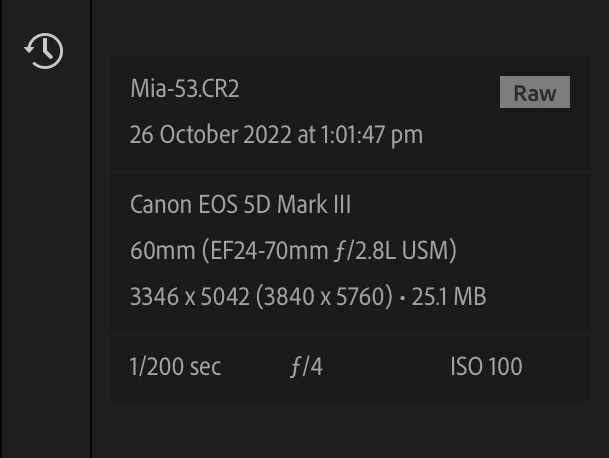
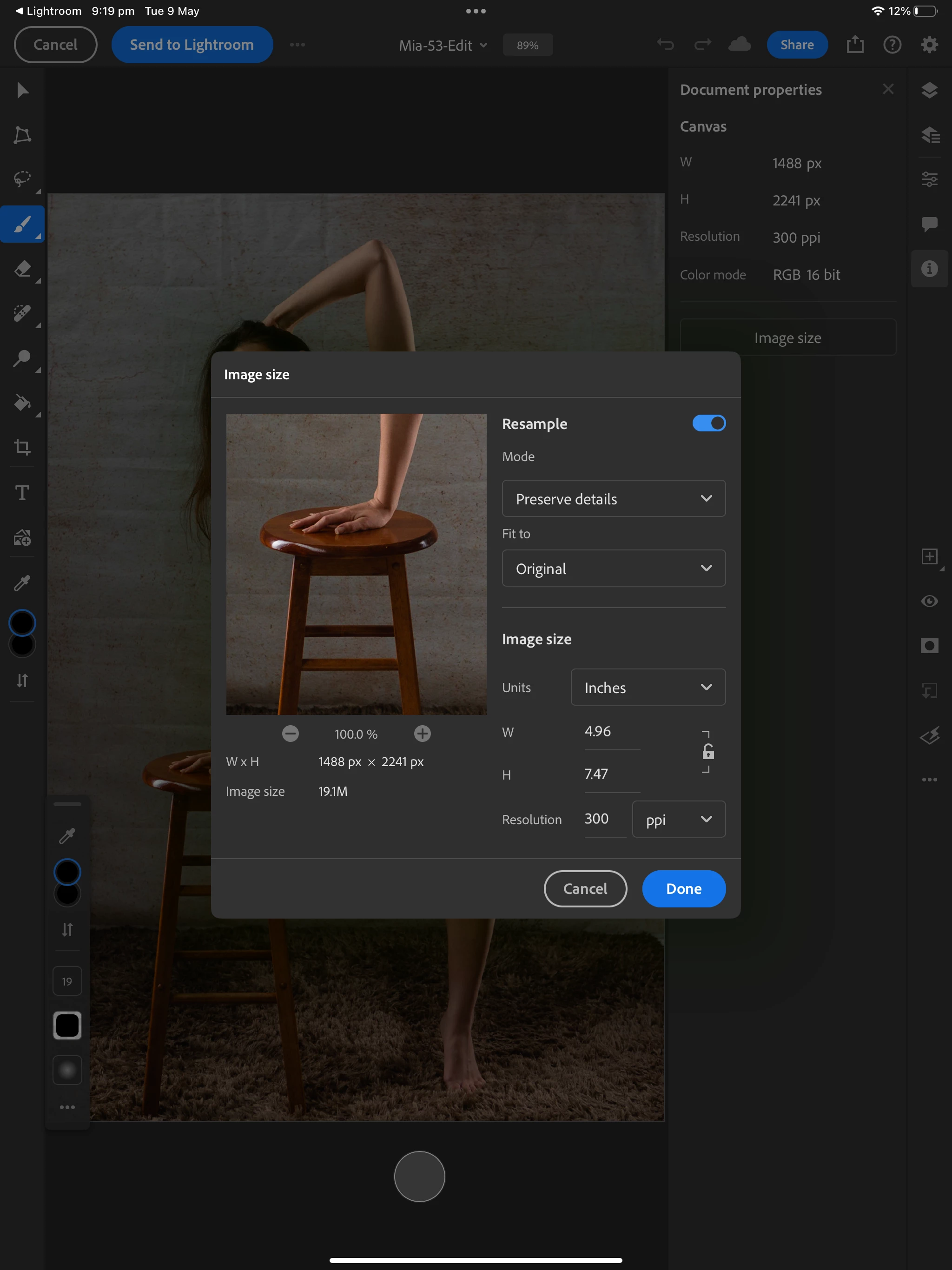
In the attached you can see the raw file size in LR is 3840x5760 px, but when I open in PS (via edit in PS in LR) you can see the image is automatically reduced to 1488x2241.  Wondering if this a default setting or a limitation in the platform? TIA


This topic has been closed for replies.

4 replies

Earth Oliver
Legend
May 15, 2023

hang on a sec... did you crop into the image at all?

Earth Oliver
Legend
May 15, 2023

Lr Cloud uses lower res Smart Previews, so you might be seeing the results of that. This is more of a Lr question, so maybe ask on those forums instead?

Participating Frequently
May 18, 2023

Thanks Earth, will try with the LR folks!  I had not thought of it potentially grabbing the smart preview...

No I had not cropped, although I can see why you ask that.  That 'crop' is just what came up in the image preview window where I could show the image size.


I have not done anything to it in PS & tested on a few different images & got the same result with the image always considerably smaller when I cheked size immediately after importing.

Participating Frequently
May 18, 2023

Thought I would update here for the sake of closure - LR was uploading smart previews to PS.  I was not aware the LRC only syncs smart previews to the cloud, rather than the originals, so I will need to find a way to change my workflow to get originals up to the cloud... a little painful, but now I know!  

Thanks everyone for your help.

Participating Frequently
May 15, 2023

Bumping this in case there are any more thoughts out there.  Thanks

D Fosse
Community Expert
Community Expert
May 9, 2023

Uncheck "resample".

Participating Frequently
May 9, 2023

Thanks for the suggestion, but unfortunatley this does not work.

This option is not available until after you have imported an image, by which time the resizing has already taken place.  I tried delecting this on an existing image and then closing it & opening another one, but even though the resample button remained unchecked, the new image still resized.

Any further suggestions would be appreciated.  Thanks