
Inspiring
March 29, 2024
Answered

PS hangs reopening the Camera Raw filter for a Smart Object layer

  • March 29, 2024
  • 1 reply
  • 283 views

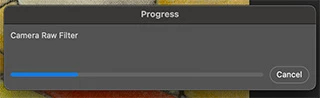
When Iadjust images for printing, I create a Smart Object layer and use the Camera Raw filter to adjust the tone.  After getting a proof print, I often have to re-adjust the tone, so I open the PSD in PS, and I double-click the Ramera Raw Filter line for the Smart Object layer.  That displays the Camera Raw panel but, sometime it also locks up PS.  I have to Forece Quit to end PS.  I've had this happen 20 or 30 times when adjusting images for print over the past 5 months.  I'm on version 25.5.1 of PS on a Mac (with M1 Pro chip) running Sonoma 14.2.1.  The screen shows the following "progress popup" which never goes away.  I have to Force Quit PS.  The layer stack for the image has only 2 layers: the Smart Object (pixel) layer on the bottom, and a Curves adjustment layer above that. - Jim
This topic has been closed for replies.
Correct answer Sameer K

Hey, @Ole Pa. Sorry for the trouble. I'll need more info to help you figure this out. Please share the system info from Photoshop Help > System info > Copy & paste into a text document > upload & attach here. Before anything else, update & upgrade Photoshop, Camera Raw & macOS to the latest version and check if the issue exists.


I'll move this to Discussions for now.

In Photoshop, press & hold the CMD/CTRL + OPT/ALT key, go to Photoshop > Settings > Camera Raw Preferences, and select 'Yes' when prompted to reset Camera Raw preferences.


Let me know if the issue exists. Thanks!

Sameer K

1 reply

Sameer K
Community Manager
Sameer KCommunity ManagerCorrect answer
Community Manager
April 16, 2024

Hey, @Ole Pa. Sorry for the trouble. I'll need more info to help you figure this out. Please share the system info from Photoshop Help > System info > Copy & paste into a text document > upload & attach here. Before anything else, update & upgrade Photoshop, Camera Raw & macOS to the latest version and check if the issue exists.


I'll move this to Discussions for now.

In Photoshop, press & hold the CMD/CTRL + OPT/ALT key, go to Photoshop > Settings > Camera Raw Preferences, and select 'Yes' when prompted to reset Camera Raw preferences.


Let me know if the issue exists. Thanks!

Sameer K

Ole PaAuthor
Inspiring
April 24, 2024

Hi Sameer K - I've attached the PS system info to this post, and I also reset the Camera Raw preferences.  I tried to reproduce the problem, but was unable to do so.  I hope it's fixed, but won;t know for sure until I go thru another publication cycle of my journal.  Thanks for your help with this., - Jim