Participant
September 2, 2018
Answered

PS limits the size of my layers

  • September 2, 2018
  • 2 replies
  • 764 views

Hi Community, this is my first question so please bear with me...

I am using Photoshop CC 2018 on a Windows PC.

The Document I am working on is in PSB format with an Artboard of 5659 mm by 2200 mm with a resolution of 200DPI.

I am creating layers with rectangles that later will be used to place pictures in the artboard.

Photoshop does not let me create rectangles wider or higher than 4064 mm though and if I try it states:

A value between 0,00 mm and 4064,00 mm is required.

I tried reducing the DPI and then It works but for this project I have to stay at 200.

Is there a way to solve this limitation?

Thanks

Davide
    This topic has been closed for replies.
    Correct answer JJMack

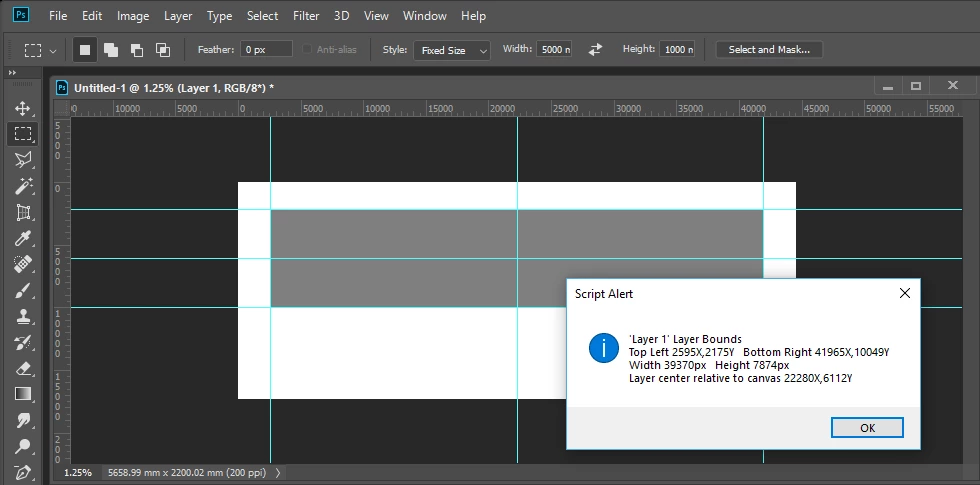
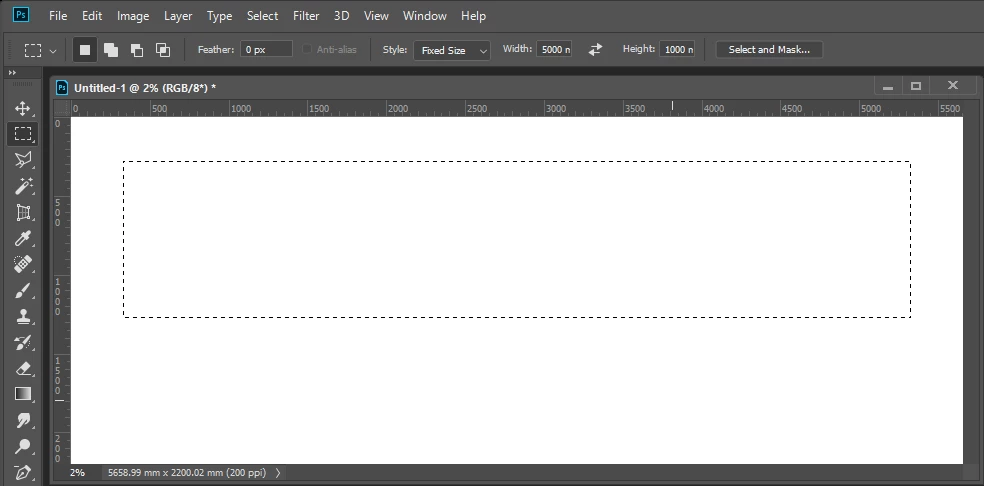
    Do you have to create the rectangle with the rectangle tool?   The rectangular marquee tool does not have that limit. You could add an empty layer meke a seletion and fill the selection to make the layer rge size you need.

    2 replies

    davescm
    Community Expert
    Community Expert
    September 2, 2018

    Hi

    I've just tried this using the exact dimensions you give above without seeing any such issues or limitations.

    What are you using to create the rectangles? I just used the rectangular shape tool.

    Have you carried out any troubleshooting steps so far , such as resetting tools / resetting preferences?

    Dave

    JJMack
    Community Expert
    Community Expert
    September 2, 2018

    What version of Photoshop Dave

    What is strange is you cab drage our a latger rectangle then can be entered in.

    JJMack
    JJMack
    Community Expert
    Community Expert
    September 2, 2018

    Yeah it also get wired if you work on the right side of an arboard that is larger that that limit. You can still drag things around but if you enter the values of the rectangle's dimensions it does wired stuff like resetting all W and H to zero...

    Ciao

    D


    I have never use artboards I'm retired and I do not think I ever will need to use them in my lifetime. Perhaps artboards from Michels or AC More I may find a user for.

    JJMack
    JJMack
    Community Expert
    JJMackCommunity ExpertCorrect answer
    Community Expert
    September 2, 2018

    Do you have to create the rectangle with the rectangle tool?   The rectangular marquee tool does not have that limit. You could add an empty layer meke a seletion and fill the selection to make the layer rge size you need.

    JJMack
    Participant
    September 2, 2018

    Bingo JJMack! Your solution has worked. Thank you so much.