
SKLINDOLD
Participant
March 19, 2018
Answered

PS Opens PNG with funny looking 'flimmery' image (PS CC)

  • March 19, 2018
  • 2 replies
  • 601 views

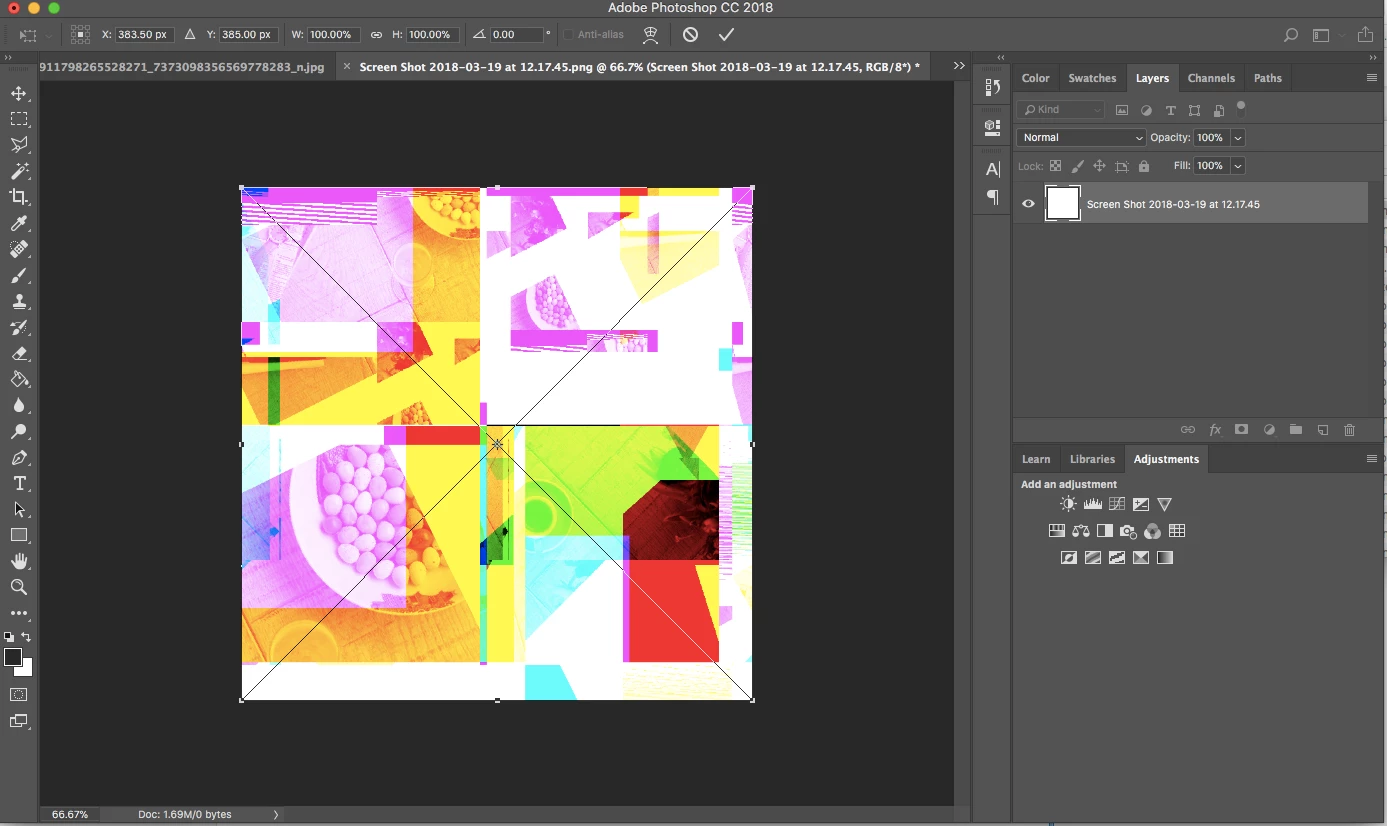
When I drag and drop a png file it opens in a funny looking flimmery image (see attached). When I go to file - open-select file, it ignores my request and does nothing at all.

Please advise, thanks
This topic has been closed for replies.
Correct answer davescm

Hi Mona

As posted earlier - updated to the latest version which is 19.1.3 (the issue was fixed in 19.1.2)

Dave

2 replies

Mona Howell
Known Participant
April 12, 2018

I'm having the same trouble! Only mine is a bunch of color blocks and stars. And it changes whenever I click on a new area. Nothing even remotely looking like the PNG I exported from Illustrator CC (22.0.1) and opened in Photoshop CC (19.1.1).

davescm
Community Expert
davescmCommunity ExpertCorrect answer
Community Expert
April 12, 2018

Hi Mona

As posted earlier - updated to the latest version which is 19.1.3 (the issue was fixed in 19.1.2)

Dave

Mona Howell
Known Participant
April 12, 2018

DUH, sorry...updating my software now.

davescm
Community Expert
Community Expert
March 19, 2018

This problem opening PNGs was fixed in the latest update to Photoshop CC (version 19.1.2). Update to that version and you should be fine

Dave