
Ps Thumbnails in Windows 10. WHY DON'T THEY WORK?!?!
Sorry I 'yelled' in the post subject, but MAN this is frustrating.
I DO understand that the .PSD file format is proprietary, totally get it.
BUT - do you understand how frutrating it is for those of us who save revisions of documents for clients to not be able to SEE what's in them?
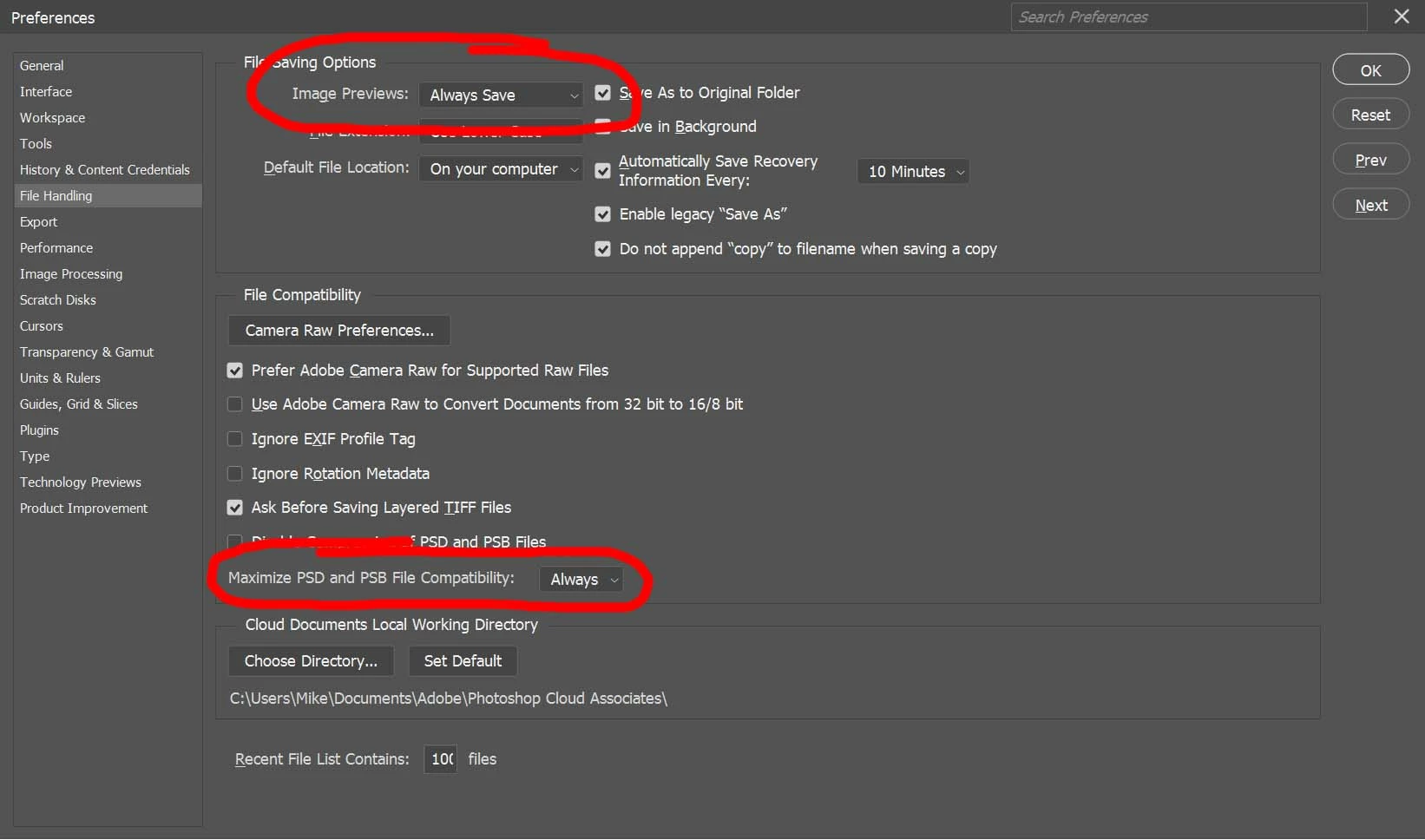
What's even MORE frustrating is that in the Edit | Preference | File Handling dialog, there is an OPTION TO DO THIS!
Doing a bit of research it also says to make sure your Maximize PSD and PSB File Compatibility is set to Always.
Both of the above listed ooptions have ALWAYS been set to Always.
So, why doesn't it show the thumbnail in WIndows Explorer?
I tried a few of the thumbnail handlers like SageThumbs and a couple/few others, and all they did was make a mess of things, if they worked at all.
PLEASE Adobe - keep your proprietary file format, that's cool - but at LEAST let Windows show the dang thumbnail already! C'mon!
 AdChoices