
Participant
October 19, 2021
Question

PSD File does not open in the newest version of Photoshop 21

  • October 19, 2021
  • 5 replies
  • 336 views

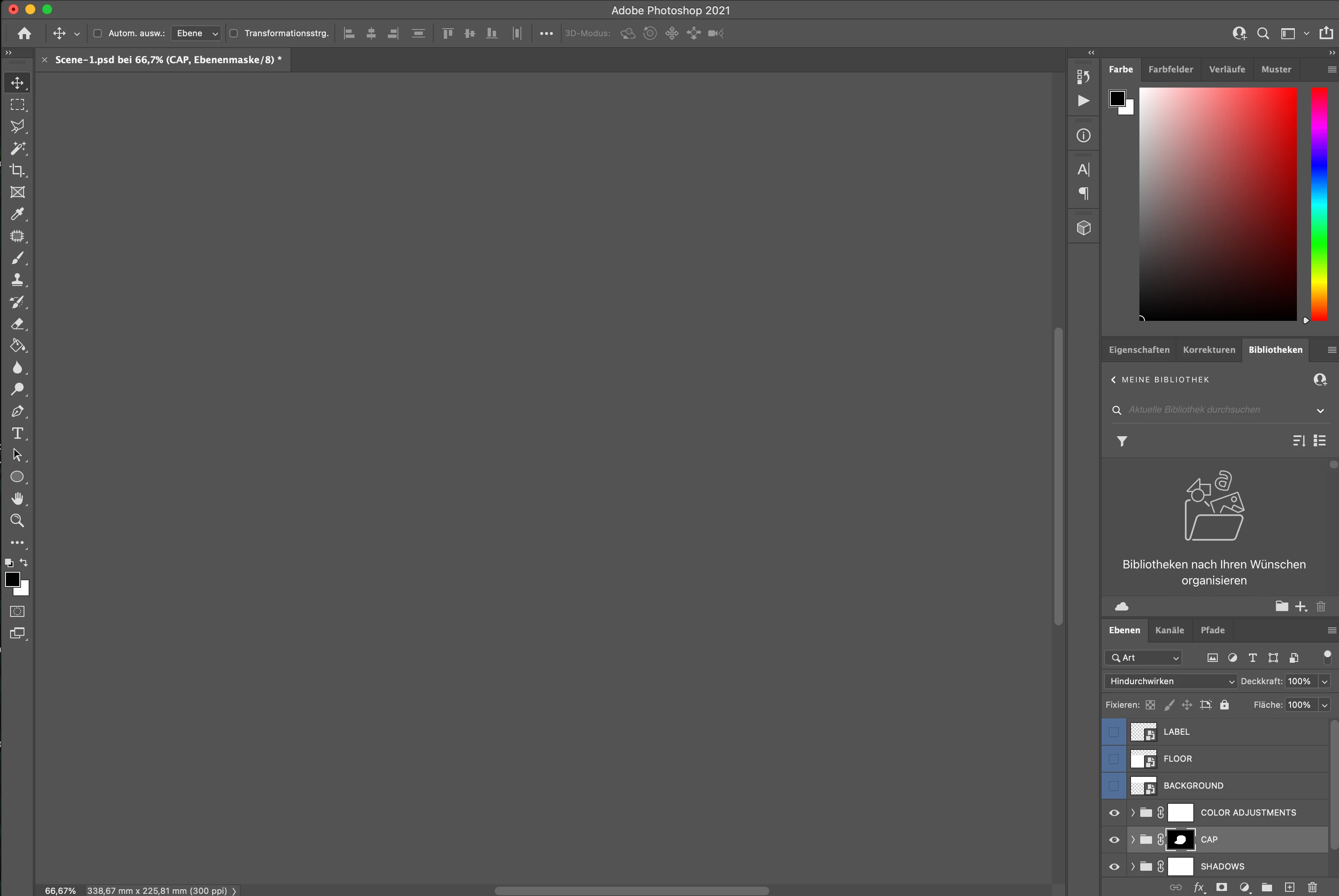
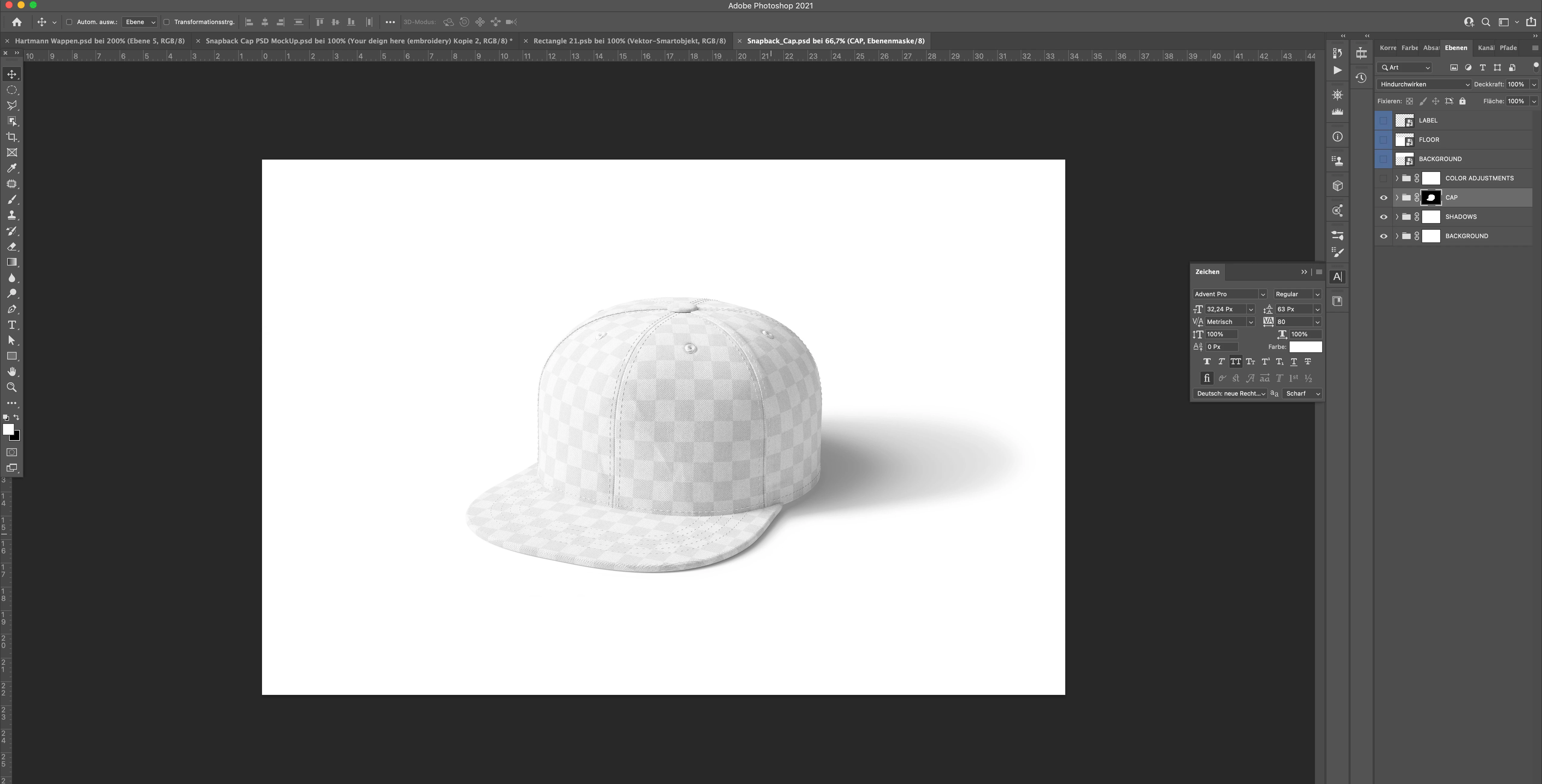
Attached you can see a screenshot of my Photoshop (newest version) and the the same file opened with an older 21 version. Has anybody an idea?

Its a quite new iMac I am working at. 2020 Core i7.

AMD Radeon Pro 5500 XT 8 GB
This topic has been closed for replies.

5 replies

TheDigitalDog
Inspiring
October 22, 2021

Question. If you open the image in the older version (so you can see it), then save as a TIFF, same issue? 


You do know, outside of some minor support for PSD in InDesign, there's little reason to every save as PSD, and lots of reasons to sick with an openly documented format like TIFF which supports just about everything a PSD does? 

http://digitaldog.net/files/TIFFvsPSD.pdf

Author “Color Management for Photographers" & "Photoshop CC Color Management/pluralsight"
davescm
Community Expert
Community Expert
October 22, 2021

You may have a 3D element in one of those groups. If so, try going to Preferences > Technology Previews and check Deactivate Native Canvas. Then close and restart Photoshop.

Now try opening your file.


Dave

Dramenon
Community Manager
Community Manager
October 19, 2021

Thank you for reporting the issue.

Looks like a bug... looking at the first image I see it has "Color Adjustments" Layer visible.

  • If you see this again and turn that Layer visibility on/off does that fix the issue?
  • Also try grabbing the window and moving it around, does it appear or disappear again.
  • Or try Full Screen (F key)

Please report if you see this again and any steps prior to this issue. If you come across the issue the easiest way to fix is probably restart, my guess is video memory was corrupted somehow. 

  • Did this happen after first launch, open file ?
  • Or did this happen after using Photoshop, working on files etc... ?


/end of line/
Participant
October 22, 2021

Hey Daniel, thank you for the reply.

What I can answer is no, no and no.

Means, layer visability didn't fix the issue, while grabbing it stays visible and full screen does not change anything.

But yes, this happened after the first try opening that file.


Now I changed back to an older verison and cannot help anymore

But I could send you the MockUp file

Dramenon
Community Manager
Community Manager
October 22, 2021

Sure I would apprecaite that and will have a look.

You can send a link or file to 


[ email removed as per forum guidelines ]


/end of line/
Participant
October 19, 2021

Exactly that is the problem. The file is open but there is noting to see. No error messages. Also interesting -  when I grab the file and pull it out of the bar the picture is visible until I release the mouse. 🙂 I am fine now, I did reinstall 22.2 but it is definitely a bug somehow. Thank you for your answer.

Legend
October 19, 2021

But there is an open file called Scene-1.psd. This is clear. Is the problem that the file is open, but blank (no error messages)?