
Participant
January 7, 2022
Question

PSD file is 10x bigger than the image size

  • January 7, 2022
  • 3 replies
  • 321 views

So I have come up witha problem on a new PC that I just got :

For some reason, when I save my photoshop file, the PSD document gets way way larger than what is showed on the image size :
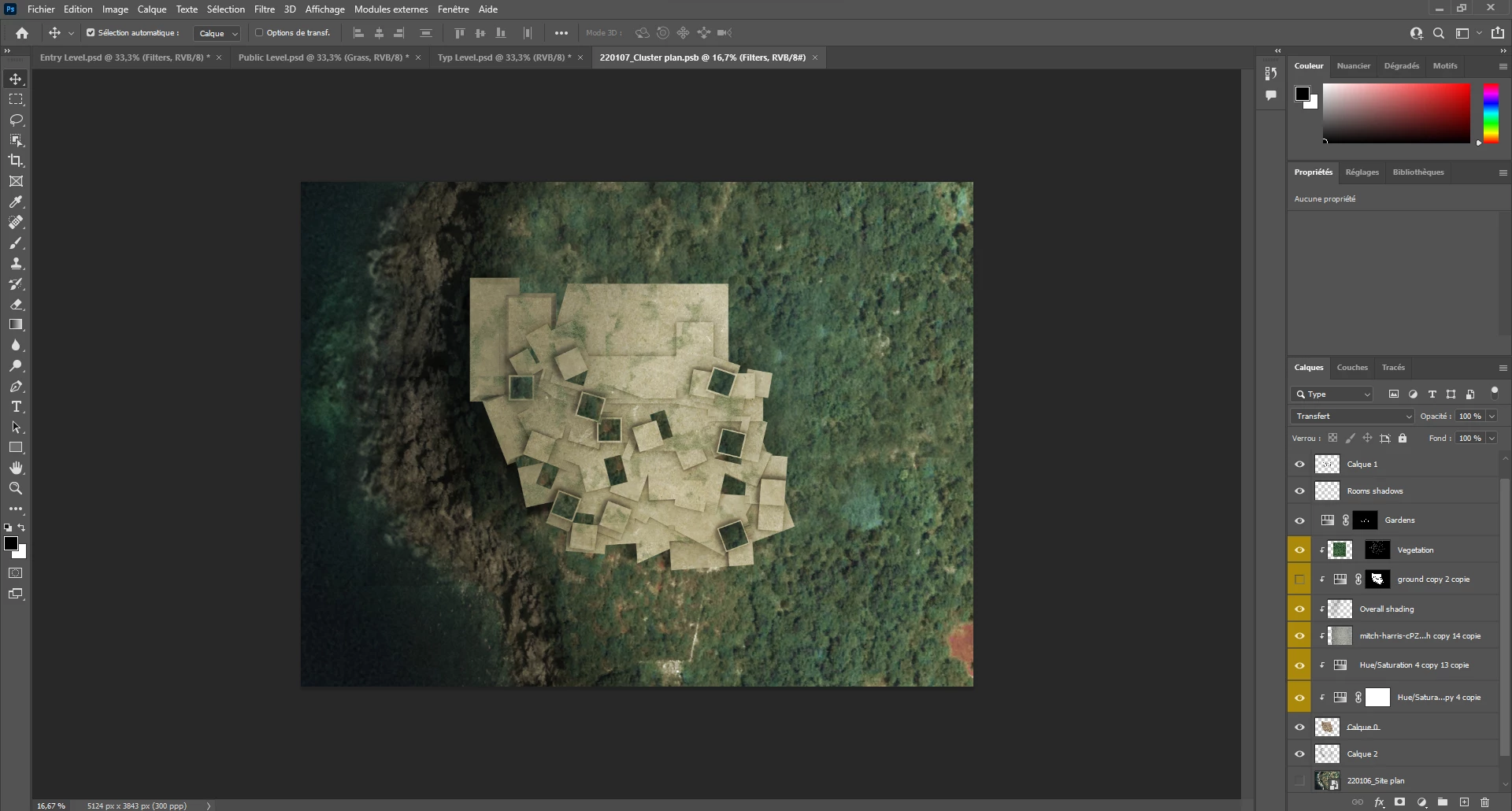
This is the file I'm taking about.

Even though there is barely anything on that file, its huge for some reason, I added a 15Mo Jpeg and the psd file jumped by more than 200Mo
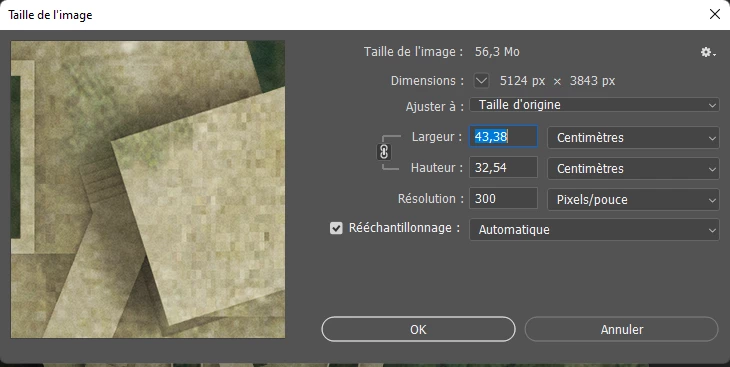
So we can see it goes to 56Mo to 2.7Go

I know PSD files are supposed to be heavier than the JPEGs but this is just ridiculous

And this is just after installing photoshop (so no preference or setting modifications)

If you have any idea of how to fix this (have a normal and corresponding PSD file size) that would be a huge help!

Thank you in advance!

This topic has been closed for replies.

3 replies

davescm
Community Expert
Community Expert
January 7, 2022

In image size there is a very simple calculation 5124 pixels x 3843 pixels x 3  = 59,074,596 bytes which divided by 1,048,576 = 56.3 MBytes  That just represents the theoretical size of a single layer in RAM.

It does not take into account:

1. Multiple layers

2. Smart object content (which can be much bigger than the image size being used to display the smart object and also can contain layers and other, nested, smart objects

3. Adjustment layers

4. Meta data


Conversely it also does not take into account compression on file save. In short it has nothing to do with the file size when saved.


A 15MB jpeg on disk is likely to have a high pixel size. What pixel size is within the smart object?


Dave

PaauclairAuthor
Participant
January 7, 2022

I actually i figured it out, the imported jpegs where really big and extanding past my workspace (duh)

But thank you very much for taking your time to answer my question!

c.pfaffenbichler
Community Expert
Community Expert
January 7, 2022

An additional factor on why the actual size on disk of a layered file is hard to predict is that psd-files are compressed by default.

Determining the result of compression just to be able to give some number in a dialog would seem like a waste of resources. 


Smart Objects can be a particularly tricky issue size-wise; when you embed an image with a lossy compression (like jpg) the SO itself maintains that size but each of the SO’s instances is still pixel content (with non-lossy compression) within the containing document. 


And in some cases file-size-issues are even owed to (excessive) metadata. 


Can you provide the file? 

PaauclairAuthor
Participant
January 7, 2022

Thank you very much for your comment, I figured I didn't really understand what it ment but I've working on photoshop for some while and I just don't understand how a file like this can be that big.

The imported jpegs are from previous photoshops so maybe these images are carrying old information?

And I've heard of metadata a lot through my research but I don't really know what that is either.

The file is too big for me to upload here


c.pfaffenbichler
Community Expert
Community Expert
January 7, 2022

»I know PSD files are supposed to be heavier than the JPEGs but this is just ridiculous«

No, what you described does not sound »ridiculous«. 


You seem to misunderstand what the Image Size-number in the Image Size-dialog is supposed to indicate – the data-size of a flat image image of those pixel dimensions, color mode and bit depth. 

Not the actual size on disk as dependent on actual Layer content (including the data in Smart Objects), alpha channels, paths, metadata, …