Nikonuser70
Inspiring
May 3, 2019
Answered

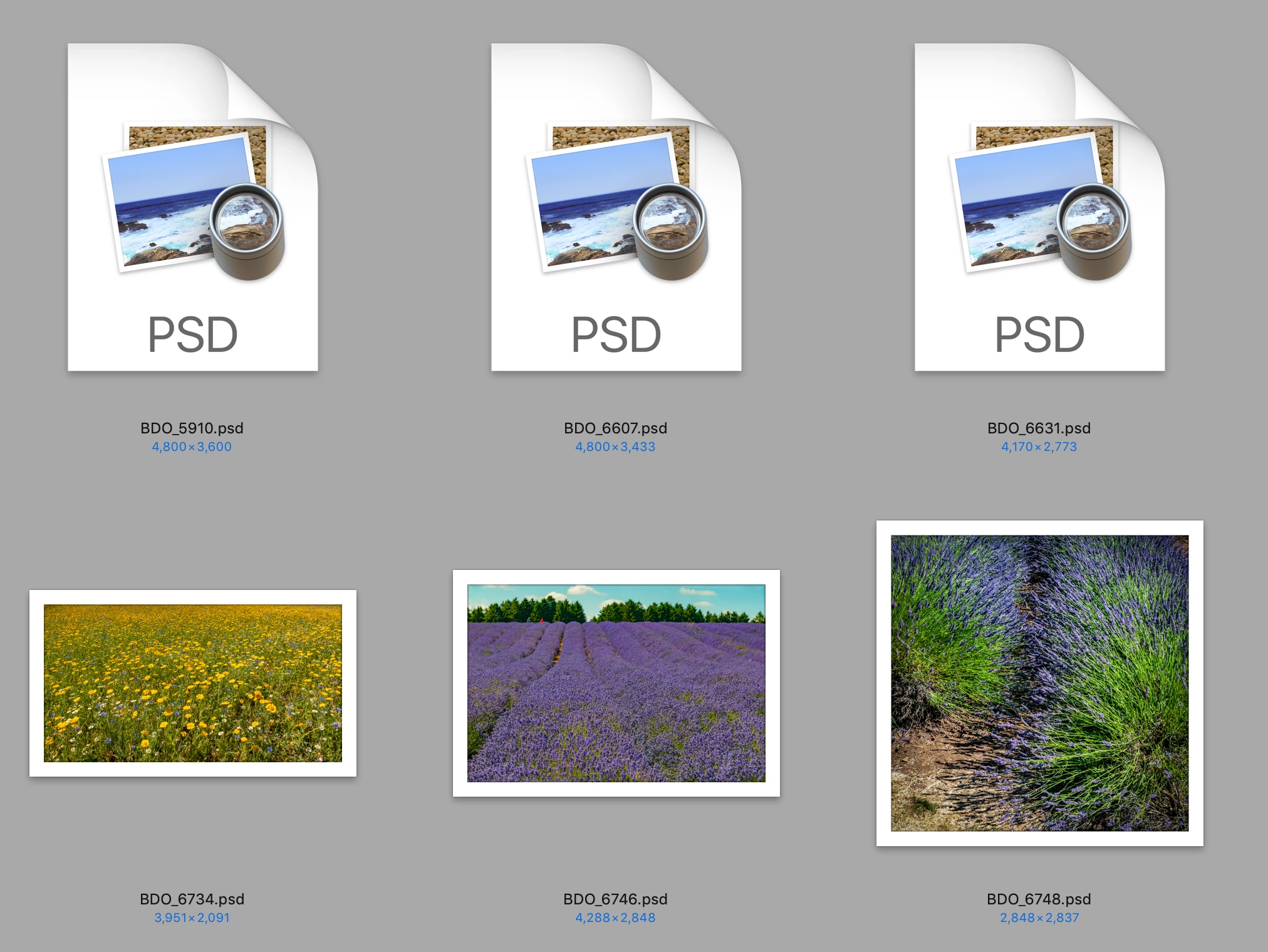
PSD files don't show a thumbnail view
  • May 3, 2019
  • 4 replies
  • 16825 views

Why is it that some PSD files show a thumbnail and others dont.

    Correct answer Nikonuser70

    Sorry I forgot to say, in Finder

    4 replies

    Michael Bullo
    Community Expert
    Community Expert
    May 4, 2019

    Have you checked the File Handling section of the Preferences? Make sure Maximize PSD and PSB File Compatibility is set to Always, or at the very least Ask.

    Nikonuser70
    Inspiring
    May 4, 2019

    The answer is YES

    gener7
    Community Expert
    Community Expert
    May 4, 2019

    Have you tried restarting your Mac in Safe Mode? (Hold down the Shift key on the startup chime.)

    Community Expert
    May 3, 2019

    Hey, this looks like an old bug in MacOS. Maybe you can try this solution?

    https://www.jgoode.com/easy-fix-for-mac-finder-preview-thumbnails-not-displaying/

    I hope this helps!

    Nikonuser70
    Inspiring
    May 3, 2019

    What I have found is that in view options if I un tick and then tick .....some psd files show the thumbnail but not all.

    Akash Sharma
    Legend
    May 3, 2019

    Hi Nikonuser65,

    This is a operating system level limitation.

    Please check that in the Finder: View->Show View Options and make sure "Show Icon Preview" is checked.

    Please take a look at this discussion Photoshop CC: Not seeing finder thumbnails on MacOS (MacOS issue) | Photoshop Family Customer Community ​ and let us know if that helps.

    Thanks,

    Akash

    Nikonuser70
    Inspiring
    May 3, 2019

    I had already checked that , but redid it again and there is no change.

    Nikonuser70
    Inspiring
    May 3, 2019

    I am using Apple iMac with Mojave 10.14.4 and have Photoshop CC v 20.0.4 just for info.

    c.pfaffenbichler
    Community Expert
    Community Expert
    May 3, 2019

    A Thumbnail where – Finder, Bridge, …?

    Nikonuser70
    Nikonuser70AuthorCorrect answer
    Inspiring
    May 3, 2019

    Sorry I forgot to say, in Finder