Hi everyone !
I have a problem that I already encountered when switching from CC2018 to CC 2019. I had managed to correct this problem at the time, but it was impossible to find the solution today
Yesterday, I switched from CC2019 to CC 2020 and PSD Files icons not displayed correctly. Instead of displaying the file icons, I am shown the software.
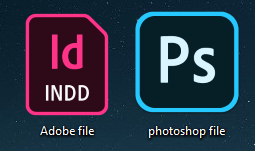
When I select the psd file, this is Photoshop that launches itself, so it's not a software association problem.
When I go to proprieties, I can't modify the file icon manually.
Finally, when check the icon list for the shortcut, the right icon is present in my computer :
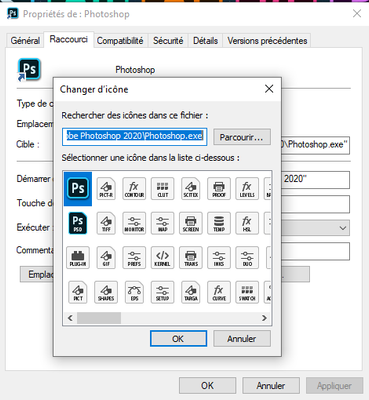
I mean I have to do something with some registery keys, but I can't remember how to fix that.
It would be great if someone could help me ! Thank you !
PS : (sorry for my English, I'm french 😄 )
{Thread renamed by moderator}





 1
Reply
1
Reply


 AdChoices