
Question
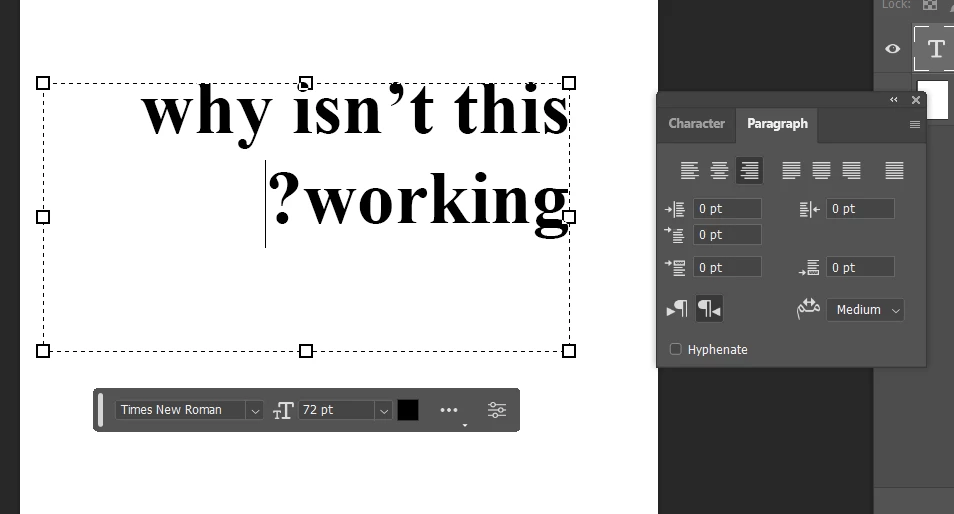
Punctuation goes to beginning of text
I just started having this problem with my photoshop where it's putting my punctuation at the beginning of my text.
I figured out how to manually fix it but I want to save it to the correct settings to that I don't need to re-enable it every time.
I looked it up and it says if you go into your type preferences, you can enable latin and east asian layout but it's not showing up in my preferences as an option, I can only find it in my paragraph flyout menu so that I can temporarily fix this problem.
I want to fix it once and for all so that I don't have to keep changing it every time I go into photoshop.
Like I know that you can change the Paragraph button located in the paragraph panel but that doesn't save my change for the next time I visit photoshop. And resetting my character/paragraph panel isn't doing anything.
Any suggestions?
Thanks
[Moved by Moderator to correct Forum]
 AdChoices