bartonlew
Legend
August 16, 2019
Question

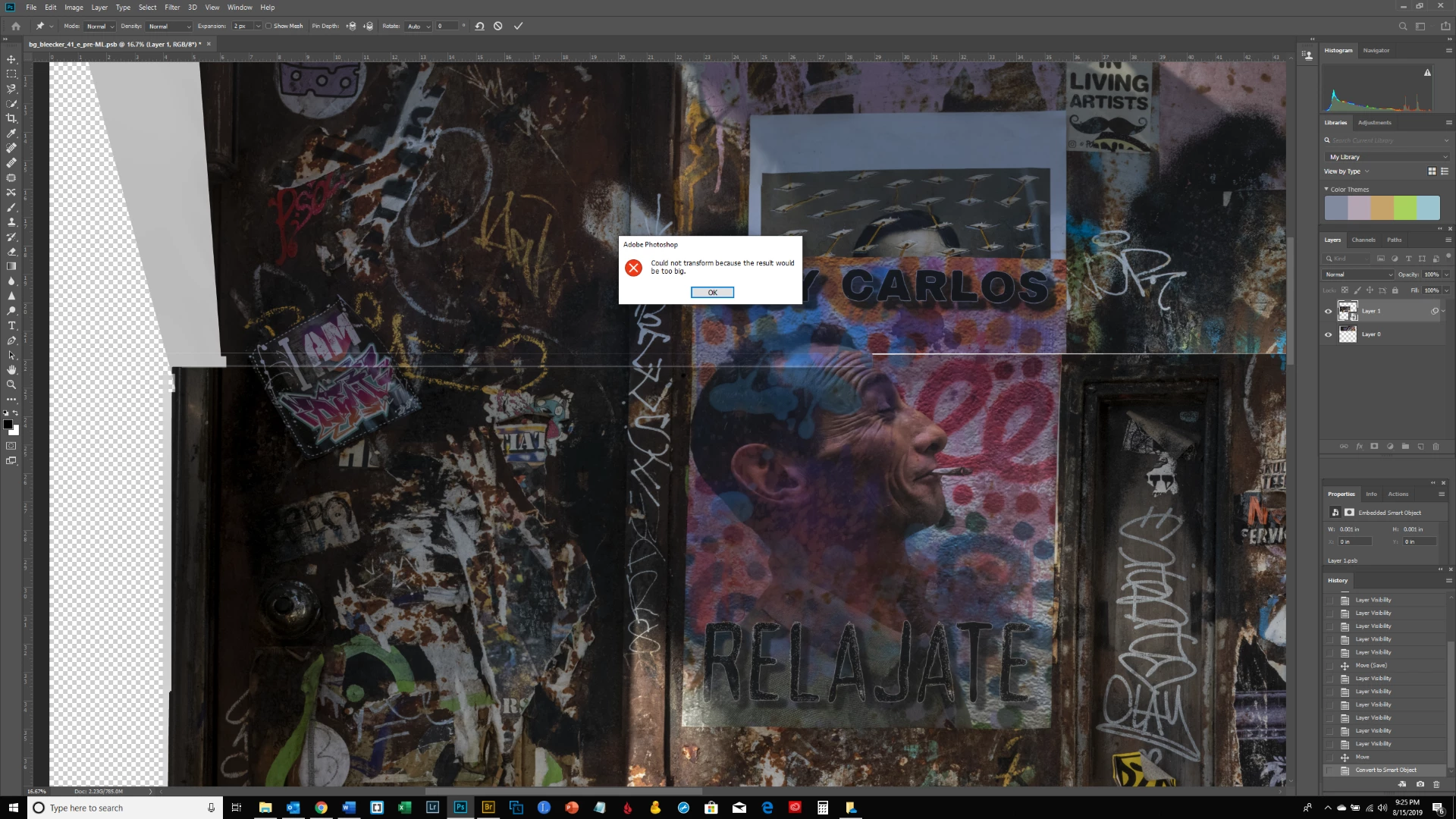
puppet warp error message

  • August 16, 2019
  • 3 replies
  • 3855 views

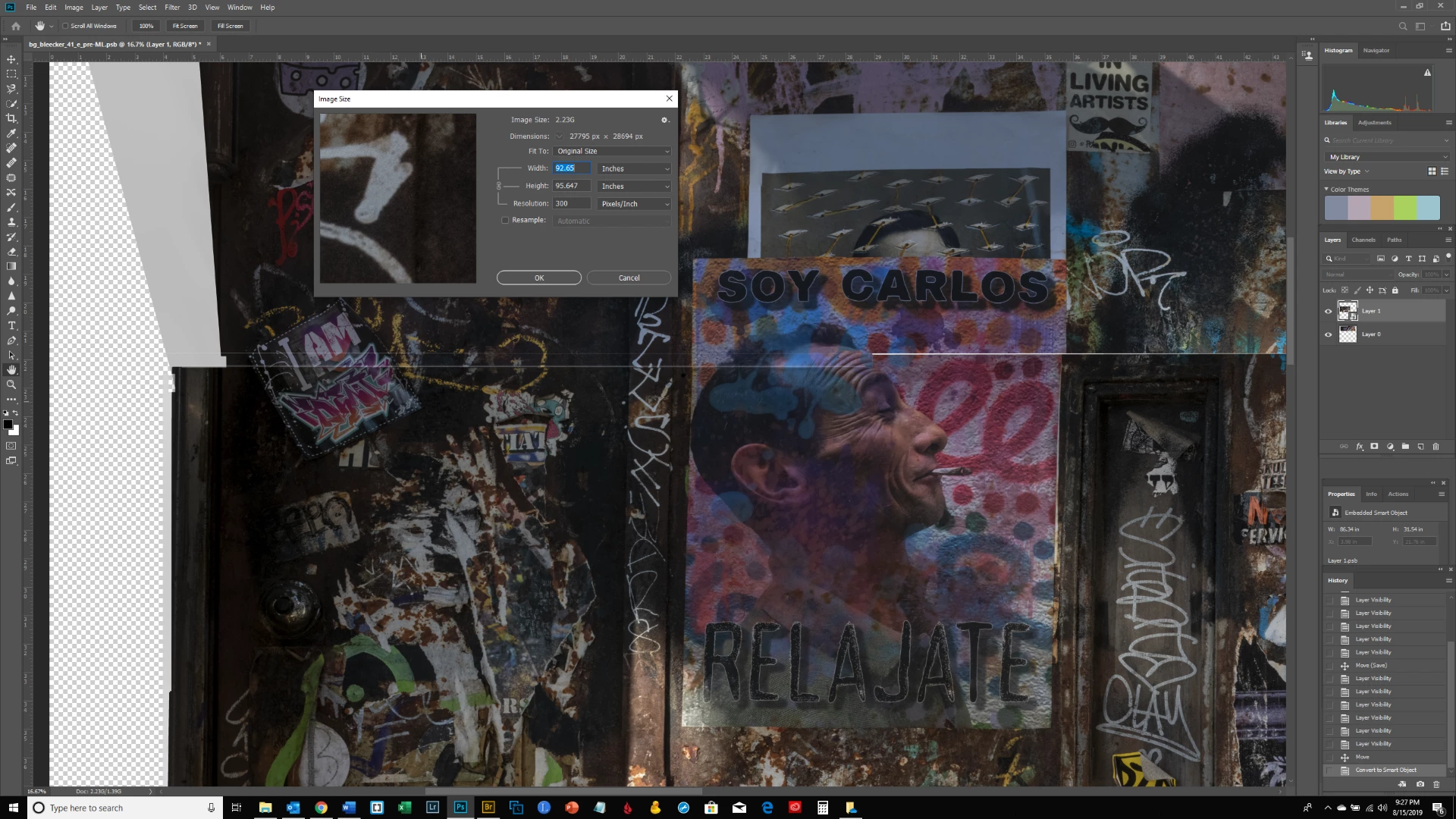
I wanted to use puppet warp to align the 2 layers in the image below.  I placed a pin just above the eyebrow of the man's profile; I then placed another pin over the white writing on the frame to the left of his head to drag the scrawls in alignment - but got the error message shown.  The file is rather large (see 2nd screen shot).  Is this why?  Is there an alternative to using puppet wrap for resizing sections  of a layer while keeping others stable/stationary?  Thank you.
This topic has been closed for replies.

3 replies

JJMack
Community Expert
Community Expert
August 16, 2019

Use Image size check resample leave the 8' size change the print resolution from 300 to 100 pixel per inch and click ok it will reduce the number of pixels you have in you document. You current canvas size is 27797x28694=797,549,730Pixel  How did you create all those pixels Part of you composite look like you may have use a image or two from a camera. I quite sure yiy camera doe bot capture 800MP images

JJMack
Jeff Arola
Community Expert
Community Expert
August 16, 2019

Okay i see the dimensions in you second screenshot.

This leads me to believe the pixel dimension size limit for puppet warp may be 30,000 px x 30,000 px, though someone from adobe would have verify that.

Jeff Arola
Community Expert
Community Expert
August 16, 2019

How big are the images in terms of pixel dimensions?

Photoshop has a pixel dimension limit of 300.000 px x 300,000 px but it's possible puppet warp has a smaller limit.

bartonlew
bartonlewAuthor
Legend
August 16, 2019

Thank you.  It's 27795 x 28694 px.

bartonlew
bartonlewAuthor
Legend
August 19, 2019

It sound like  WeTransfer is a file sharing servive so if you can put it on the web using  WeTransfer do it and post a link to it.  To run the script I posted copy and past the code into a file named layerbounds.jsx on your desktop.  Then open your PSD in Photoshop and target the layer you are trying to use puppet warp on.  The use menu File>Scripts>Browse its the last item the  list browse to your desktop  and select layerbounds.jsx then click load.

Dropbox limit I think is 50GB


Thanks.  WeTransfer emails the file you upload; so I tried Dropbox instead.  But they give you an option to create a new folder (your use only) or a new shared folder and you have to put in an email address for the person you're sharing with.  I don't see how you just create a folder without the options to either restrict access to yourself or add someone else - in which case you need an email address.  How do you create a folder/file and just share a link to it?

I followed your instructions re the script - and got the following result - what was supposed to happen next?