Ghost_16
Known Participant
December 7, 2018
Answered

putting camo on a car

  • December 7, 2018
  • 2 replies
  • 1183 views

how do i put camo on a car using the clipping mask?

    This topic has been closed for replies.
    Correct answer Trevor.Dennis

    So much depends on the colour and how bright the car is.  Overlaying a colour works best over mid tones, but using blend modes to make the detail show through works best with lighter colour cars, with dark details.

    So starting with this vehicle
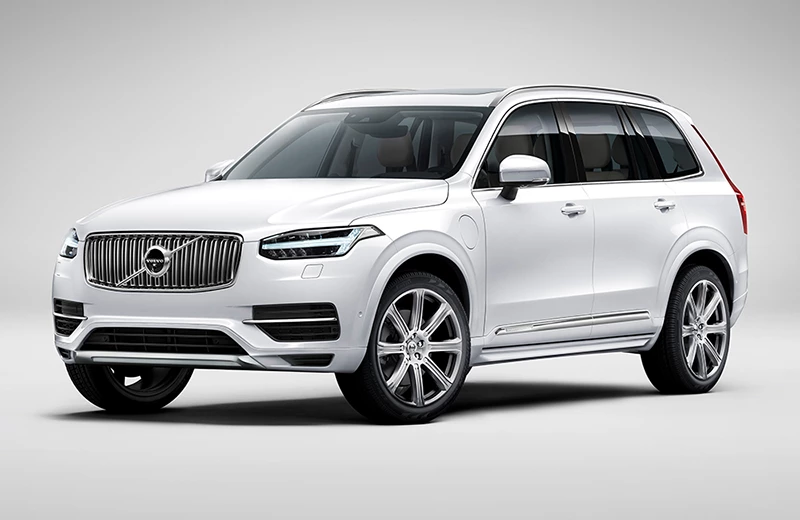
    You really need to select the area you want the effect to cover.  With a car, that is best done using the pen tool, but as I'm only demonstrating, I just used Quick Mask.

    So the cut out car body is copied to a new layer
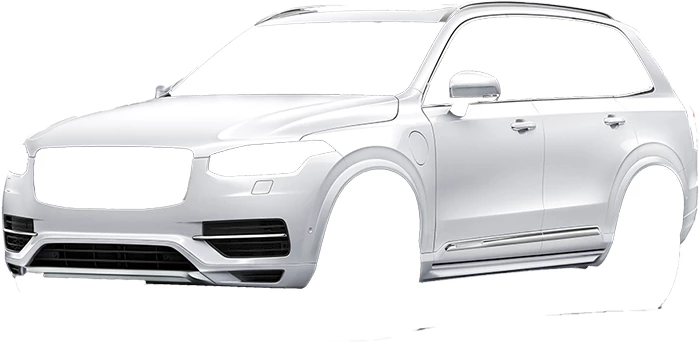
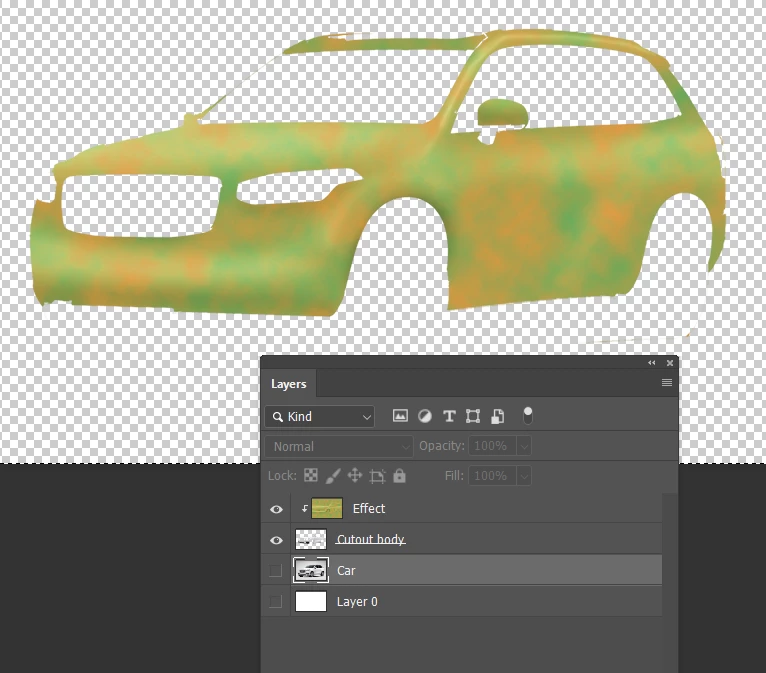
    Placing a layer above the cutout car, and clipping it to the car layer.

    Note I have use Dodge and burn to create some depth.
    Setting the effect  layer to Multiply lets the dark detail show through.

    Turning on the car layer at the bottom of the stack, reveals the hidden detail like tires and screen
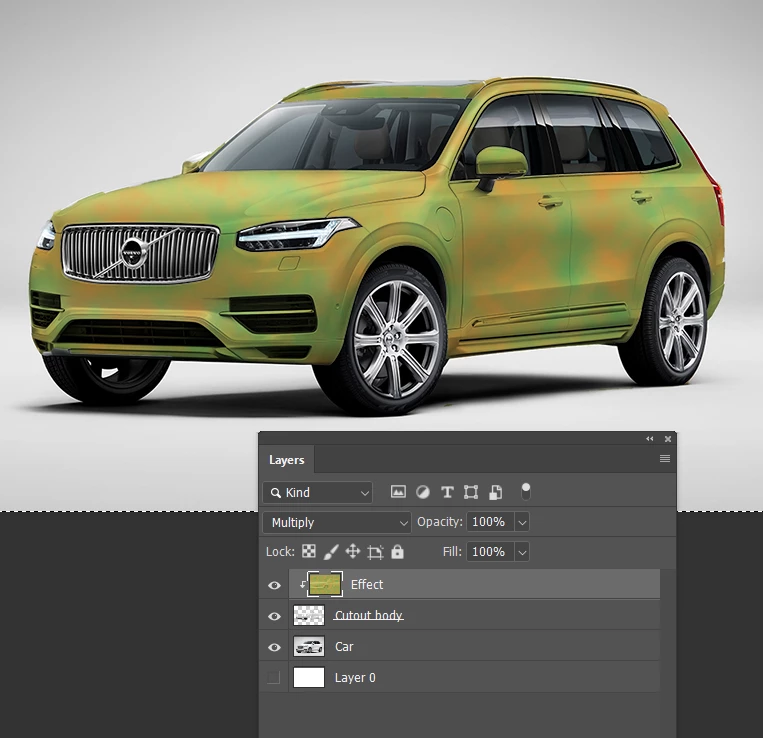
    You can crisp up the effect with a clipped curves layer.
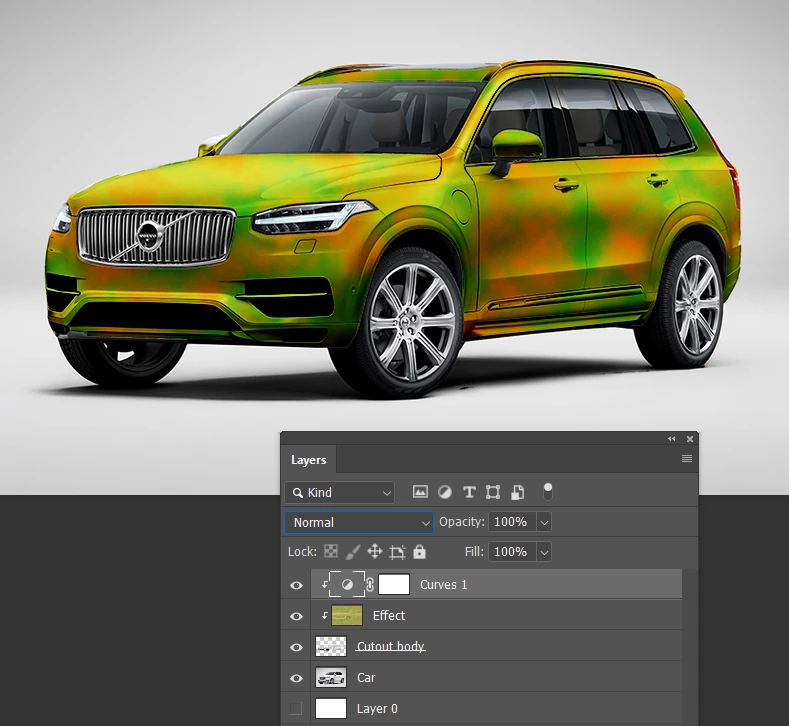
    And change the colour with a Hue Sat layer.

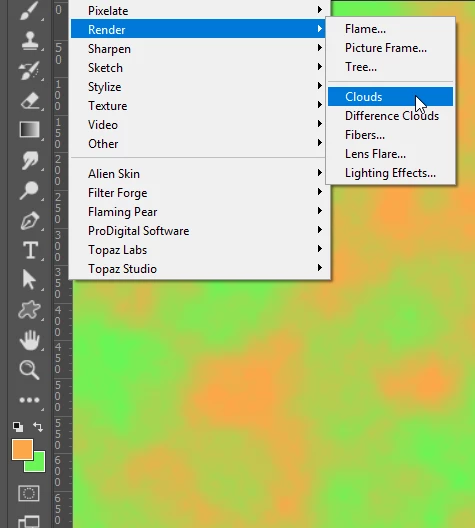
    Hey, I ought to say how I made the camouflage effect.

    Just set foreground and background colours to what you want, and go Filter > Render Clouds
    2 replies

    Trevor.Dennis
    Community Expert
    Trevor.DennisCommunity ExpertCorrect answer
    Community Expert
    December 8, 2018

    So much depends on the colour and how bright the car is.  Overlaying a colour works best over mid tones, but using blend modes to make the detail show through works best with lighter colour cars, with dark details.

    So starting with this vehicle

    You really need to select the area you want the effect to cover.  With a car, that is best done using the pen tool, but as I'm only demonstrating, I just used Quick Mask.

    So the cut out car body is copied to a new layer

    Placing a layer above the cutout car, and clipping it to the car layer.

    Note I have use Dodge and burn to create some depth.

    Setting the effect  layer to Multiply lets the dark detail show through.

    Turning on the car layer at the bottom of the stack, reveals the hidden detail like tires and screen

    You can crisp up the effect with a clipped curves layer.

    And change the colour with a Hue Sat layer.

    Hey, I ought to say how I made the camouflage effect.

    Just set foreground and background colours to what you want, and go Filter > Render Clouds

    Norman Sanders
    Legend
    December 12, 2018

    Wow! A senior moment.

    maxwithdax
    Community Expert
    Community Expert
    December 7, 2018

    Ghost,

    This really depends on how realistic you want it to look. Are you trying to make it look photorealistic or just give the appearance. Your general approach might be the same, but the way you handle the vehicle contours, shadow and light etc. etc. can be way more involved if you are looking for something really flawless. I would start here - Photoshop Tutorial cs6 Car Mockup complete process Using Smart Object - YouTube