
Question about Color Blending Mode
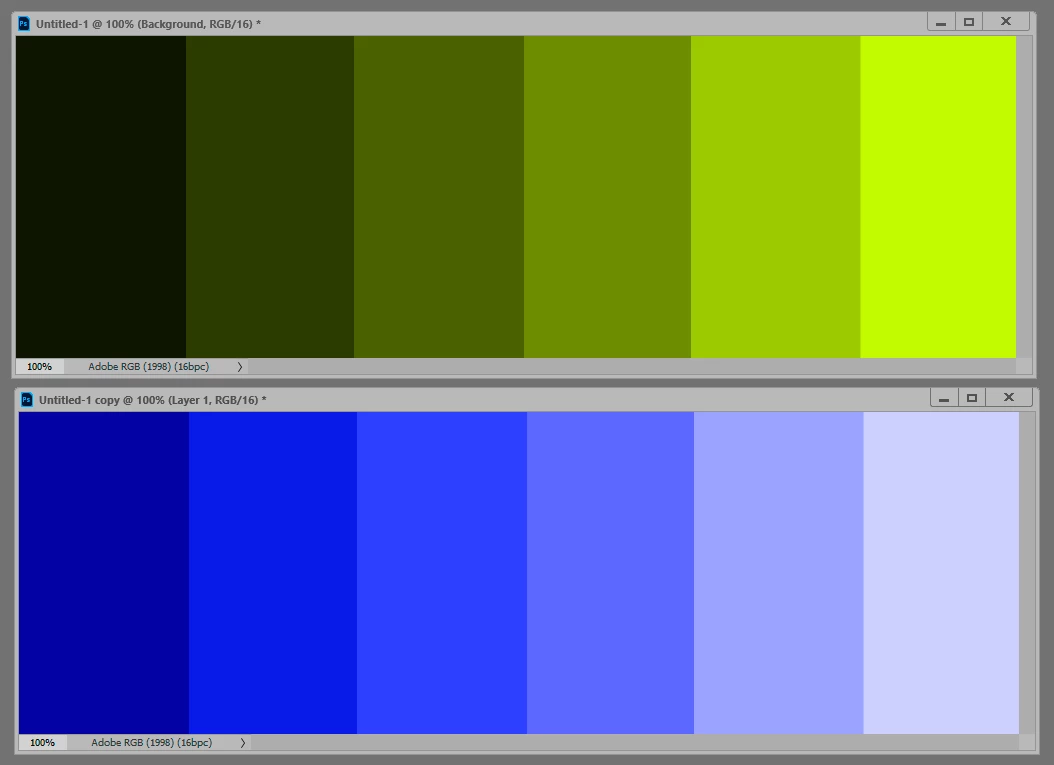
I have a question about the color blend mode, I saw a post asking a similar question but there were some differences and I didn't understand the answer given. So I have a grayscale image that I want to add color to. I create a new layer above the base grayscale layer and begin coloring, and the result is generally more washed out looking than what I'd like, kind of how it looks when you see an WW2 photo that's been colorized.
Now when I use the eyedropper on the resulting color, I find that the Saturation and Brightness values are different than the color I had initially selected to paint with, and the Brightness is much higher than the value of the underlying grayscale (The closer the underlying values are to black, the smaller this difference is).
I'm just curious as to why this is, since in the manual it says: Color - Creates a result color with the luminance of the base color and the hue and saturation of the blend color. This preserves the gray levels in the image and is useful for coloring monochrome images and for tinting color images.
Gray levels seem to be changed and saturation is different than that of the blend color I'm painting with. Anyway I hope someone can give me some insight, thanks.
 AdChoices