
Question
Quick replace multiple layers with a chosen image
Hi all,
A relatively simple question but I'm struggling to find a sensible way to do it. Any help would be much appreciated.
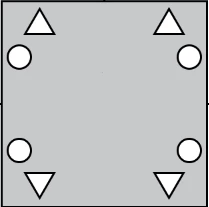
I have lots of images, hundreds in fact, similar to the attached. I would like to swap the circles, each of which is an individual layer, with another image (a square).
Crazy utopia: some magical way to batch process this based on layer name
Real world hope: Is there a way to select a load of layers (e.g. all the circles) and then tell Photoshop to replace all of those layers with a particular image, presumably duplicated across the layers?
So that an image goes from this
To this
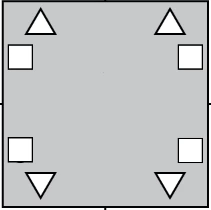
Ideas and mystical voodoo spells welcome!
 AdChoices