
bartonlew
Legend
March 27, 2019
Answered

quick selection tool gone haywire

  • March 27, 2019
  • 1 reply
  • 733 views

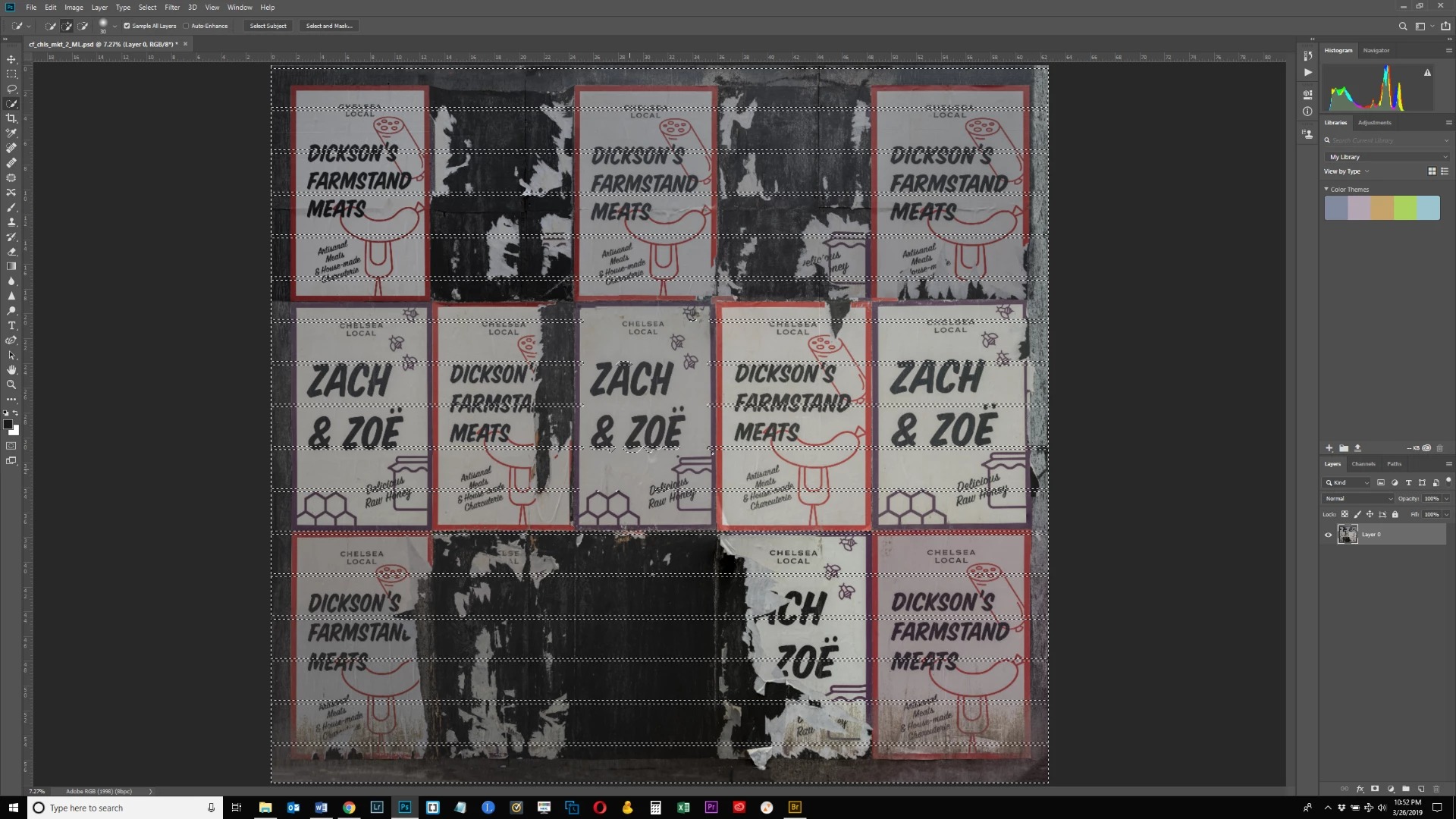
When I pick the Quick Selection tool, I am getting these strange rows of marching ants across the entire image.  I reset all tools and it still happens.  What's going on here?  Thanks.
This topic has been closed for replies.
Correct answer

Hi

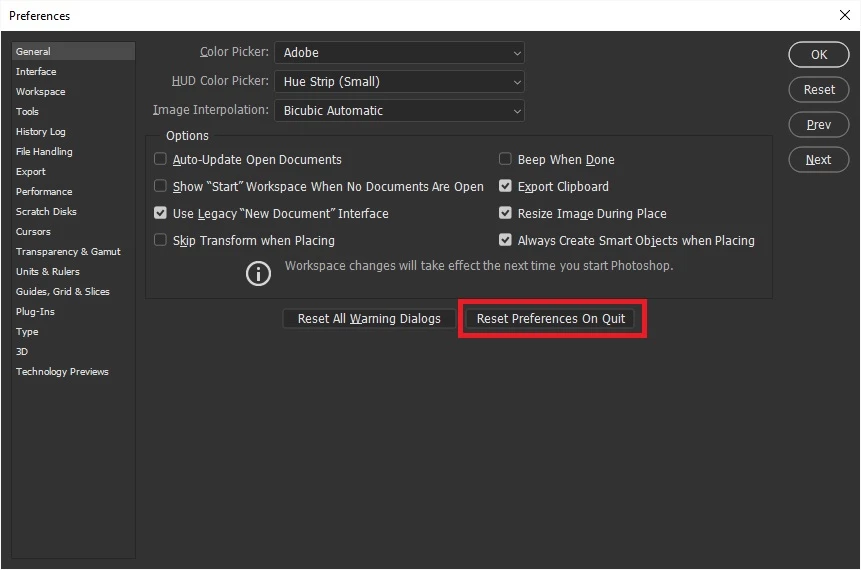
Is this just happening on this particular image or all images, have you tried resetting PS preferences
1 reply

Correct answer
March 27, 2019

Hi

Is this just happening on this particular image or all images, have you tried resetting PS preferences

bartonlew
bartonlewAuthor
Legend
March 28, 2019

It seems to have stopped for whatever reason.  Thanks for the tip. 

bartonlew
bartonlewAuthor
Legend
March 28, 2019

bartonlew  wrote

It seems to have stopped for whatever reason.  Thanks for the tip. 

I feel bad for wishing this upon you, but I am kind of sorry it has fixed itself, as that is one of the most interesting glitches I've seen in a while.  All the more so because your screen shot showed the layers panel, so we know it is an errant layer causing causing it.


Yes, I thought it was extremely odd as well.  You can be sure I'll mention it again if it pops up!

I do wonder if the latest version of PS has some bugs in it.  For example, when I open PS now, none of the files I have recently worked on show up.  It's a completely blank page.
