Participant
June 5, 2025
Question

"Always use pressure for opacity/size" Buttons are alwayse turning on despite the brush settings

  • June 5, 2025
  • 3 replies
  • 353 views


Hey everyone! 

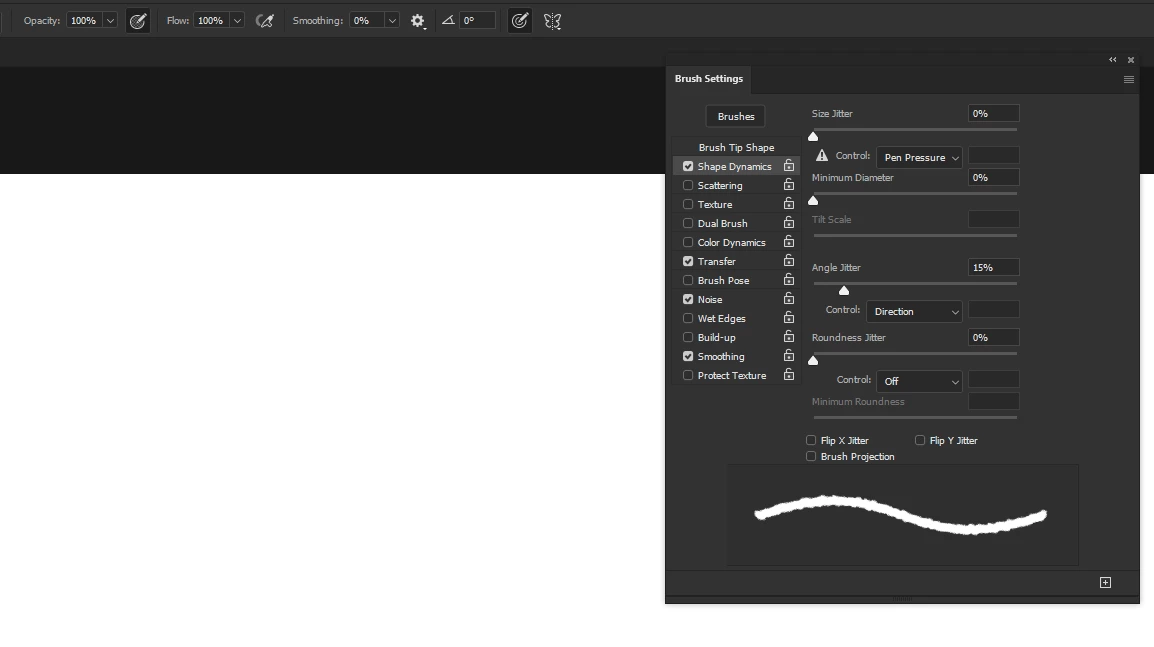
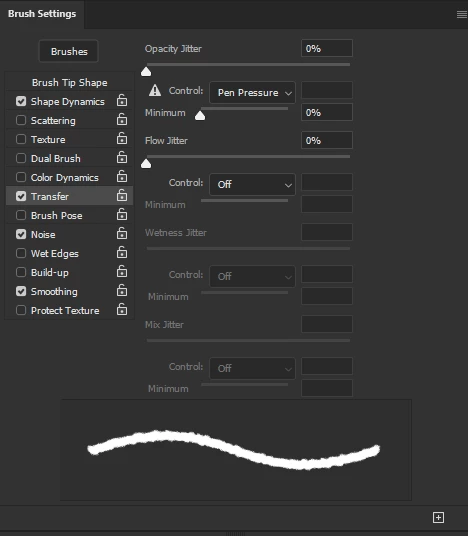
So the problem is that despite everything in brush settings should be correct (pen control enabled) for some reason PS keep setting "always use pressure for opacity" and "always use pressure for size" buttons ON

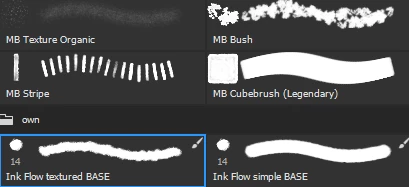
It's always turning on with brushes that have this little brush icon in right corner and then just keep working no metter I change brush with no icon.
Please help me, idk if it's a bug or I'm doing something wrong 😞
 

3 replies

CJonez
Participant
March 25, 2026

I have been using Photoshop for over 10 years.

For the past 2 years, I have had this same issue over and over again and have yet to find a solution. It is definitely a glitch. Photoshop will randomly make a brush transparent, or will randomly take away a brush’s transparency. No matter how many times I “check” or “uncheck” the “transparent” brush setting, uninstall/reinstall Photoshop, reset tools, Photoshop will not respond to the command. It’s to the point where I am considering leaving Photoshop for good and finding a better, more reliable software.

c.pfaffenbichler
Community Expert
Community Expert
June 7, 2025

If whoever created the Brushes decided to »Include Tool Settings« then that is not a »bug« but the decision of the maker of the Brush. 

Trevor.Dennis
Community Expert
Community Expert
June 7, 2025

Hi Shinky.


You have Transfer > Pressure controls opacity set in brush settings, but even with that, it shouldn't turn on the icon in the Options bar.

Photoshop does get its knickers in a twist at times, and even if it is just us doing weird stuff with the settings, it's easier to reset than chase down what's going on.


So, first off, with the Brush selected, reset as per this screen shot.


I think this probably won't fix it, so if that's the case, its going to be reset Preferences.  Always a pain, I know, but I feel like I have done this so many times now, it only takes fivew to ten minutes to get everything set again.


Manual reset is best, but try from the Preferences panel first if you like

https://helpx.adobe.com/ie/photoshop/using/preferences.html#Manually


ShinkyAuthor
Participant
June 7, 2025

Hey! Thanks for the try, but It's still the same( 
I've tried to rest everything but it didn't help