
"Blend If" – An awesome tool that could be even MORE AWESOME
If you couldn't tell, I love "Blend If," which hangs out in the Layer Style "Blending Options" box. But there are some things that I think could make it better, more powerful and/or easier to work with.
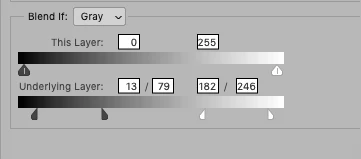
Level-up by 1: Numerical inputs. Sometimes when working on tricky blends it would be super helpful to be able to key in a numerical value, rather than manipulating the existing sliders. Additionally, pressing the up and down arrows would change the numerical value by a single point. I feel like this would be a really easy thing to implement and would improve usability by quite a bit. It might look like this:
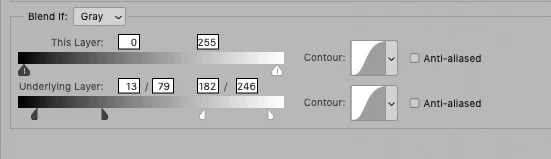
Level-up by 2: Contours or curves for blending the area between a split marker. As you know, you can [option]+click to split the marker, resulting in a nice fade for your blend. Currently, it's calculated like it's a linear curve from the left to right sides of the split marker: one end of the marker is 0%, the other 100% and the middle is at 50%. Sometimes it would be nice for the blend to be calculated with a gamma curve or an S-curve. This would give me more control over the look of my blend. I envision this could utilize the existing Contours that exist elsewhere in Layer Styles, and might look like this:
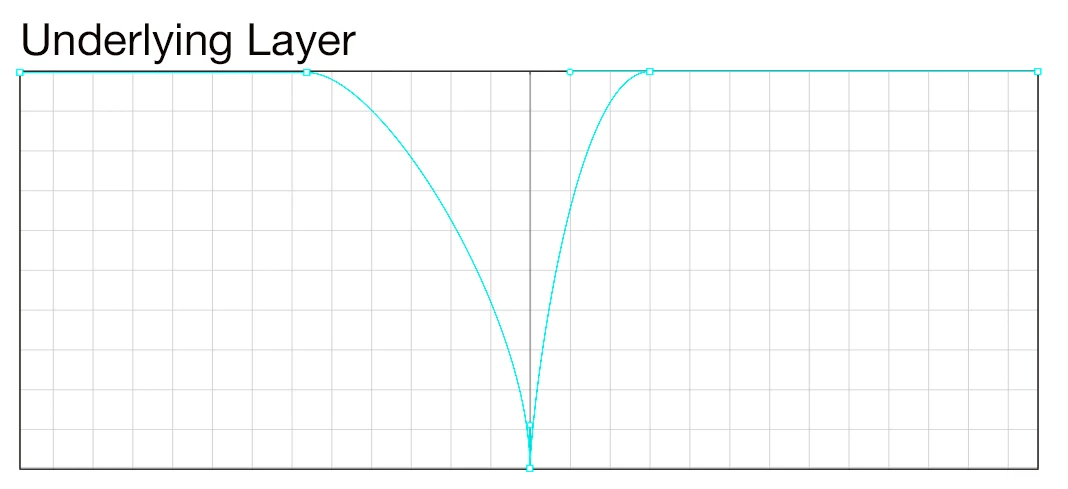
Level-up by 3: Scrap the current "Blend If" method and make something completely grid based, using a path to plot in and out points.
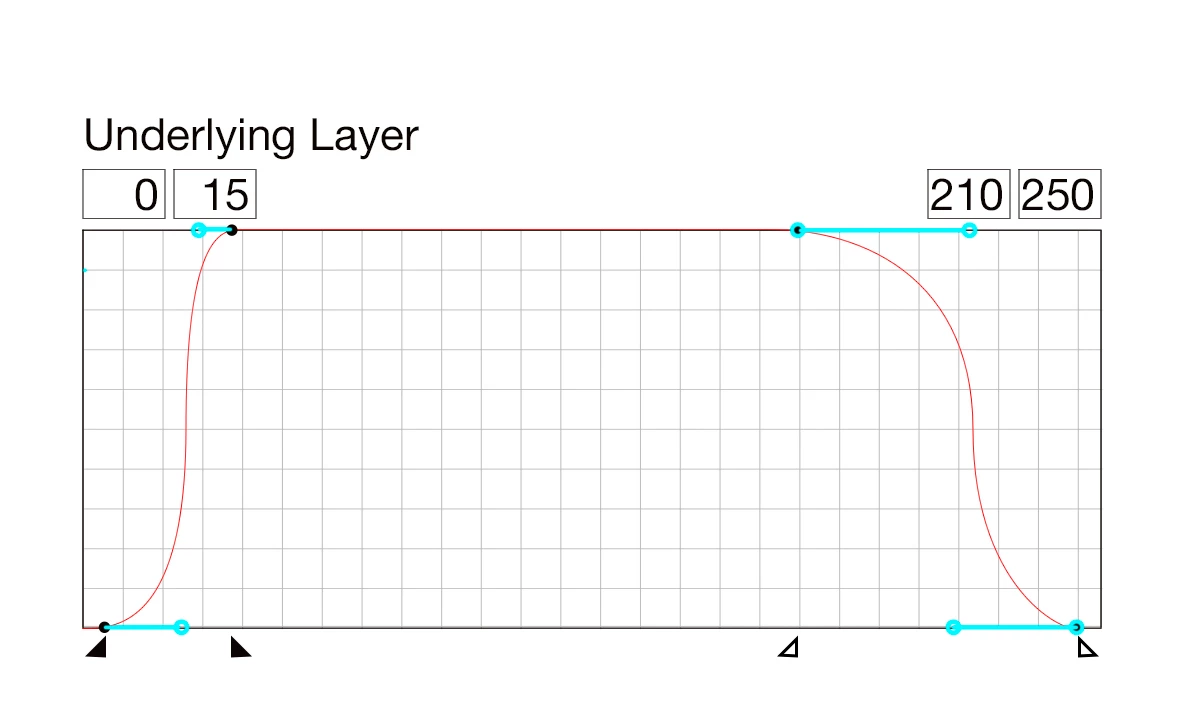
This one removes the now-redundant markers at the bottom and relies entirely on a path/grid system. Notice the emphasized midpoint, which would be useful to those of us who know some Lab tricks.
So that's what I have. What do you think?
Thanks,
Bruce!
 AdChoices