Participant
May 18, 2021
Answered

"Could not transform the path because the source rectangle is empty"

  • May 18, 2021
  • 1 reply
  • 5723 views

I have come upon an issue. Whenever I try to transform any of the images I have in photshop it gives me this message. Initially when I embed the image in it allows me to transform but once I hit enter there is no going back. Has anyone else experinced this and if so please help!
This topic has been closed for replies.
Correct answer chanaart

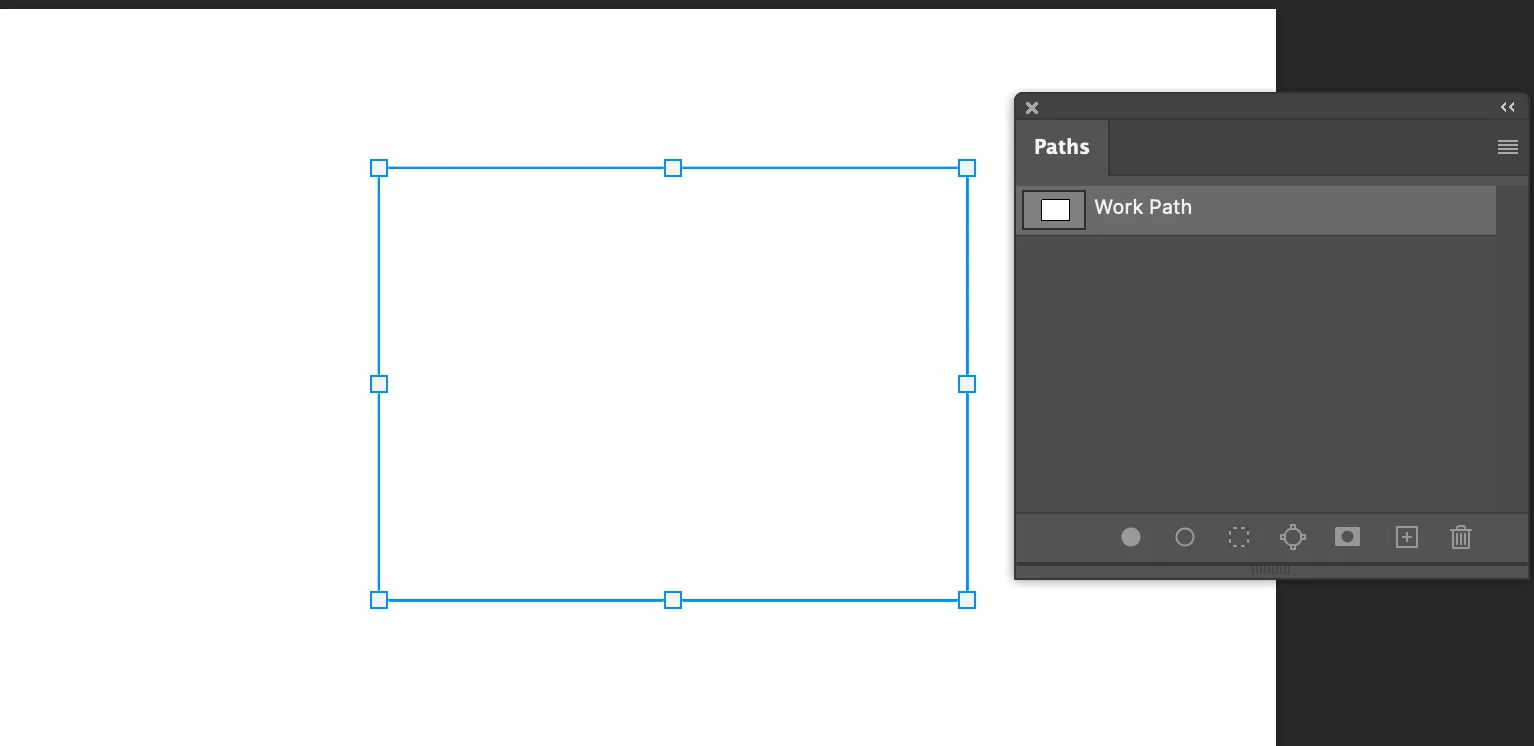
Just read it again with Path it is a bnit different. 

You need to have the path active

checkout the 2 screenshot.

If it is a path you can activate it and it does not matter if you are on a certain layer. 

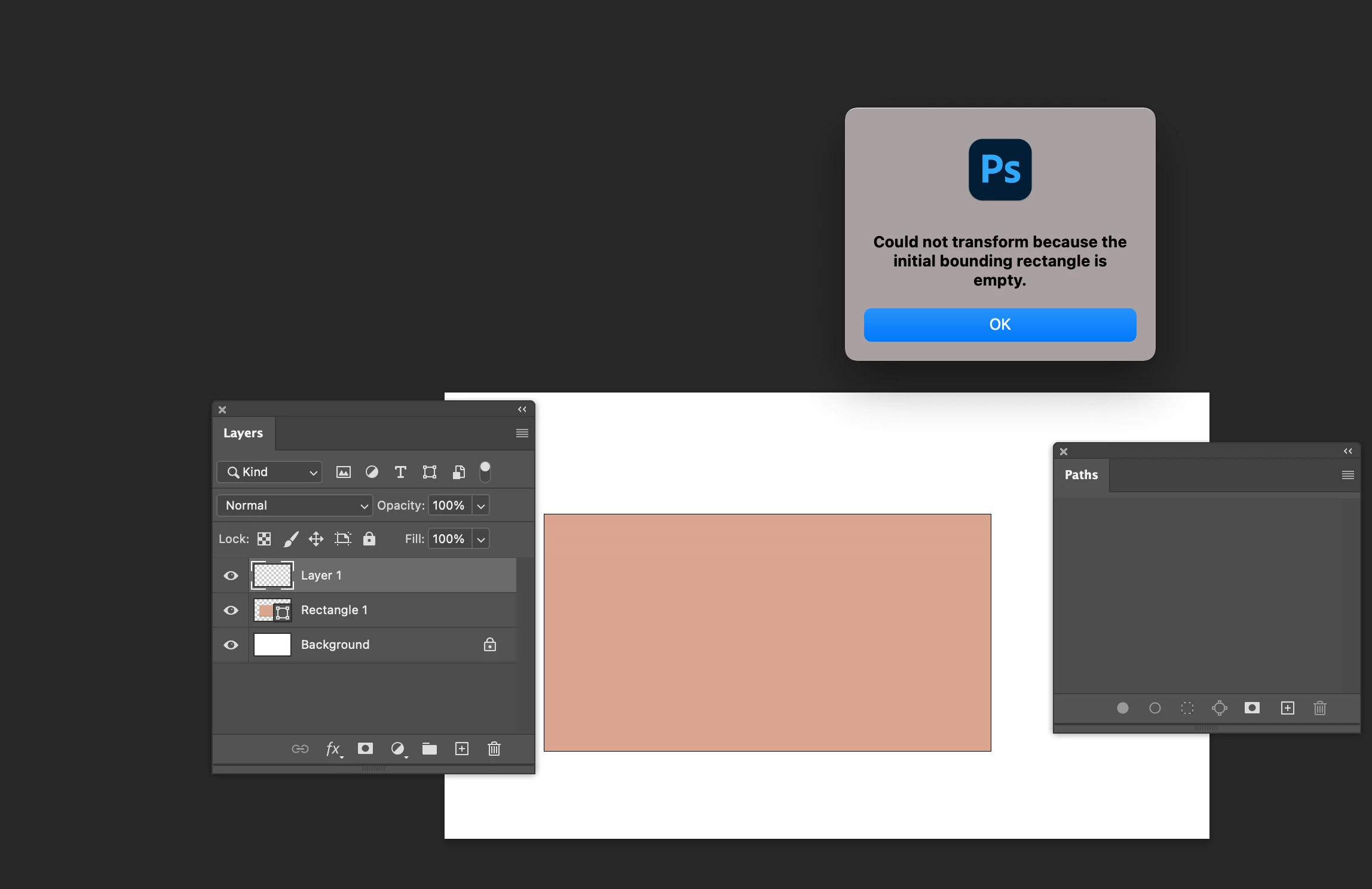
If you create a shape layer and need to transform you need to be on the layer the shape is. 

Look at the screenshot Below I am on the wrong layer. Got the error message.

Hope it helps.


1 reply

chanaart
Community Expert
Community Expert
May 18, 2021

Can you send us a screenshot?

Also check your channels and make sureyou are on the correct RGB channel...and on the correct layer.

Chana

chanaart
Community Expert
chanaartCommunity ExpertCorrect answer
Community Expert
May 18, 2021

Just read it again with Path it is a bnit different. 

You need to have the path active

checkout the 2 screenshot.

If it is a path you can activate it and it does not matter if you are on a certain layer. 

If you create a shape layer and need to transform you need to be on the layer the shape is. 

Look at the screenshot Below I am on the wrong layer. Got the error message.

Hope it helps.