Dimi-Hokusai
Participant
December 28, 2021
Answered

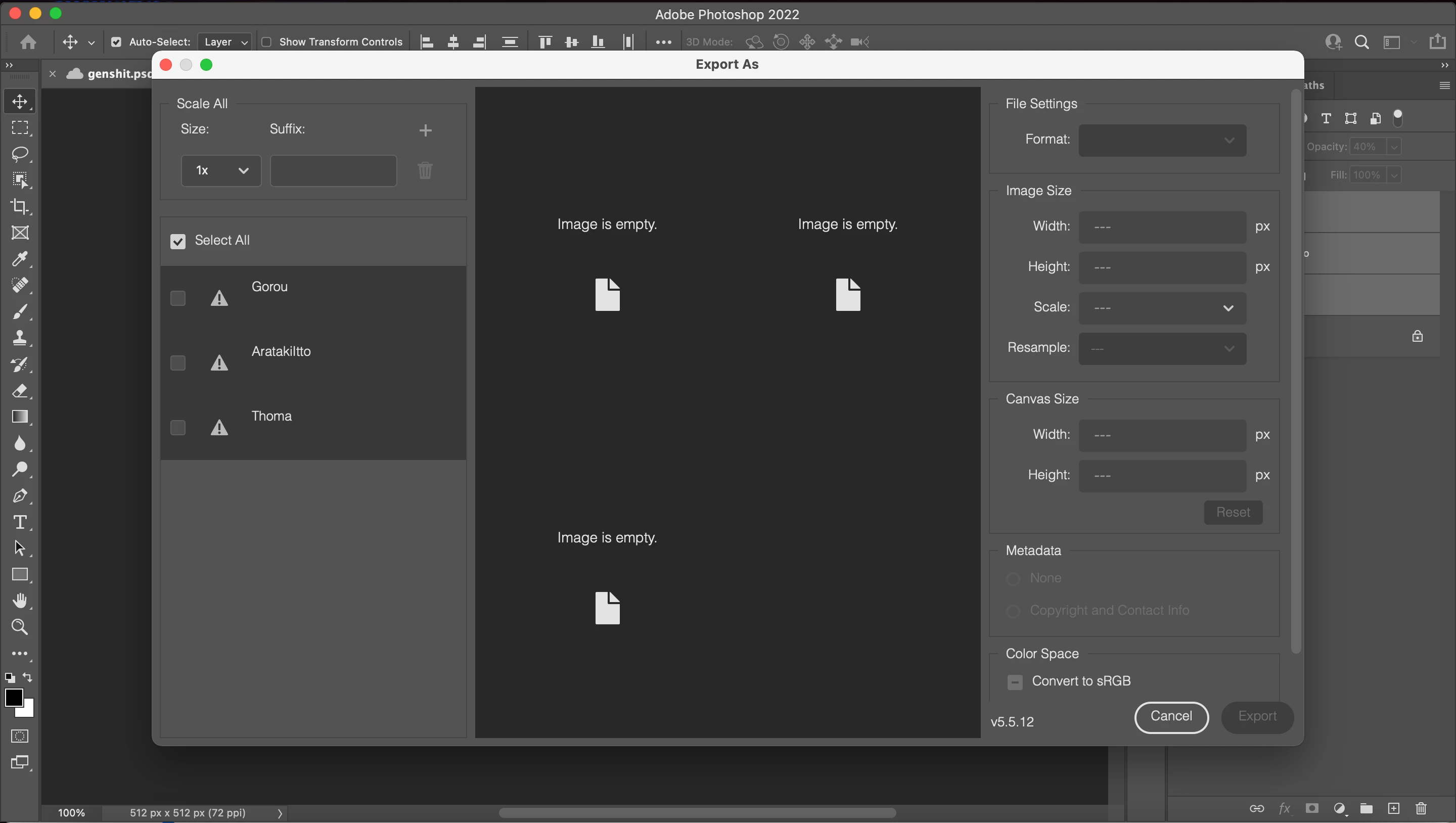
"Export as" leading to "image is empty"?

  • December 28, 2021
  • 3 replies
  • 31157 views

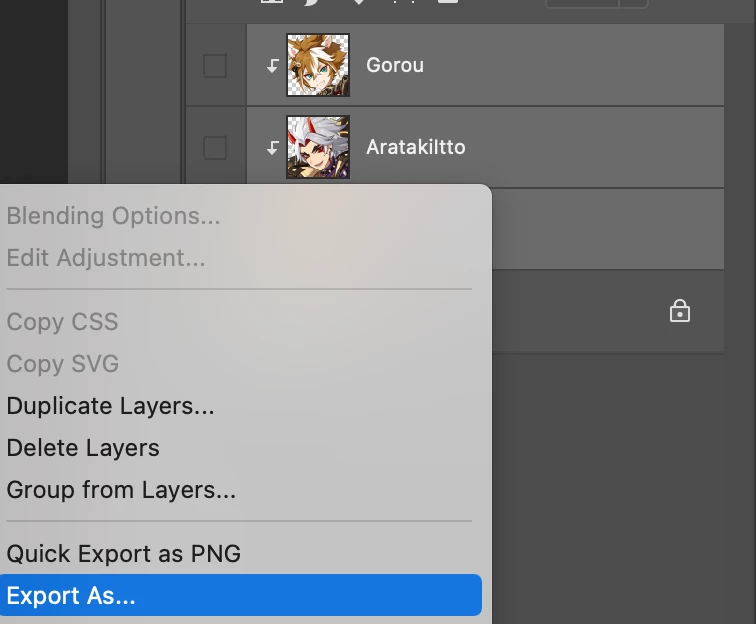
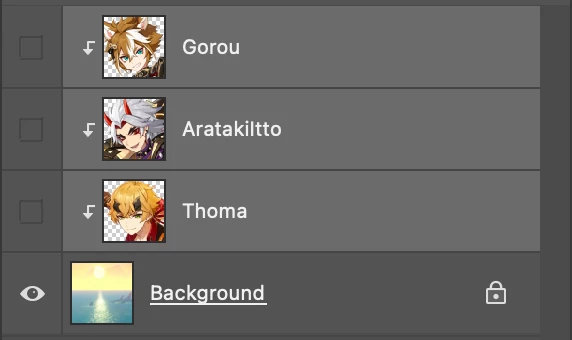
Using a clipping mask as shown to mass export pictures, but the only thing I get is a window telling me that the "Image is empty."

App version - 23.1.0

Platform - Mac OS 12.0.1


This topic has been closed for replies.
Correct answer Bojan Živković11378569

I was able to reproduce. Unlock Background layer, promote it to normal by clicking on padlock icon then try again using right click context menu or Layers panel menu > Export As, it will not work using File > Export > Export As from my testing on Windows.

3 replies

Bojan Živković11378569
Community Expert
Community Expert
December 31, 2021

I was able to reproduce. Unlock Background layer, promote it to normal by clicking on padlock icon then try again using right click context menu or Layers panel menu > Export As, it will not work using File > Export > Export As from my testing on Windows.

Bojan Živković11378569
Community Expert
Community Expert
December 29, 2021

@jane-e is right, you have hidden layers in the Layers panel. By the way, what is your expectation and what are you trying to do?

Dimi-Hokusai
Participant
December 31, 2021


Trying to create images for all three layers at once at the same time. This works for other files, so I'm not sure why it isn't working here.


jane-e
Community Expert
Community Expert
December 29, 2021

@Dimi-Hokusai 

What happens if you click the eyeball to show one or more of these hidden clipping-mask layers in the Layers panel before exporting?


Jane