Participating Frequently
October 19, 2023
Pregunta

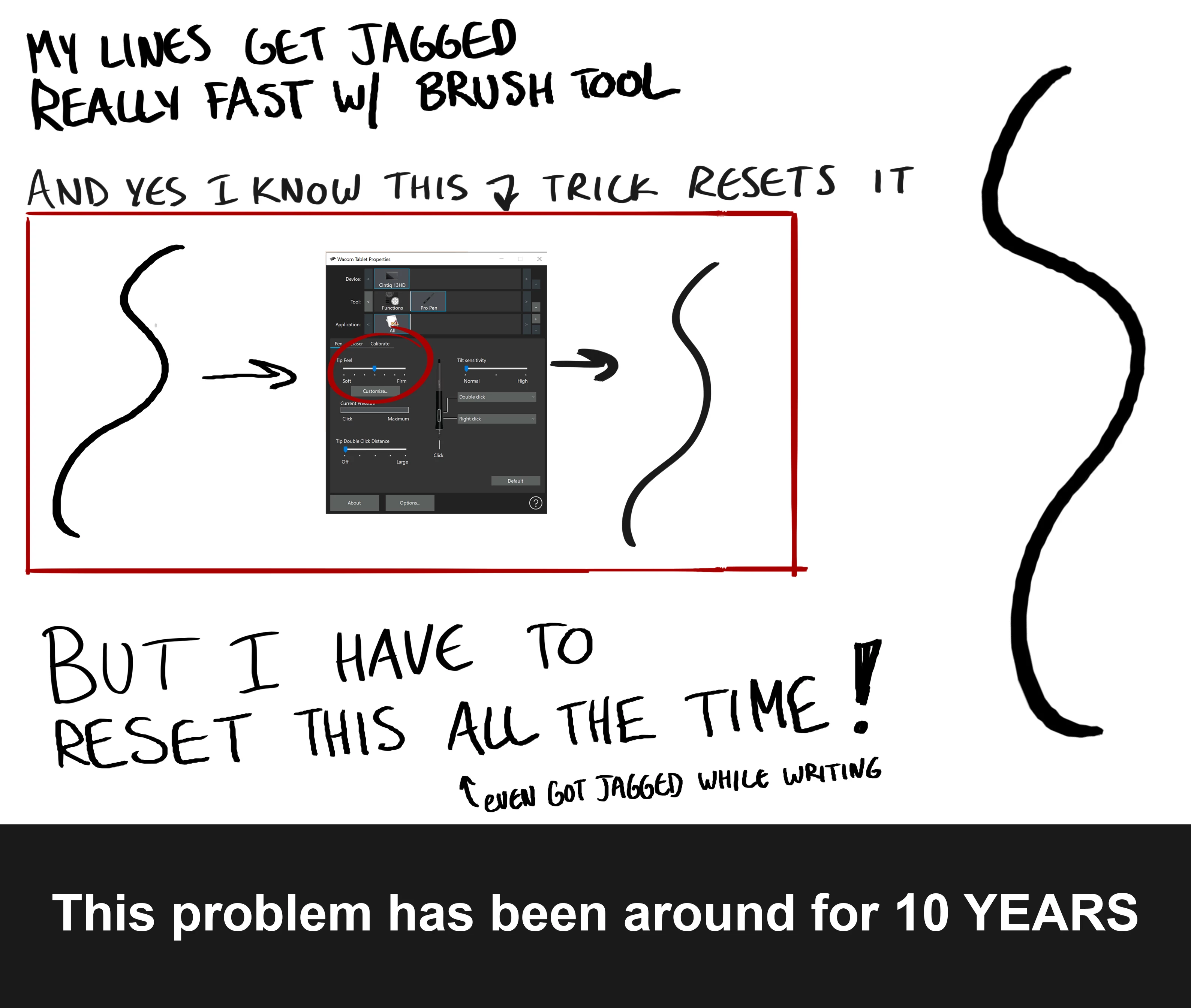
"Jagged Line" Problem Wacom tablet
  • October 19, 2023
  • 4 respuestas
  • 2762 visualizaciones

Subject edited to include "Wacom tablet". Was "10-Year-Old "Jagged Line" Problem Still Not Fixed"

Este tema ha sido cerrado para respuestas.

4 respuestas

Participating Frequently
October 19, 2023

Kevin Stohlmeyer
Community Expert
Community Expert
October 19, 2023

@Kyle33024312xg2p what are your brush settings in Photoshop Brushes Panel - specifically the Smoothing setting?

Kevin Stohlmeyer
Community Expert
Community Expert
October 19, 2023

Smoothing is more of a bandaid to slightly fix the issue. The issue is still there, smoothing just lessens the effects of the issue. Nice try though.


@Kyle33024312xg2p first off no need to be rude.

Smoothing has a direct impact on brush strokes in Photoshop and is not a "band-aid". 

You should also check the Spacing setting under Brush Dynamics. Top is default. Bottom is set to 1%.


kglad
Community Expert
Community Expert
October 19, 2023

in the future, to find the best place to post your message, use the list here, https://community.adobe.com/

p.s. i don't think the adobe website, and forums in particular, are easy to navigate, so don't spend a lot of time searching that forum list. do your best and we'll move the post (like this one has already been moved) if it helps you get responses.


<"moved from cc desktop bugs">
Participating Frequently
October 19, 2023

Thanks for letting me know I won't get an answer. That doesn't help me in the slightest, obviously. Please reply if you have an answer. Thanks! 

kglad
Community Expert
Community Expert
October 19, 2023

i moved your post to the photoshop forum.

Participating Frequently
October 19, 2023

Apologies. Photoshop

jane-e
Community Expert
Community Expert
October 19, 2023

@Kyle33024312xg2p 


Can you tell us which Adobe app you are using so we can move your post to the proper forum?


Jane