Participant
December 21, 2020
Question

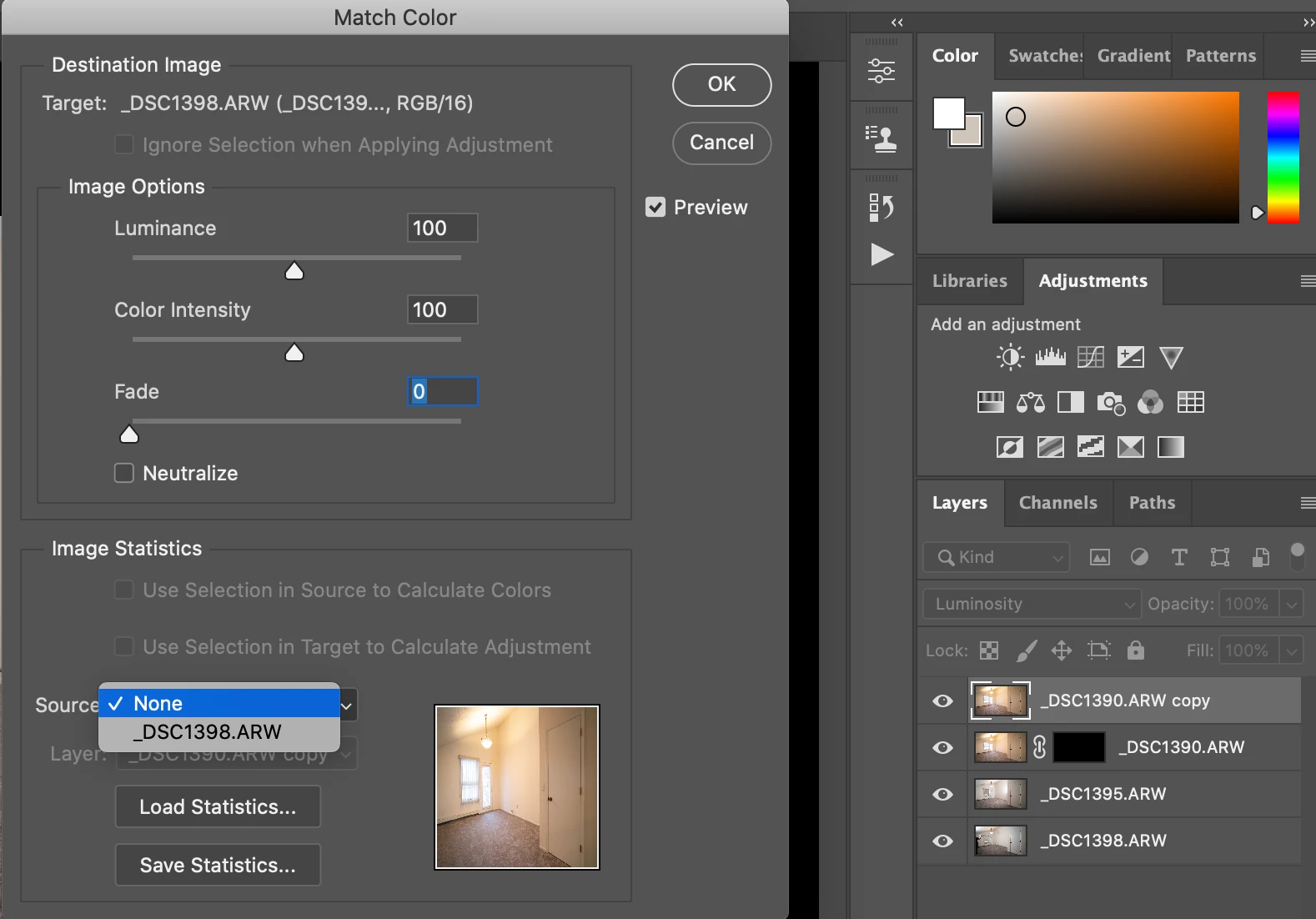
"Match Color" will not allow me to select a source layer

  • December 21, 2020
  • 2 replies
  • 898 views

Hey everybody,


I have multiple layers. I select the layer I would like to change with "Match Color." When the dialox box appears it only allows for one of my layers to be the source image. Help!
This topic has been closed for replies.

2 replies

Jeff Arola
Community Expert
Community Expert
December 17, 2024

defaultu56,


What version of Photoshop and operating system are you using?


Can you post a screenshot of your Layers panel and the Match Color dialog?


Is the Source the same document as the active or a different open document?

Jeff Arola
Community Expert
Community Expert
December 21, 2020

The Source is one of the documents open in photoshop. The field (Layer) below is where you select the layer within that document.

Participant
December 17, 2024

I'm having the same problem, I think what was meant in the original post was that source is the only thing I can choose from. Layers is grayed out and I can't match from another layer for some reason.