Participant
August 29, 2021
Answered

"One or more plug-ins are currently not available on your system" 2021

  • August 29, 2021
  • 2 replies
  • 8548 views

I'm trying to install Flood 2 by flaming pear to use in photoshop. I have tried putting the folder into Program Files/Adobe/Adobe Photoshop 2021/Plug-Ins and into Program Files/Common Files/Adobe/Plug-Ins/CC and either have worked. I have tried using shortcuts to the folder. I have tried to install another 8bf file format and that does not work either. I keep getting the "One or more plug-ins are currently not available on your system. For details, see Help > System Info" message. There is both a 32 bit and 64 bit version of flood 2 in the folder, neither appear in the Filter section of Photoshop. I have updated to the lastest version of photshop 2021. I am using the most recent version of the plug-in. I have tried opening the plug-in as a file in photshop and it says it's the wrong format. Please send help.
This topic has been closed for replies.
Correct answer Jeff Arola

If you follow the directions here it should work:


http://www.flamingpear.com/ps-18-win-install.html


The only thing you need to do different after you install the plugin is go to


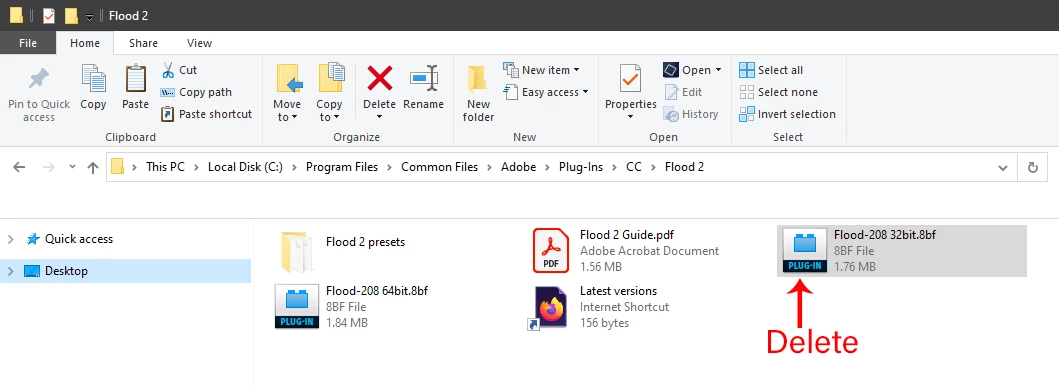
C:\Program Files\Common Files\Adobe\Plug-Ins\CC\Flood 2


and delete the


Flood-208 32bit.8bf


so you don't get the message about a plugin not loading.


2 replies

Jeff Arola
Community Expert
Jeff ArolaCommunity ExpertCorrect answer
Community Expert
August 29, 2021

If you follow the directions here it should work:


http://www.flamingpear.com/ps-18-win-install.html


The only thing you need to do different after you install the plugin is go to


C:\Program Files\Common Files\Adobe\Plug-Ins\CC\Flood 2


and delete the


Flood-208 32bit.8bf


so you don't get the message about a plugin not loading.


Participant
August 30, 2021

Hi Jeff,

Thanks for your reply, I now have it working, deleting the 32 bit file worked.

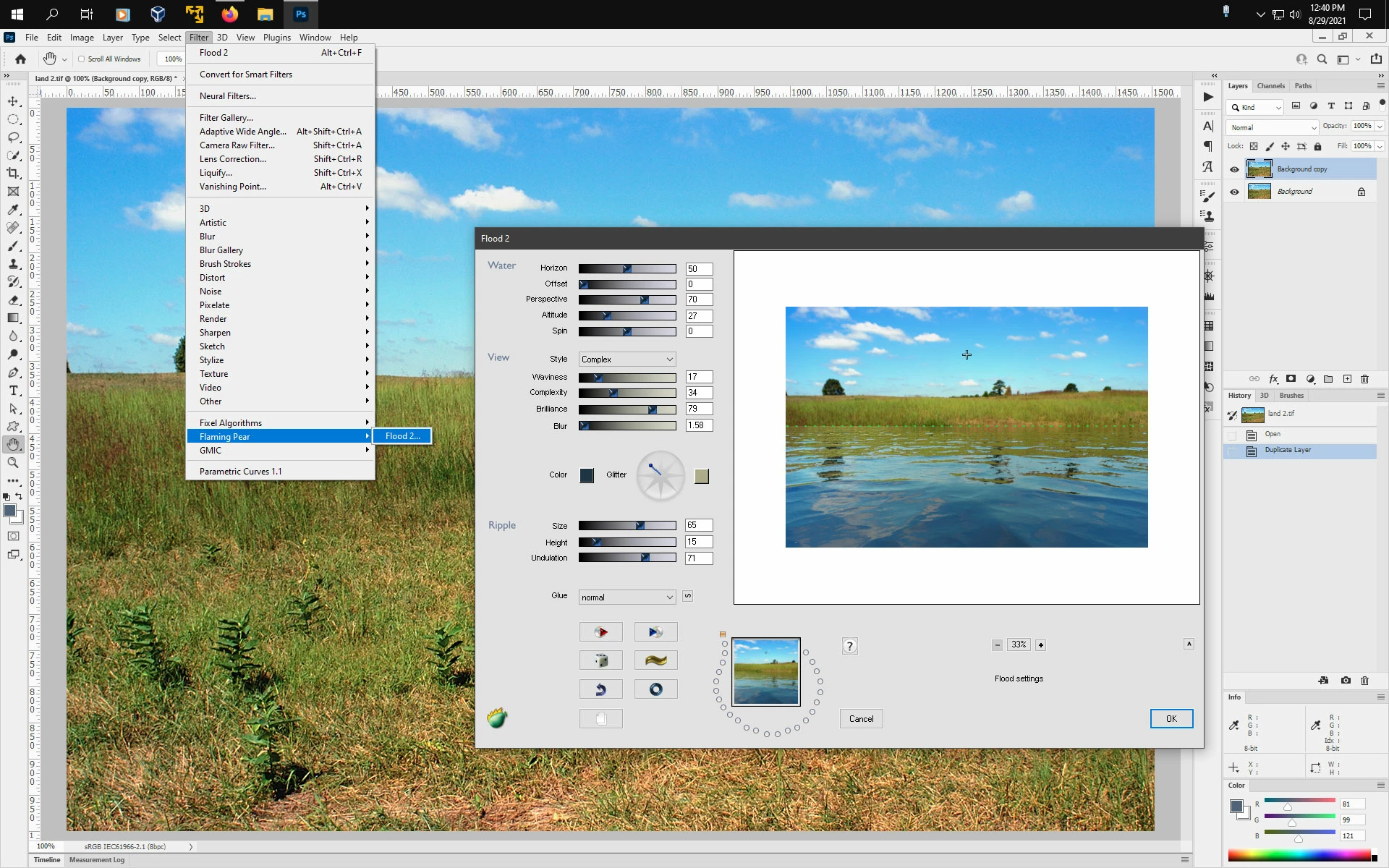
Before reading your reply I experimented by downgrading photoshop by a few months (back to when I saw a tutorial for flood 2) and that worked importing it as is with all the files. After reading your reply I deleted the 32 bit file and upgraded to current, and, while the plugins not currently available message still comes up upon opening, the filter appears and works fine. Thanks so much 🙂

Participant
July 5, 2022

Check both


C:\Program Files\Common Files\Adobe\Plug-Ins\CC


and


C:\Program Files/Adobe/Adobe Photoshop 2021/Plug-Ins


to make sure the flood filter is not in both locations.


plz help me

Legend
August 29, 2021

As it says, for details see Help > System Info. What does it say there? This is a lot of info, you can copy/paste it ALL into a reply.

Participant
August 30, 2021

Thanks so much for your reply, have now solved the issue