
Inspiring
October 6, 2019
Answered

"select and mask" button greyed out
  • October 6, 2019
  • 3 replies
  • 25847 views

Please help!  After making my selection with the Quick Selection tool, I am unable to click on the Select and Mask button, it is grayed out.  I have tried getting there via Select in the tool bar, but Select and Mask is grayed out here as well.  

 Any guidance would  be great!


Thank you!
Correct answer Jeff Arola

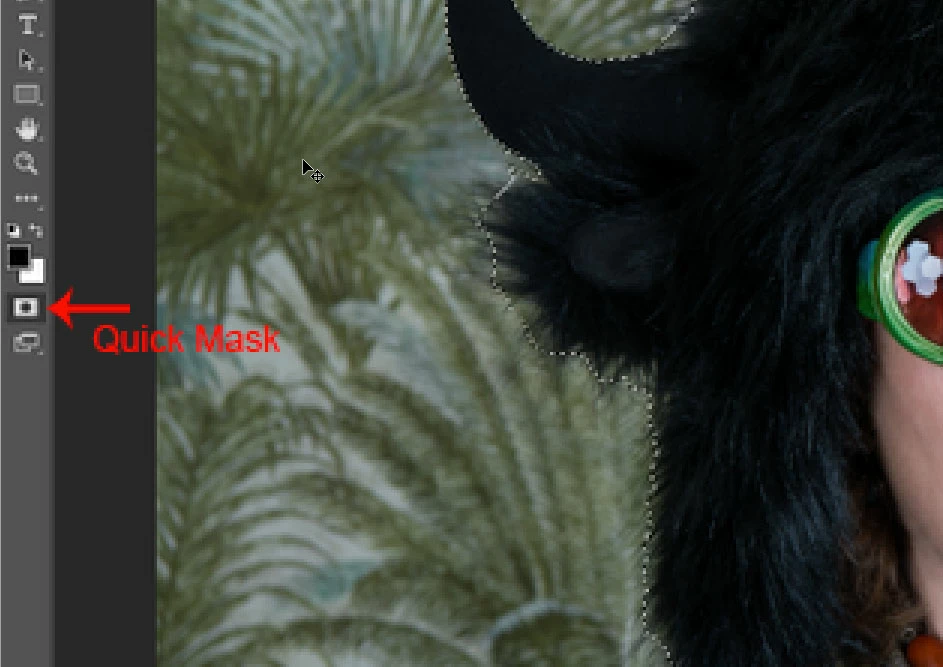
Looks like your in Quick Mask Mode.


Click on the Quick Mask icon at the bottom of the tools panel to exit Quick Mask and hoppefully Select and Mask will be available.


3 replies

Participant
October 14, 2022

I am NOT in Quick Mask Mode and am still unable to choose Select and Mask. Are there any other suggestions?

Jeff Arola
Community Expert
Community Expert
October 14, 2022

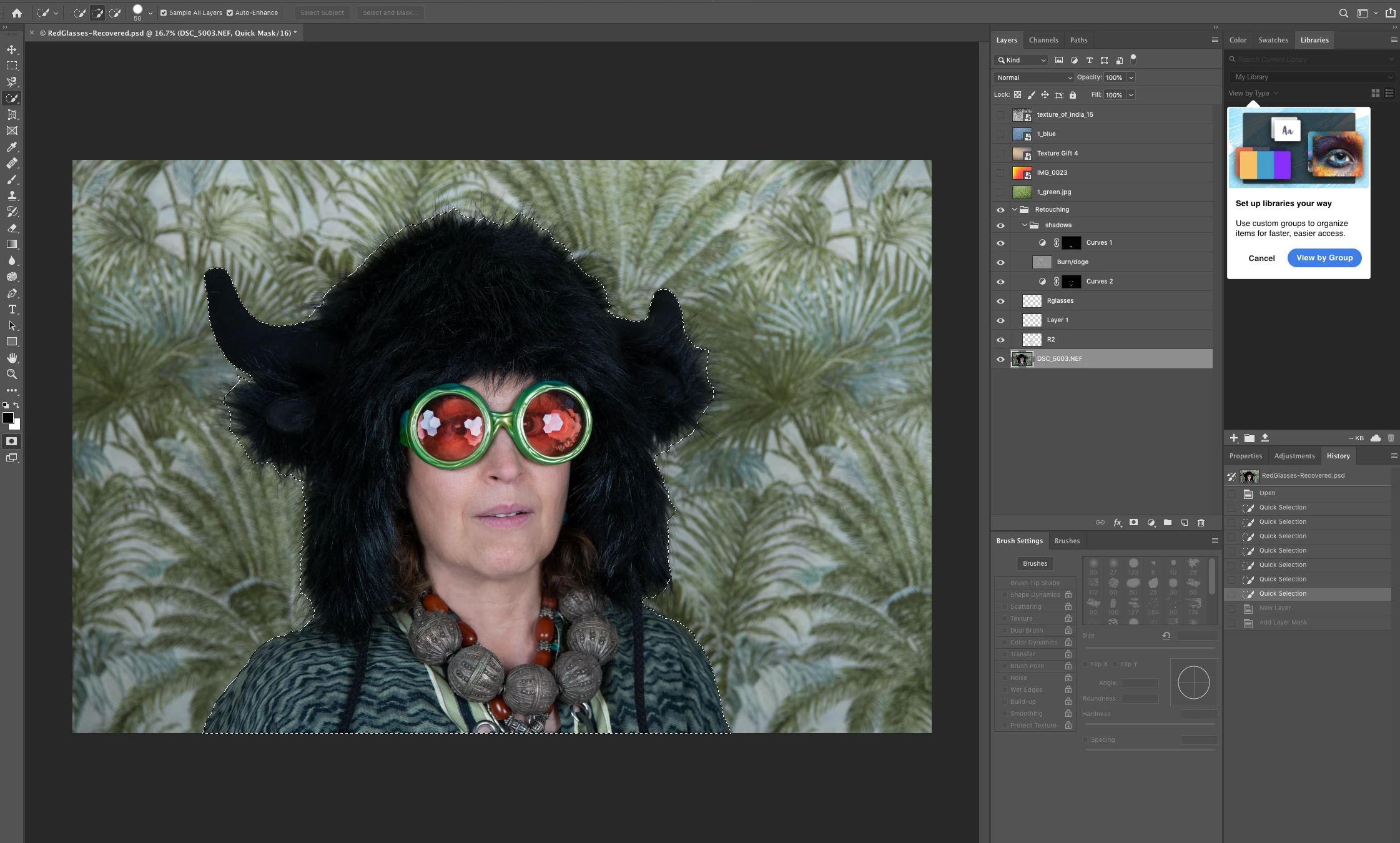
Please post a screenshot including the layers panel and document area.

Participant
October 25, 2022

Here's a screenshot of my issue! It was not greyed out when I first used the magic wand tool, but since I've gone and fine tuned the selection, the option no longer is available. I've tried switching to other tools and back as I've had weird things like that come up in other Adobe programs, but no luck. This is the 23.5.1 release of Photoshop, if that's any help.

Jeff Arola
Community Expert
Jeff ArolaCommunity ExpertCorrect answer
Community Expert
October 6, 2019

Looks like your in Quick Mask Mode.


Click on the Quick Mask icon at the bottom of the tools panel to exit Quick Mask and hoppefully Select and Mask will be available.


habrinAuthor
Inspiring
October 6, 2019
Hooray! Thank you so much for such an easy fix! Learning curve! You made my day. Have a great evening 🙂
lambiloon
Community Expert
Community Expert
October 6, 2019

Hi please share a screenshot so we can see where is problem...Thank you 

Ali Sajjad / Graphic Design Trainer / Freelancer / Adobe Certified Professional
habrinAuthor
Inspiring
October 6, 2019
Any suggestions would be great!
lambiloon
Community Expert
Community Expert
October 6, 2019
Yes as told you can exit quick mask mode by pressing shortcut (q) then hope it works.
Ali Sajjad / Graphic Design Trainer / Freelancer / Adobe Certified Professional