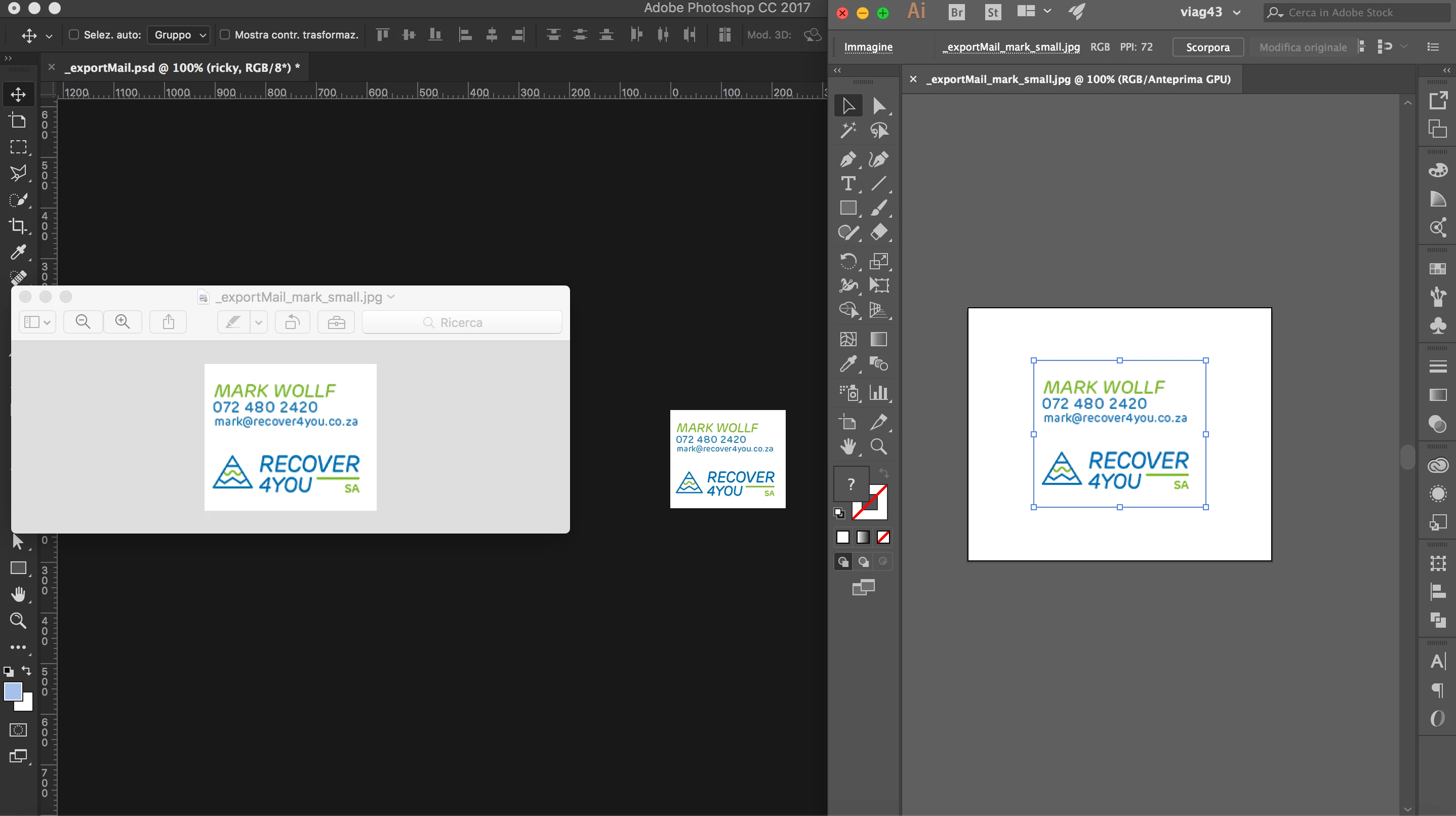
Photoshop displays correctly. 100% maps one image pixel to exactly one screen pixel. You have a high resolution retina screen, so the screen pixels are that much smaller.
The native Mac apps/viewers compensate for this by automatically scaling up to 200% view, so that images display at the screen size people are used to from traditional displays. You can do the same in Photoshop with View > 200%.
Illustrator is a vector-based and print-centric application, and it always displays according to physical print dimensions. It's important to realize that 100% in Illustrator and Photoshop means two different things. In Illustrator 100% means physical print size, or what is known in Photoshop as "print size" as opposed to 100%.

 AdChoices