Participating Frequently
September 4, 2018
Question

RAM issue

  • September 4, 2018
  • 3 replies
  • 773 views

I've been working on my home PC for ages with Photoshop.

Suddenly out of nowhere the program cannot do anything because I don't have enough RAM?!

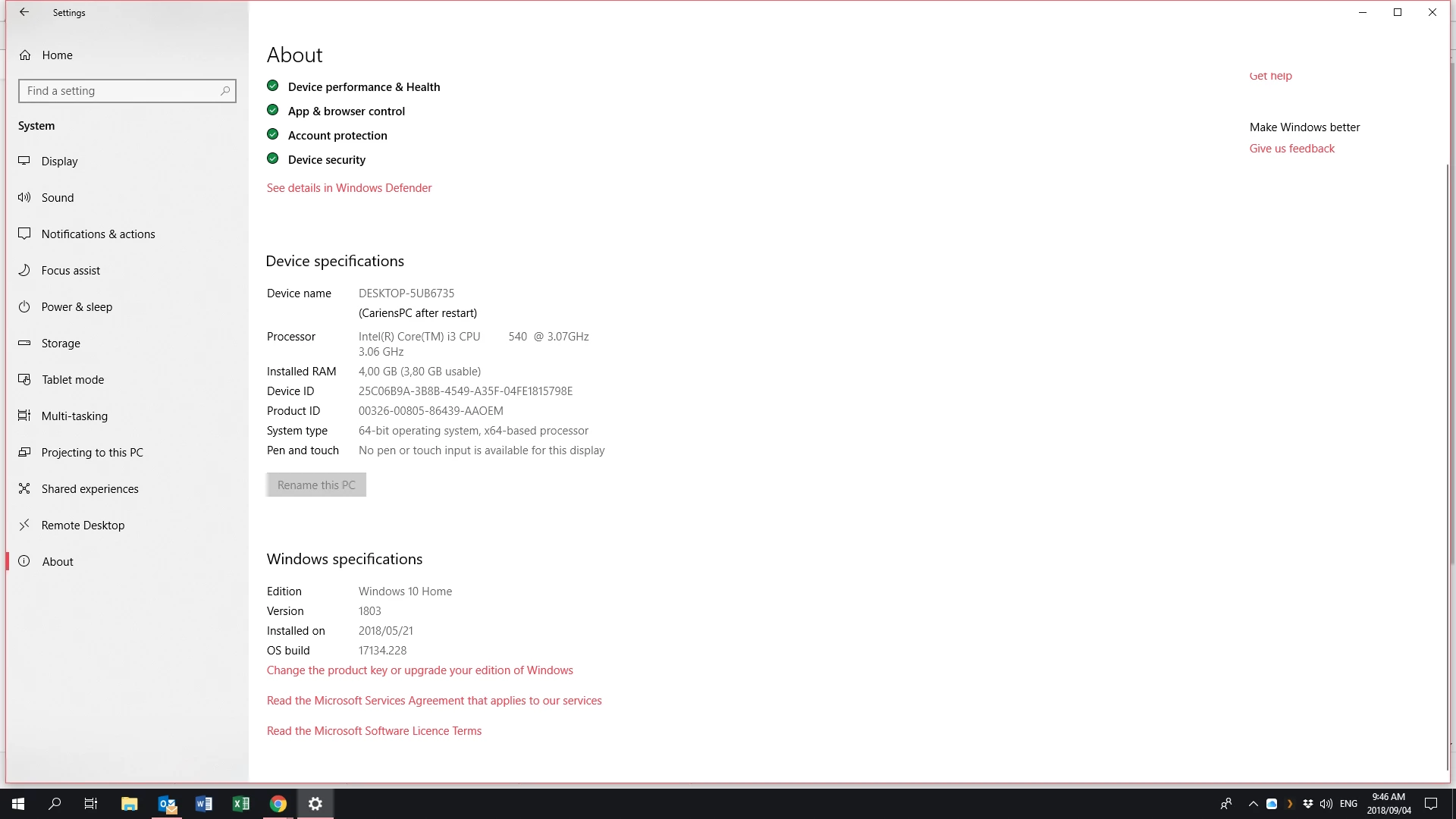
According to my machine I have 3,8 Gig of usable RAM.

How can that not be enough?!
    This topic has been closed for replies.

    3 replies

    Trevor.Dennis
    Community Expert
    Community Expert
    September 5, 2018

    Can you show us a screen shot of your Preferences > Performance tab?  It's very easy to do.  Copy to clipboard with something like the Windows Scissors tool, and paste to this thread.

    I wondered  at first, if you were using an older version of Photoshop, and had opened the 32 bit version.   That turned out to be not the case, but your problem is that 3.8Gb of RAM is absolutely not enough for  current versions of Photoshop. 

    How much have you allocated to Photoshop in Preferences?

    How much has  that left for your operating system?

    What are your  scratch  drive  arrangements?  With so little  RAM, scratch space is going to be crucial.

    You could save some time by opening Photoshop, and going Help > System info > Copy and paste to this thread.  We'll have a much better idea what can be going on with your system then.

    Participating Frequently
    September 5, 2018

    Adobe Photoshop Version: 2017.1.1 20170425.r.252 2017/04/25:23:00:00 CL 1113967  x64

    Number of Launches: 47

    Version: 10 or greater

    System architecture: Intel CPU Family:6, Model:5, Stepping:5 with MMX, SSE Integer, SSE FP, SSE2, SSE3, SSE4.1, SSE4.2, HyperThreading

    Physical processor count: 2

    Logical processor count: 4

    Processor speed: 3059 MHz

    Built-in memory: 3893 MB

    Free memory: 2 MB

    Memory available to Photoshop: 8 MB

    Memory used by Photoshop: 100 %

    History Thumbnails: Enabled.

    Touch Bar: Enabled.

    Alias Layers: Disabled.

    Modifier Palette: Enabled.

    Highbeam: Enabled.

    Image tile size: 128K

    Image cache levels: 4

    Font Preview: Medium

    TextComposer: Latin

    Display: 1

    Participating Frequently
    September 5, 2018

    OK dont' worry...I figured it out with youtube and it's updating now. (creative cloud)

    I'm holding thumbs!

    Thanx everyone!!

    c.pfaffenbichler
    Community Expert
    Community Expert
    September 4, 2018

    What do you even mean by

    the program cannot do anything

    Does Photoshop not start, does it fail later on, what exactly are the massages, …?

    Please check this out

    https://helpx.adobe.com/photoshop/kb/optimize-photoshop-cc-performance.html

    Participating Frequently
    September 5, 2018

    I get this message when I try to save anything.

    I.o.w. documents open and I can work on them, but as soon as I thry to 'save' or 'save as' it gives me this NEW message about the RAM.

    c.pfaffenbichler
    Community Expert
    Community Expert
    September 5, 2018

    What have you done for trouble-shooting so far?

    Restoring Preferences after making sure all customized presets like Actions, Patterns, Brushes etc. have been saved might be a good starting point:

    https://helpx.adobe.com/photoshop/kb/basic-trouble-shooting-steps.html

    September 4, 2018

    Hi

    What version of Photoshop do you have, if it's pre CC2018 you may want to take a look here

    Error while accessing performance preferences - 'An integer between 96 and 8 is required.'

    Participating Frequently
    September 5, 2018

    Thanx, but this is not the issue...
