
Known Participant
June 20, 2017
Question

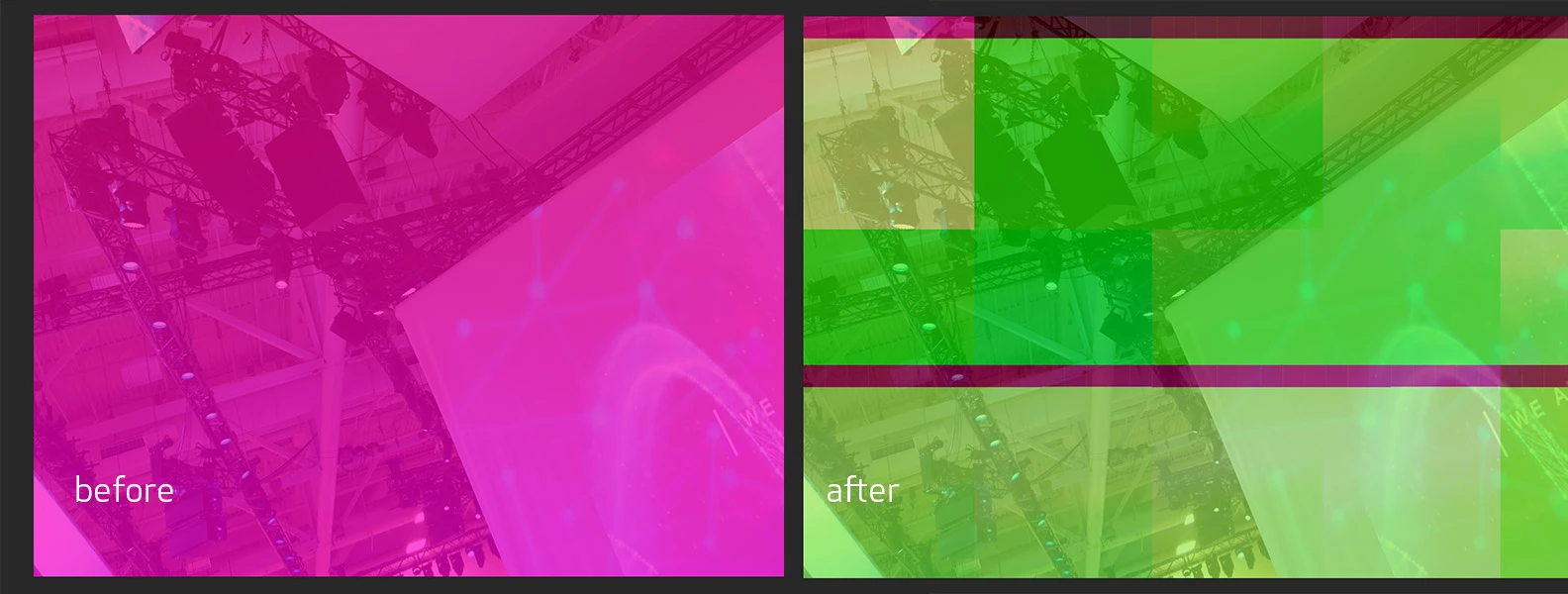
Random Image Tearing

  • June 20, 2017
  • 1 reply
  • 409 views

It doesn't happen often but it's getting old. It seems to happen when I am applying any change to a layer. Maybe I am changing the layer effect or moving an object this happens. Anyone else have this issue? Today I did an Undo and this happened. Photoshop decided to screw up this layer and every copy of this layer in my entire document. It was just a gradient of color.

Mac Pro

macOS Sierra 10.12.5

3.5 GHz 6-Core Intel Xeon E5

32 GB of RAM

Photoshop CC 2017

2017.0.0 Release
    This topic has been closed for replies.

    1 reply

    Sahil.Chawla
    Adobe Employee
    Adobe Employee
    June 20, 2017

    Hi GES,

    Could you please unchecking "Use Graphics Processor' From Photoshop's Preferences > Performance, then relaunch Photoshop and check if the issue still exists.

    Regards,

    Sahil

    Known Participant
    June 20, 2017

    Thanks! I'll see if this does the trick and I'll try to remember to check back. Last time this happened was probably a month ago. By the way here is my graphics card specs.

    AMD FirePro D500 3072 MB graphics

    Sahil.Chawla
    Adobe Employee
    Adobe Employee
    June 20, 2017

    Also please update your Photoshop as your GPU is compatible with Photoshop, you can check this article for more info:

    Photoshop graphics processor (GPU) card FAQ