

Rasterize Layer Style with Bevel & Emboss changes appearance
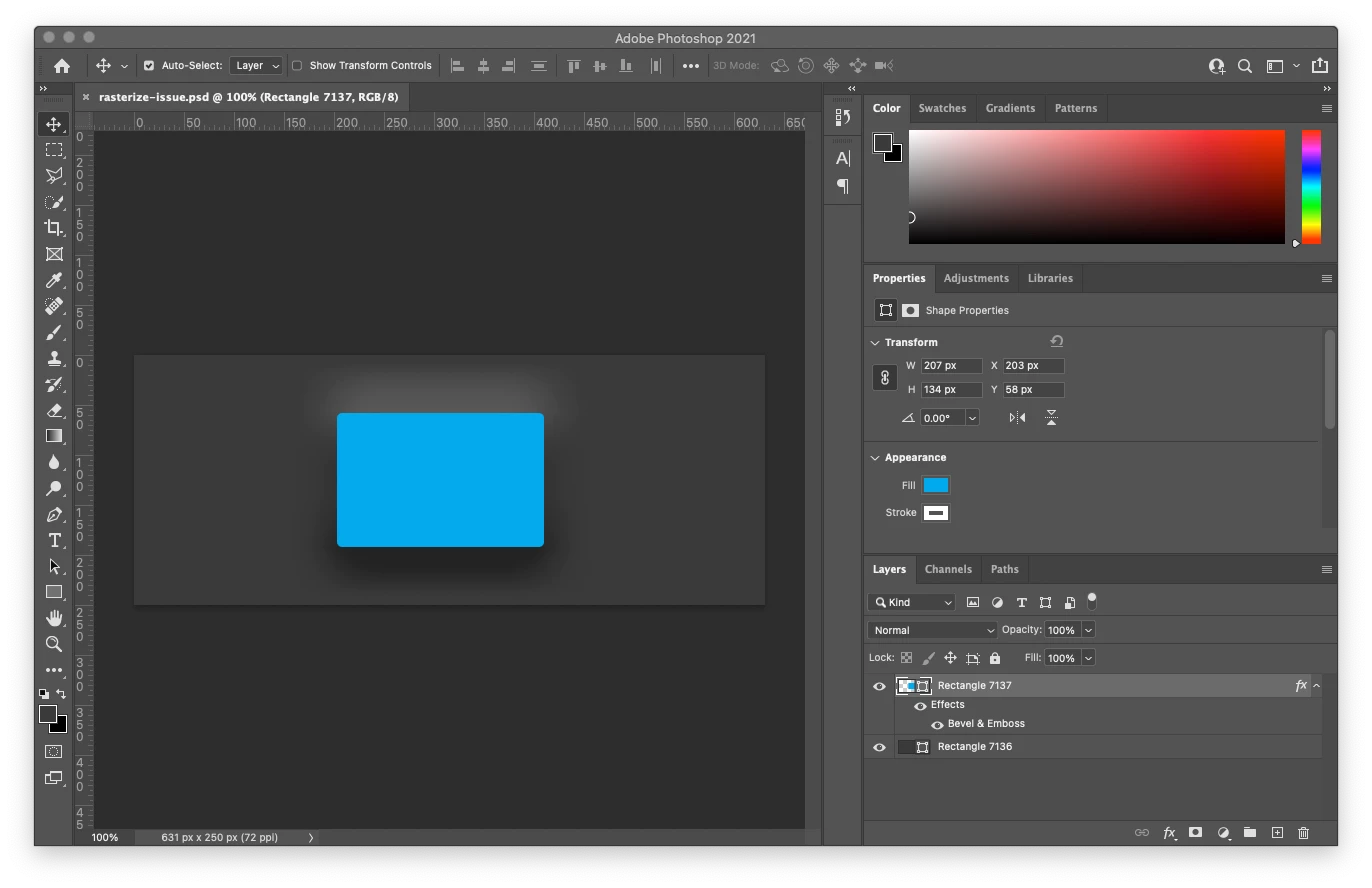
Working on serveral designs in Photoshop where I have the Bevel & Emboss effect turned on and getting unwanted results when I rasterize the layer or just try and export the layer as PNG file.
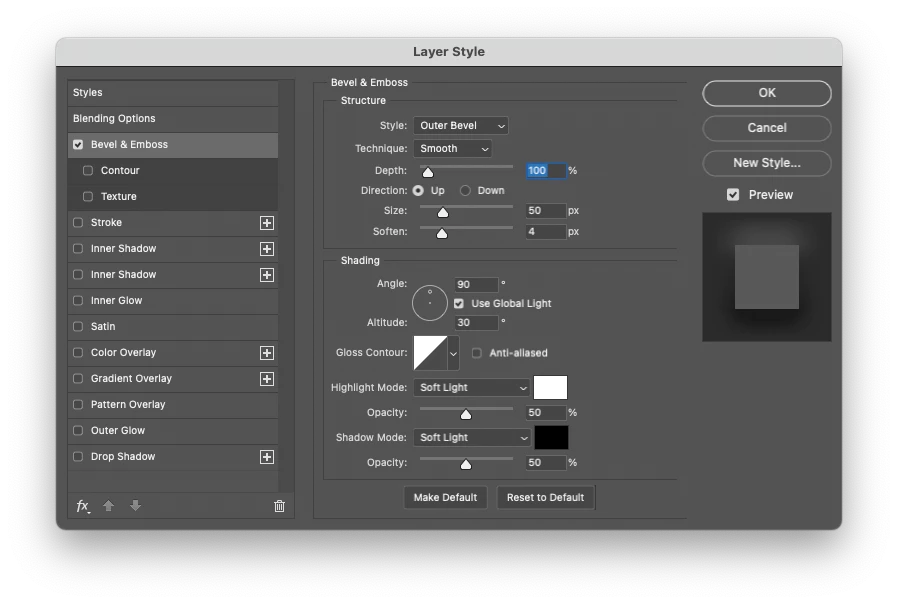
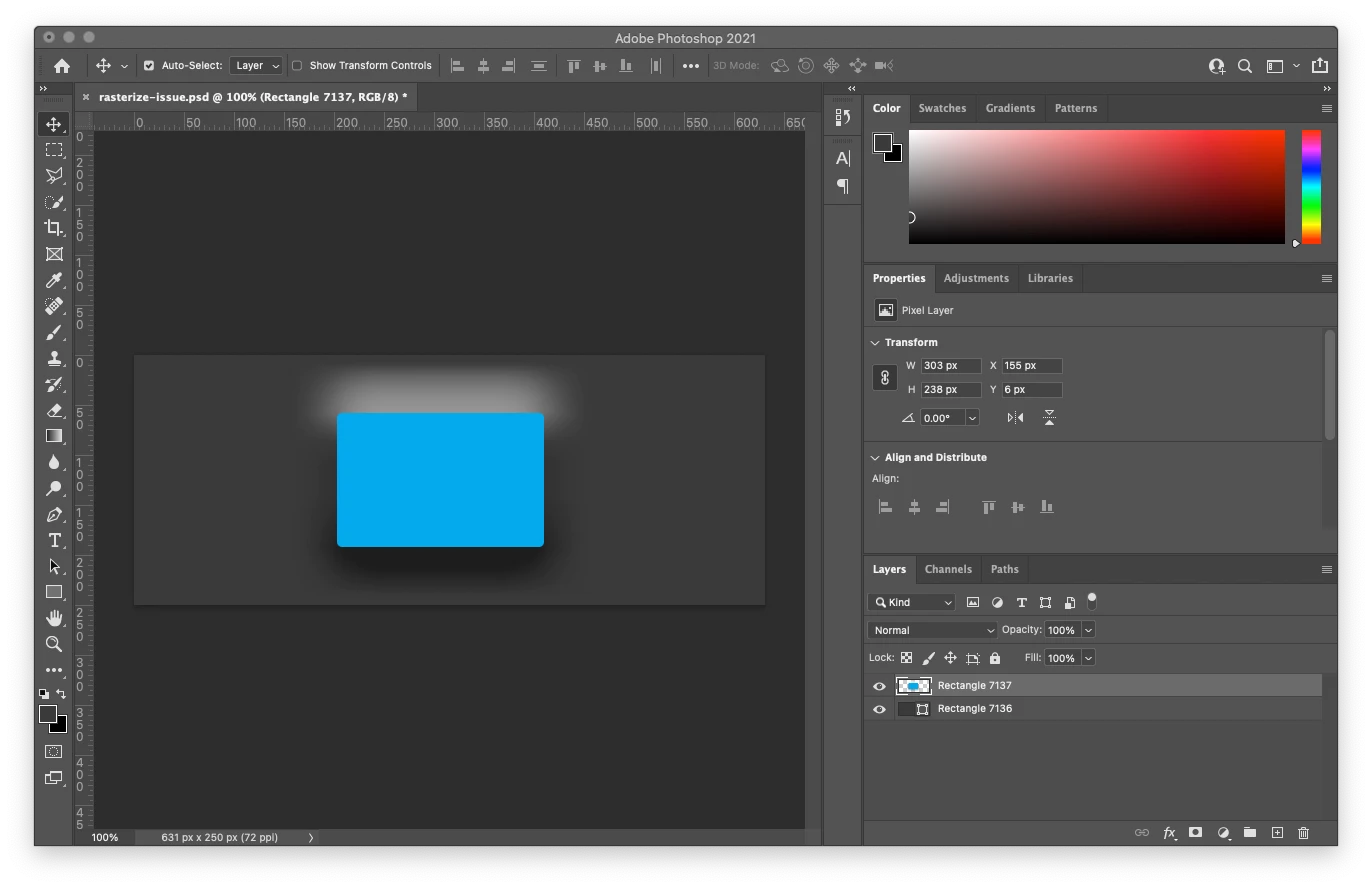
I need to rasterize the effects in order to export several layers as PNGs. This issue happnes whenever I export a layer with effects to PNG and tansparency, or if I just rasterize layer in the PSD. I am using an "Outer Bevel" on a shape, Technique is "Smooth" with Highlight Mode and Shadow Mode set as soft light. Rasterizing, the effect seems to get enhanced. I've been able to replicate the issue in a new PSD. Anyone seen this or can help?
1- This is the inital file. Shows as I want.
2 - This is my Bevel & Emboss settings.
3 - This is the unwanted result.
 AdChoices