

Rasterizing Gradients Quickly (In PS)
I'm an illustrator and my work process for painting is pretty simple. I will import a sketch, then on a 2nd layer use the select tool to block out shapes and fill them with values. I will then select these shapes with the quick select or magic wand and quickly switch back and forth between that and a 3rd layer, where I fill these selections with gradients or paint.
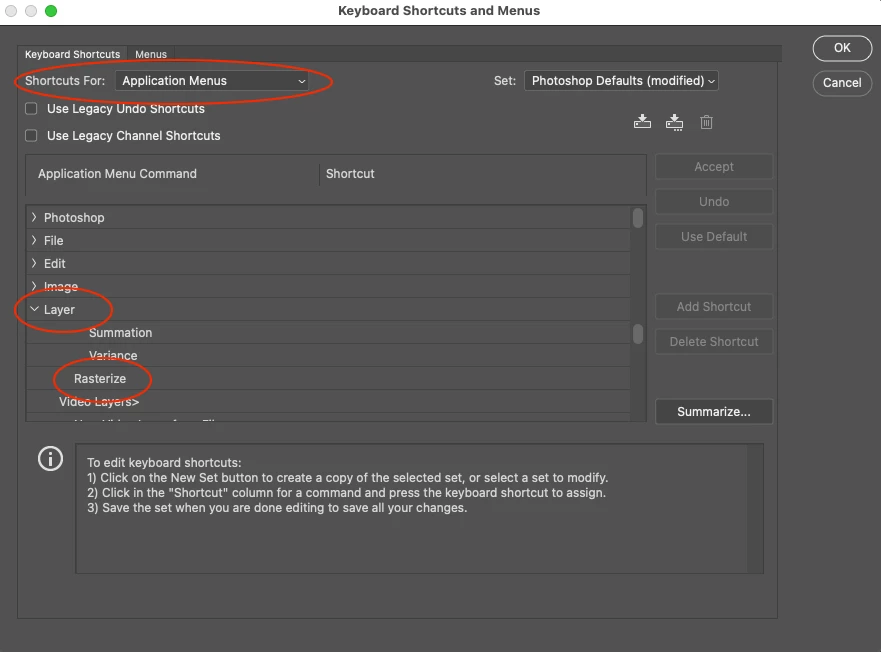
The problem I am having is that the new gradient tool automatically creates a new layer + mask every single time a gradient is applied. It is now an exremely time consuming process to rasterize all of these gradients and merge them down to one layer, which is something that I have to do continuously. I don't have a super powerful computer and I will be working with up to several hundred gradients (consecutively). I do not want 300 simultaneous layers of masked gradients. (I think that would also make me insane.) I just want the gradients to quickly commit and not default to objects on their own layer.
Is there a way or mode to to quickly commit/rasterize these gradients, or does this feature not exist anymore?

 AdChoices