
Inspiring
March 27, 2019
Question

Re-Apply a Selection after Jumping Selection to a New Layer

  • March 27, 2019
  • 2 replies
  • 425 views

Hi

If I have a selection and jump this to a new layer with cmd + J, how do I then bring the marching ants selection back on the duplicated new layer (so I can fill it with a solid colour)? Basically I want to fill the sky below with a solid colour but can't seem to bring back the marching ants on the new jumped layer?
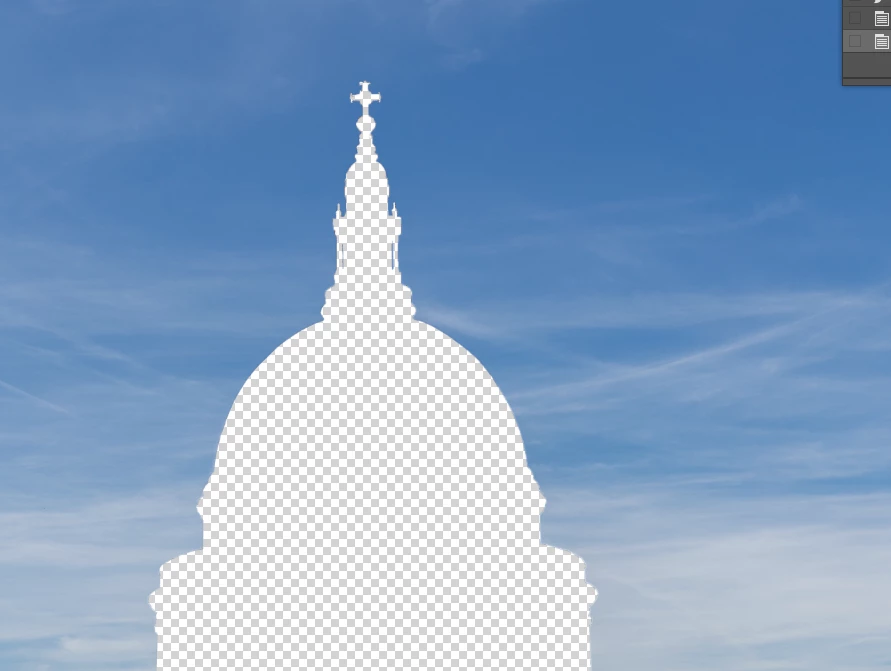

    This topic has been closed for replies.

    2 replies

    Norman Sanders
    Legend
    March 28, 2019

    An alternate approach when you expect to need that selection later or the selection has taken a long time to create is the following: After making the original selection, choose Select > Save Selection, and name it. (The selection is saved in the Channels panel) When the selection is needed later or days from now, choose Select > Load Selection.

    You may save several, each with a different name.

    jane-e
    Community Expert
    Community Expert
    March 28, 2019

    +1 with Norman. That’s what I do.

    I think 56 is the total number of all channels, including both color and alpha channels.

    Stephen Marsh
    Community Expert
    Community Expert
    March 28, 2019

    CMD/CTRL click on the layer thumbnail of the newly created layer in the layers panel to load the transparency as a selection (yes, one would imagine that the select > reselect would work in this use case however it does not).