
Valc2
Known Participant
January 19, 2021
Answered

Re: Swatches Panel

  • January 19, 2021
  • 1 reply
  • 946 views

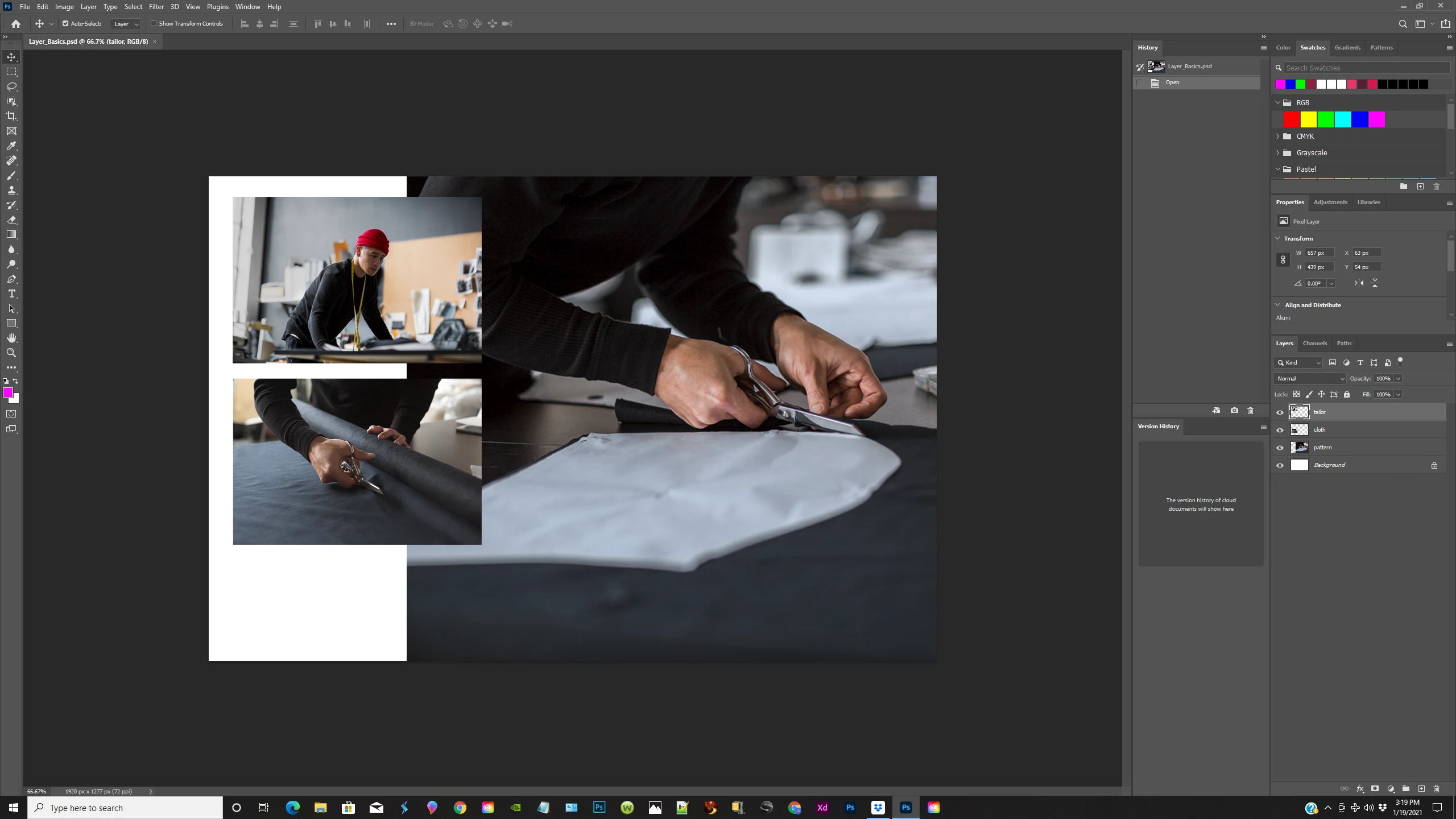
I upgraded to the new photoshop the 22.1 version and now I don't have the bigger swatches panel. I only have a colored line to the right  that is adjusted by a slider. HOw can i get the  swatches panel with the little colored boxes?

this picture from a tutorial will show you what i mean I hope anyway.

Please help!
This topic has been closed for replies.
Correct answer jane-e

Hi @Valc2 


To see the old swatches, open the Swatches panel menu and select Legacy Swatches. To learn how the new Swatches work, see here:

https://helpx.adobe.com/photoshop/using/choosing-colors-color-swatches-panels.html


~ Jane

1 reply

Valc2
Valc2Author
Known Participant
January 19, 2021

I see from the photo i have a few colored boxes but not like the ones before. The old swatches panel had lots of them

jane-e
Community Expert
jane-eCommunity ExpertCorrect answer
Community Expert
January 20, 2021

Hi @Valc2 


To see the old swatches, open the Swatches panel menu and select Legacy Swatches. To learn how the new Swatches work, see here:

https://helpx.adobe.com/photoshop/using/choosing-colors-color-swatches-panels.html


~ Jane

Valc2
Valc2Author
Known Participant
January 20, 2021

Hi Jane e

This has been so helpful and I very much appreciate your help! 

I do have  a couple more questions though concerning  the swatch panel. Is it possible to make your own color swatches and add them to the existing menu? If so, how would one do that?

And, If I am seeing the new color swatches correctly, many of them are in very subdued colors? Many look very washed out. Is this the way they should look?

Again thank you so much!