Exit
  • Global community
    • Language:
      • Deutsch
      • English
      • Español
      • Français
      • Português
  • 日本語コミュニティ
  • 한국 커뮤니티
0

recent project screen

New Here ,
Oct 14, 2019 Oct 14, 2019

How to disable the recent project screen at the beginning of Photoshop CC 2019?
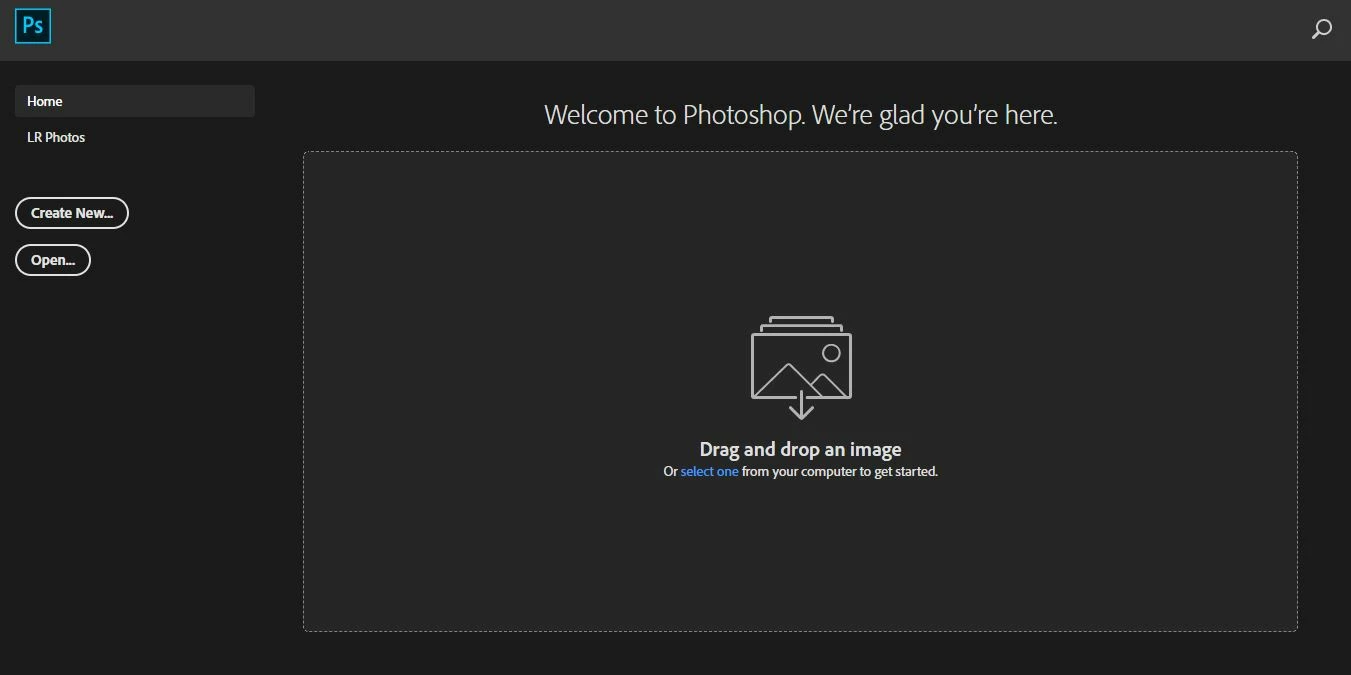
 

Capture.JPG


please help me whit screenshot

483
Translate
Report
Community guidelines
Be kind and respectful, give credit to the original source of content, and search for duplicates before posting. Learn more
community guidelines

correct answers 1 Correct answer

Community Expert , Oct 14, 2019 Oct 14, 2019

I think that you are looking for "Preferences > General > Disable the Home Screen"
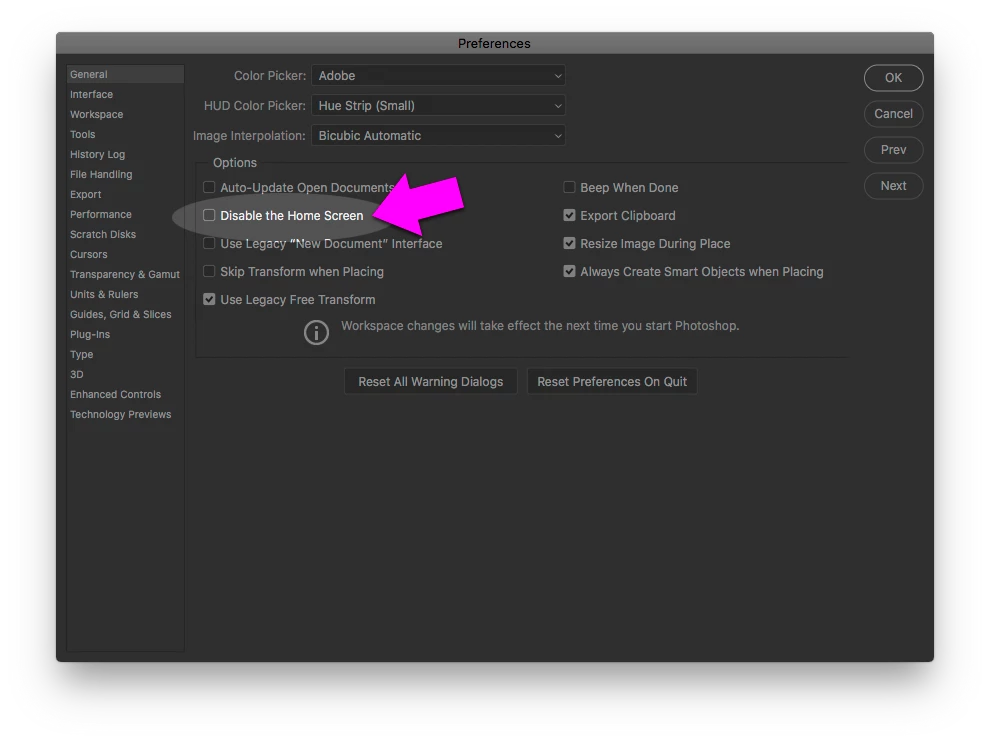
 

PS Preferences - General - Disable Home Screen.png


-Warren

Translate
Adobe
Community Expert ,
Oct 14, 2019 Oct 14, 2019

I think that you are looking for "Preferences > General > Disable the Home Screen"


PS Preferences - General - Disable Home Screen.png


-Warren

Translate
Report
Community guidelines
Be kind and respectful, give credit to the original source of content, and search for duplicates before posting. Learn more
community guidelines
New Here ,
Oct 15, 2019 Oct 15, 2019
LATEST
thank you so much!!!!! Solved. thanks
Translate
Report
Community guidelines
Be kind and respectful, give credit to the original source of content, and search for duplicates before posting. Learn more
community guidelines
