flowerchild31
Known Participant
August 26, 2020
Answered

Recoloring object

  • August 26, 2020
  • 1 reply
  • 536 views

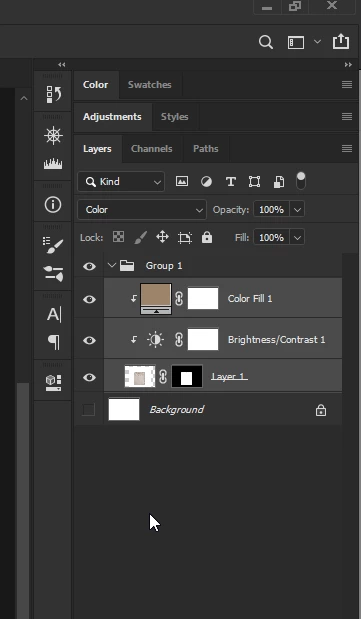
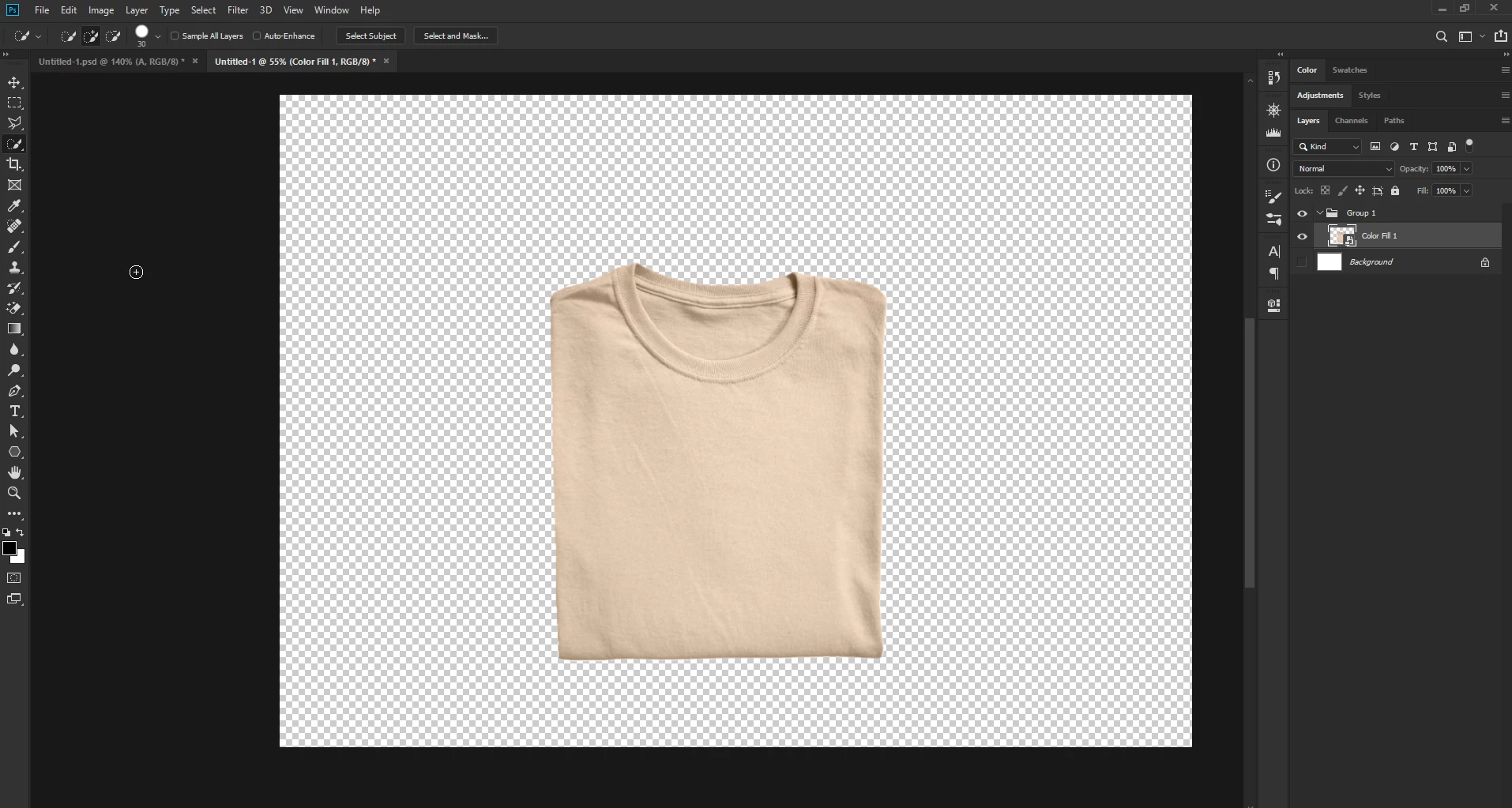
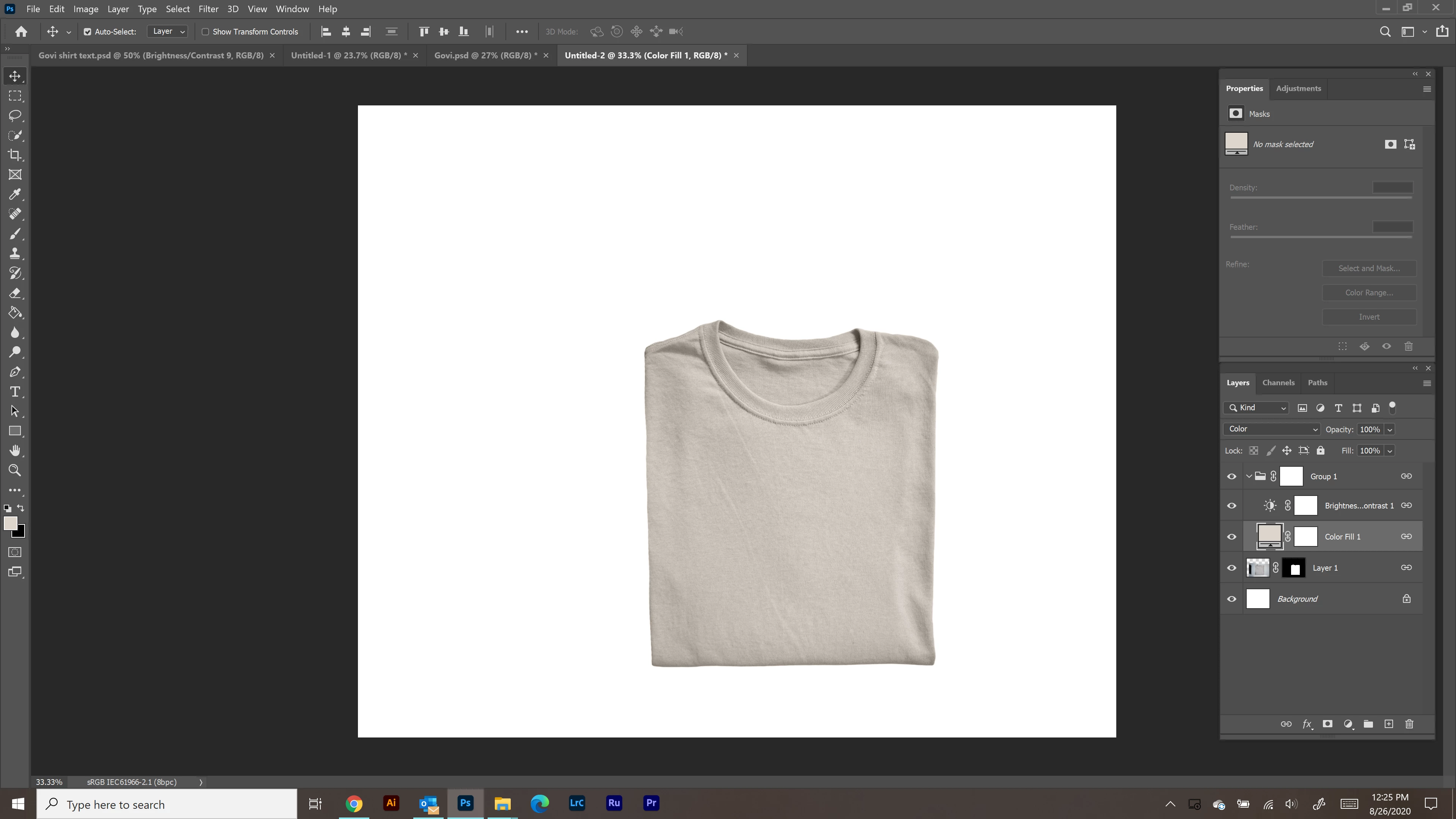
I recolored this shirt and want to move it to a different artboard I'm working on.  When I "attach" the color to the shirt by making it a smart object, it makes the background that color too. (and moves the background with the shirt when I move the shirt around).  I am self taught and learn and I go so go easy on me in the comments 😉
This topic has been closed for replies.
Correct answer

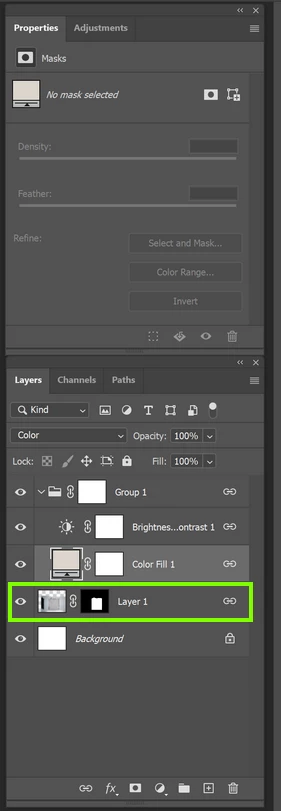
Drag this layer into the group and create a clipping mask for the two adjustment layers by right clicking on them and selecting create clipping mask

1 reply

August 26, 2020

Hi

Before you convert it to a smart object, disable the background layer

flowerchild31
Known Participant
August 26, 2020

thank you for your quick response! When I do that, it still attaches the new color to the background?

Correct answer
August 26, 2020

Drag this layer into the group and create a clipping mask for the two adjustment layers by right clicking on them and selecting create clipping mask