LazaroGraphicDesign
Participating Frequently
June 4, 2018
Answered

RECOVERING A FILE

  • June 4, 2018
  • 2 replies
  • 616 views

HEY GUYS, ANYONE KNOWS IF THERE IS ANY POSSIBLE WAY TO RECOVER A FILE AFTER PHOTOSHOP CRASHES AND WHEN I REOPENED IT, IT DIDNT REOPENED THE FILE I WAS WORKING ON, CAN SOMEONE HELP? THANKS GUYS

This topic has been closed for replies.
Correct answer JJMack

Did you enable autorecovery and have the document opened and modified the recovery timeframe. If you did the recovery file should automatically be opened when you start Photoshop as a work psb document.
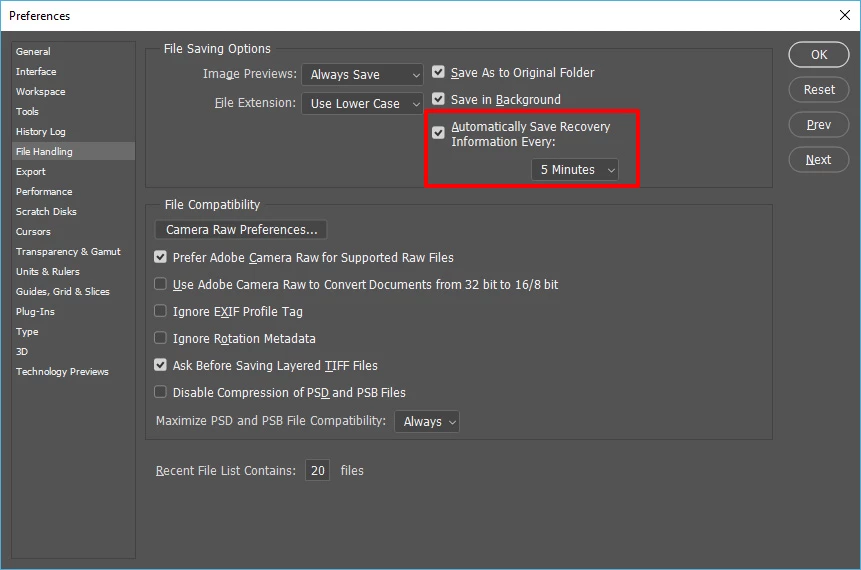
I just used task managet to kill Phtoshop with unsaved changers in progress in my document.  I'll now open Photoshop.
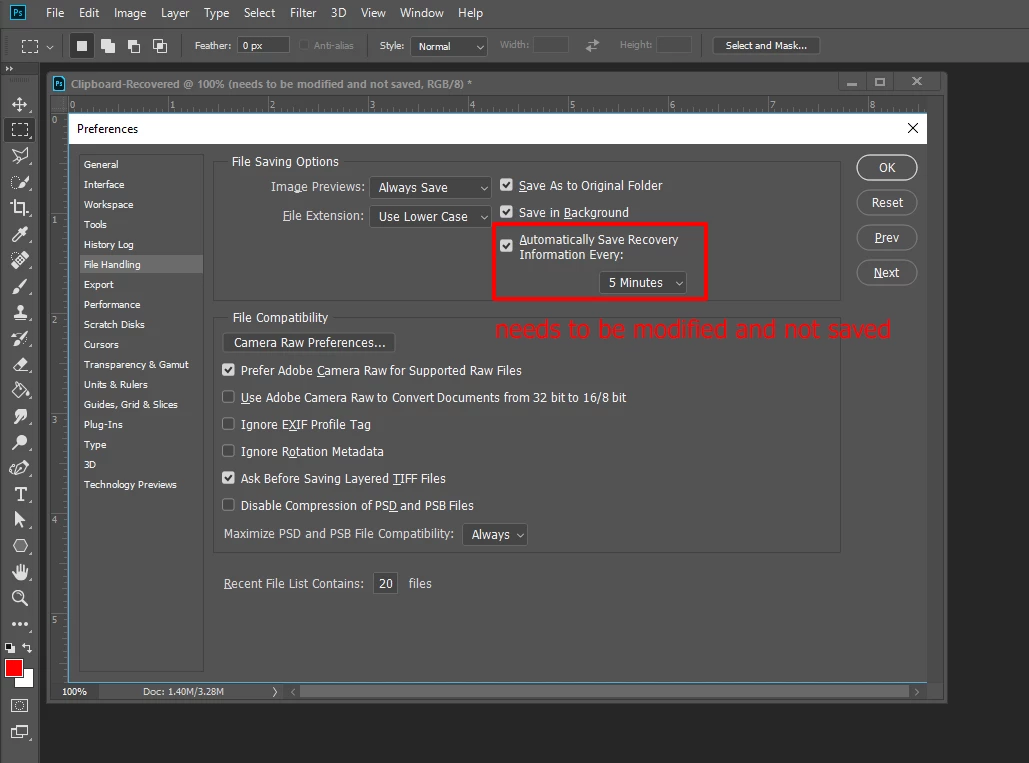
Note the document name that opened.

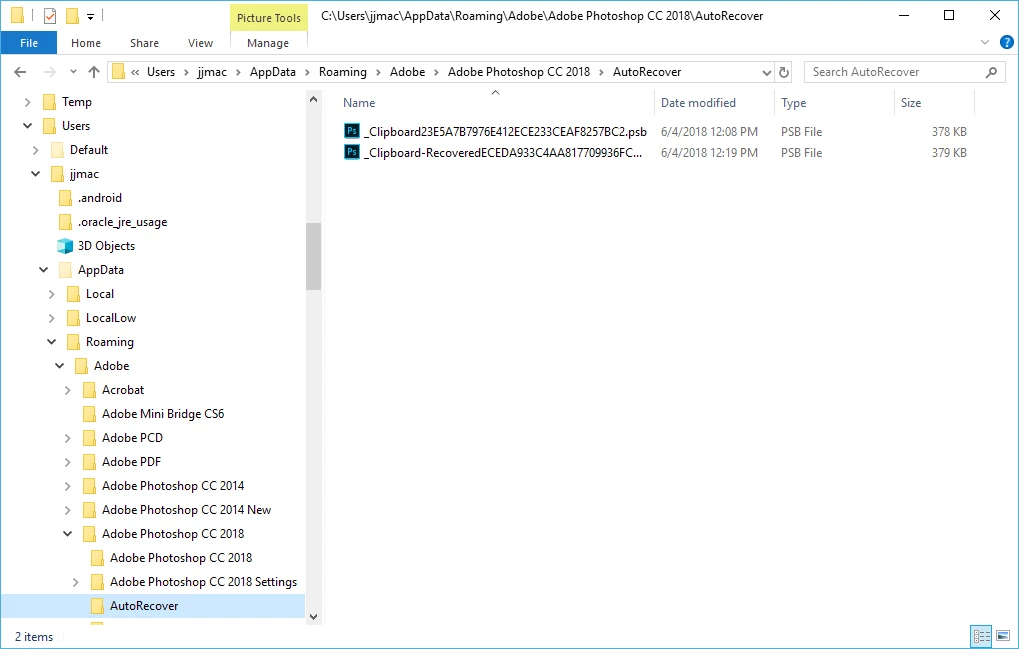
Windows location
2 replies

JJMack
Community Expert
JJMackCommunity ExpertCorrect answer
Community Expert
June 4, 2018

Did you enable autorecovery and have the document opened and modified the recovery timeframe. If you did the recovery file should automatically be opened when you start Photoshop as a work psb document.

I just used task managet to kill Phtoshop with unsaved changers in progress in my document.  I'll now open Photoshop.

Note the document name that opened.

Windows location

JJMack
Norman Sanders
Legend
June 4, 2018

What is the OS and version of Photoshop?

If on a Mac and you have been working on the file for an extended time (over an hour), do you have Time Machine running?

In Preferences > File Handling > Save Recovery set to a brief time, 5 or 10 minutes, for example?

Two suggestions: As you work on a file, it is prudent to save numbered periodic backups,  rather than overwriting the existing file name. For example: filename_1, filename_2, etc.

Also, please don't shout.

LazaroGraphicDesign
Participating Frequently
June 4, 2018

norman.sanders

don't shout? lmao hilarious, Thank you so mucho for your help, i will try