
Participant
March 28, 2020
Question

Red eye reduction not working correctly

  • March 28, 2020
  • 3 replies
  • 1137 views

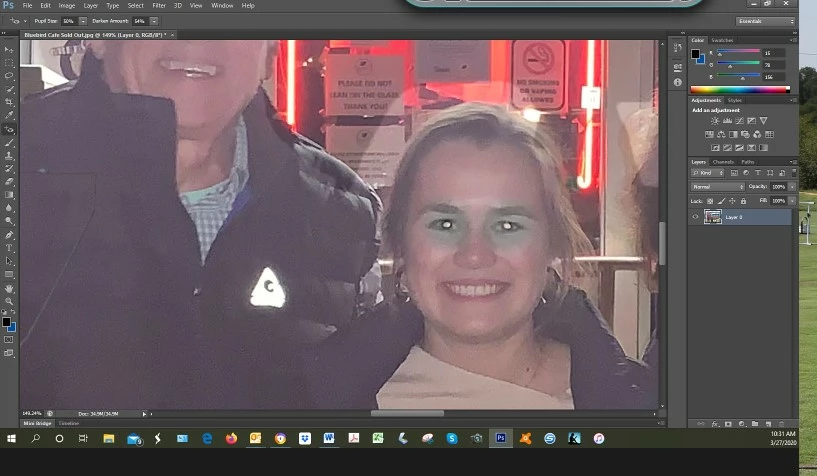
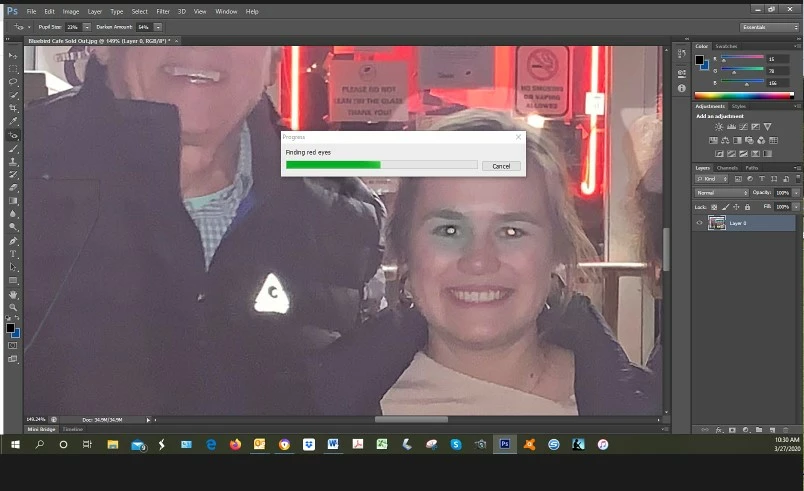
I am unable to get Red Eye Reduction to work. I have the tool highlighted and size and amount at 50%. When I click on a pupil I get this bar that slowly crawls across and  says that PS is loking for red eyes and then I click on the pupil and a gray doscoloration appears around the eye. What am I doing wrong>

Why is this bar appearing and why is the discolaration so large?

Thanks
This topic has been closed for replies.

3 replies

jane-e
Community Expert
Community Expert
March 28, 2020

The Red Eye tool does one thing: it looks for the red in the area where you click and darkens it. It doesn't care if that area is in the eyes or mouth or in another red object. I'm not seeing any red in your subject's eyes, so this tool may not work.


Can you show a screen shot of the Channels panel so we can see if there is any detail in any of the channels? Zoom in on her face first.


~ Jane

Participant
March 30, 2020
 

Thanks for your reply, Here is the Channels panel 

barbara_a7746676
Community Expert
Community Expert
March 30, 2020
 

Not sure if this is what you want but thumbnails are now large.

I'm probably in the 6th or 7th grade in PS years.

I appreciate your input.


There is a little bit of red in the eyes, but it is very light. Therefore, as you discovered, the red eye tool will not do a satisfactory job. If you try to paint in the eye, it might look fake. You may be better off finding another photo, copying and pasting the eyes from that photo into your photo. You'll need to desaturate the color and maybe do some other manipulations to make the eye blend with the poor quality of the photo.

c.pfaffenbichler
Community Expert
Community Expert
March 28, 2020

Could you post (the pertinent section) of the original image? 

Participant
March 30, 2020

 Thanks fir yiur rreply. Here is original before I added Bluebird to the awning and a closeup of the eyes.

Mylenium
Legend
March 28, 2020

Well, to be direct: Your photo is just terrible. It has barely any contrast and of course this won't allow even the smartest algorithm to latch on to something. The only way to fix your eyes is to darken them manually with paint operations and the usual color burn/ multiply blending modes.


Mylenium

Participant
March 30, 2020

Thanks for your reply. In my defense this was taken with an iPhone after midnight in front of the Blue Bird Cafe in Nashville.

I promise to do better in the future.


DAvid