Inspiring
February 23, 2018
Answered

Reducing font size in Text tool

  • February 23, 2018
  • 2 replies
  • 827 views

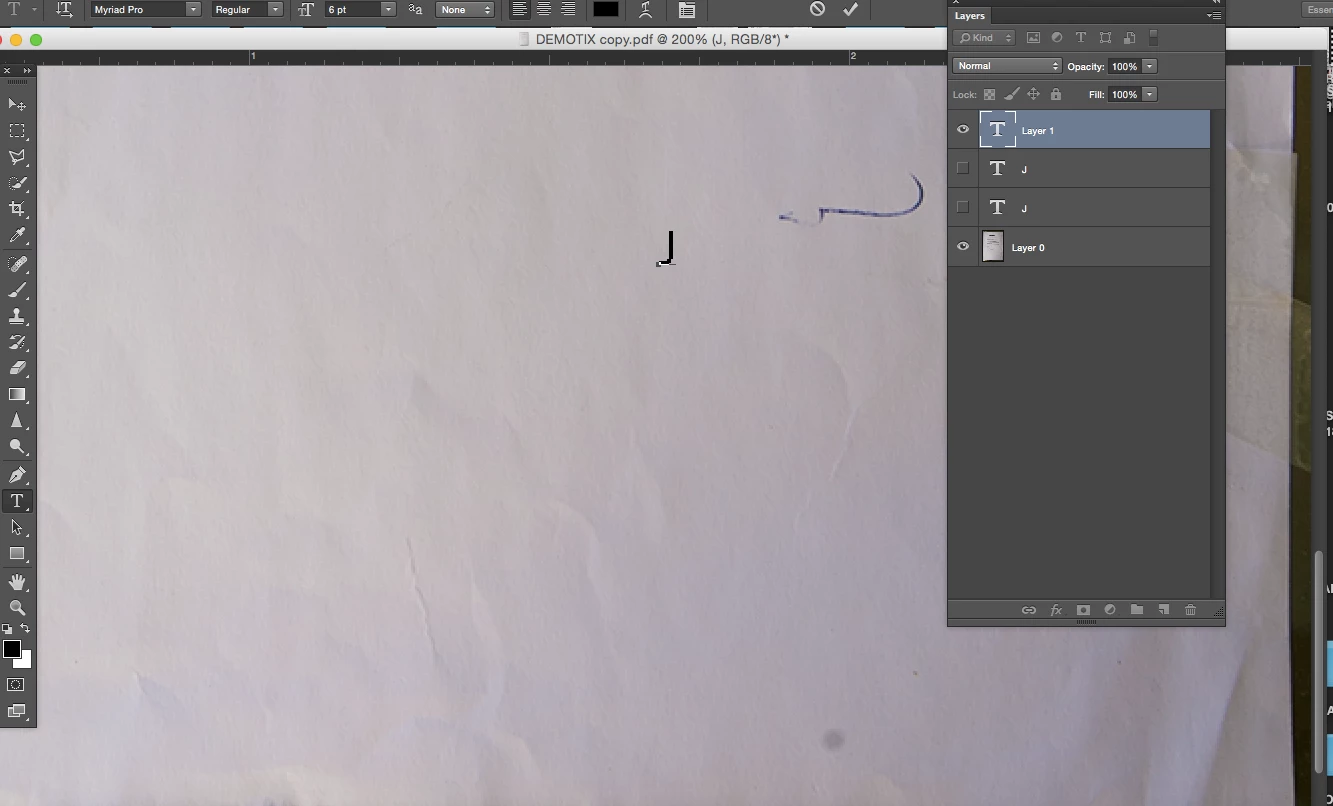
Hi, the size of my smallest font is still too big, the toolbar shows 6pt, any way way to reduce it further? thanks, Dona

This topic has been closed for replies.
Correct answer michelew83603738

Click in the font size box and type the size you want. Make sure to press enter.

2 replies

Inspiring
February 24, 2018

Thank you, since we are talking about text, i won't start a new question, anybody can tell me how to stay with Helvetica font type? Every time I  reopen PS, the font has changed back to Myriad, which I never used. indeed it shows selected in the font type menu, which I didn't, thanks again

michelew83603738
Community Expert
Community Expert
February 24, 2018

As far as I know you can create a new type preset and use that. There also may be a way to go into the system folders, but that would be way more complex and perhaps someone else could better advise you. Glad the sizing worked out.

michelew83603738
Community Expert
michelew83603738Community ExpertCorrect answer
Community Expert
February 23, 2018

Click in the font size box and type the size you want. Make sure to press enter.