Participant
August 3, 2023
Question

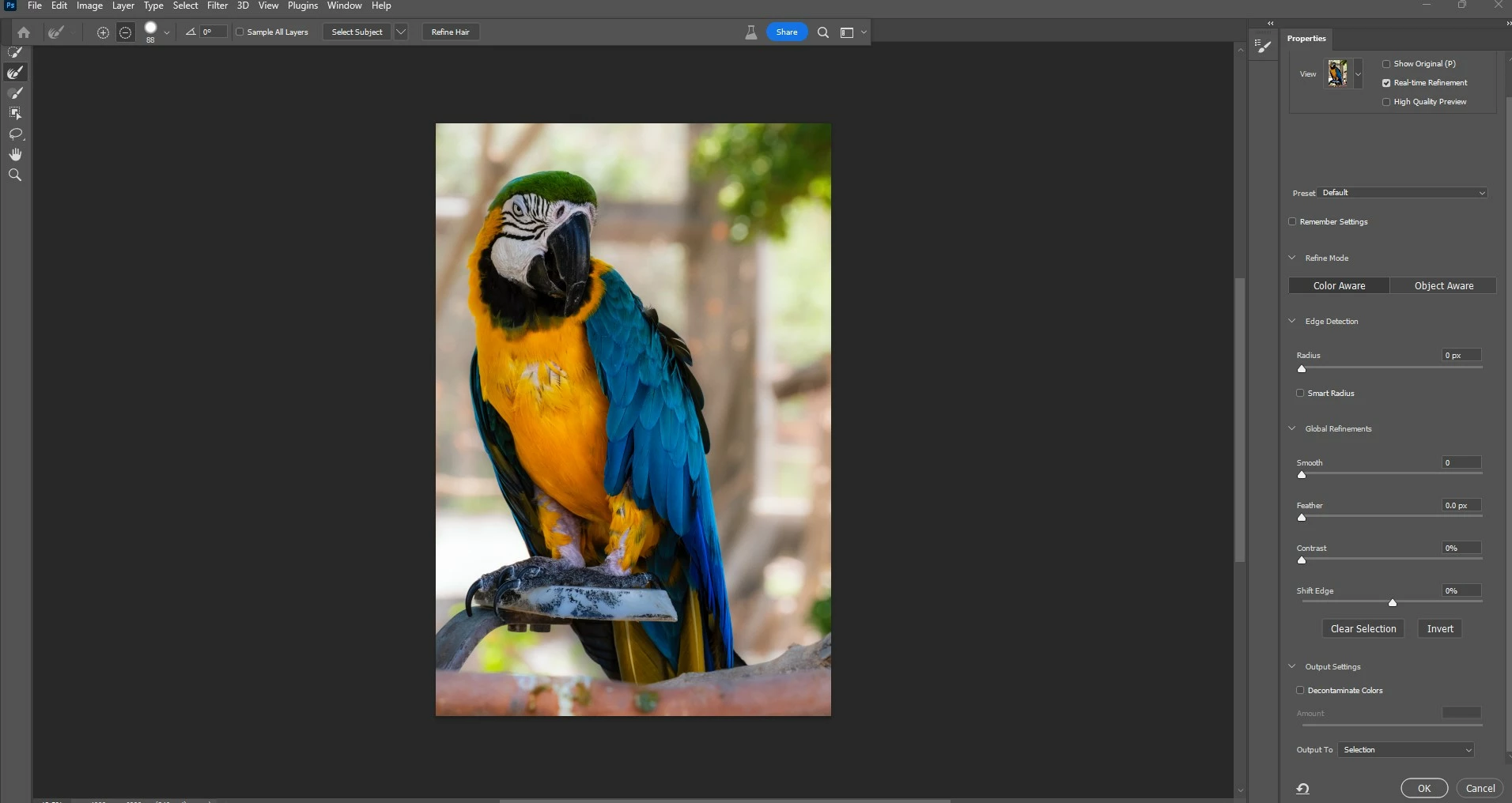
Refine Edge brush Missing

  • August 3, 2023
  • 1 reply
  • 1389 views

Hello,


While following Nick Page's tutorial (https://youtu.be/YxOYHYDPKV), I have noticed my refine edge brush is missing. Any one have a solution? 

Thanks 
    This topic has been closed for replies.

    1 reply

    kglad
    Community Expert
    Community Expert
    August 3, 2023

    in the future, to find the best place to post your message, use the list here, https://community.adobe.com/

    p.s. i don't think the adobe website, and forums in particular, are easy to navigate, so don't spend a lot of time searching that forum list. do your best and we'll move the post if it helps you get responses.


    <"moved from using the community">
    jane-e
    Community Expert
    Community Expert
    August 3, 2023

    @TTLPHOTO82 


    @kglad moved your post to the Photoshop Developers forum by mistake, proving that the forums are indeed hard to navigate. You are not a developer and this is not a developer question. I've moved your post to the Photoshop forum for you.


    You have the Refine Edge tool selected. It's the second one down in the toolbar. The reason it's not working is that you don't have a selection marquee. If you are trying to select the parrot, try this:

    • Exit Select and Mask
    • Try the Object Selection tool (or other selection tool) to select the parrot
    • Reenter the Select and Mask workspace.


    Jane

    kglad
    Community Expert
    Community Expert
    August 3, 2023

    (@jane-e, oops.  thank you.)
